Tablet
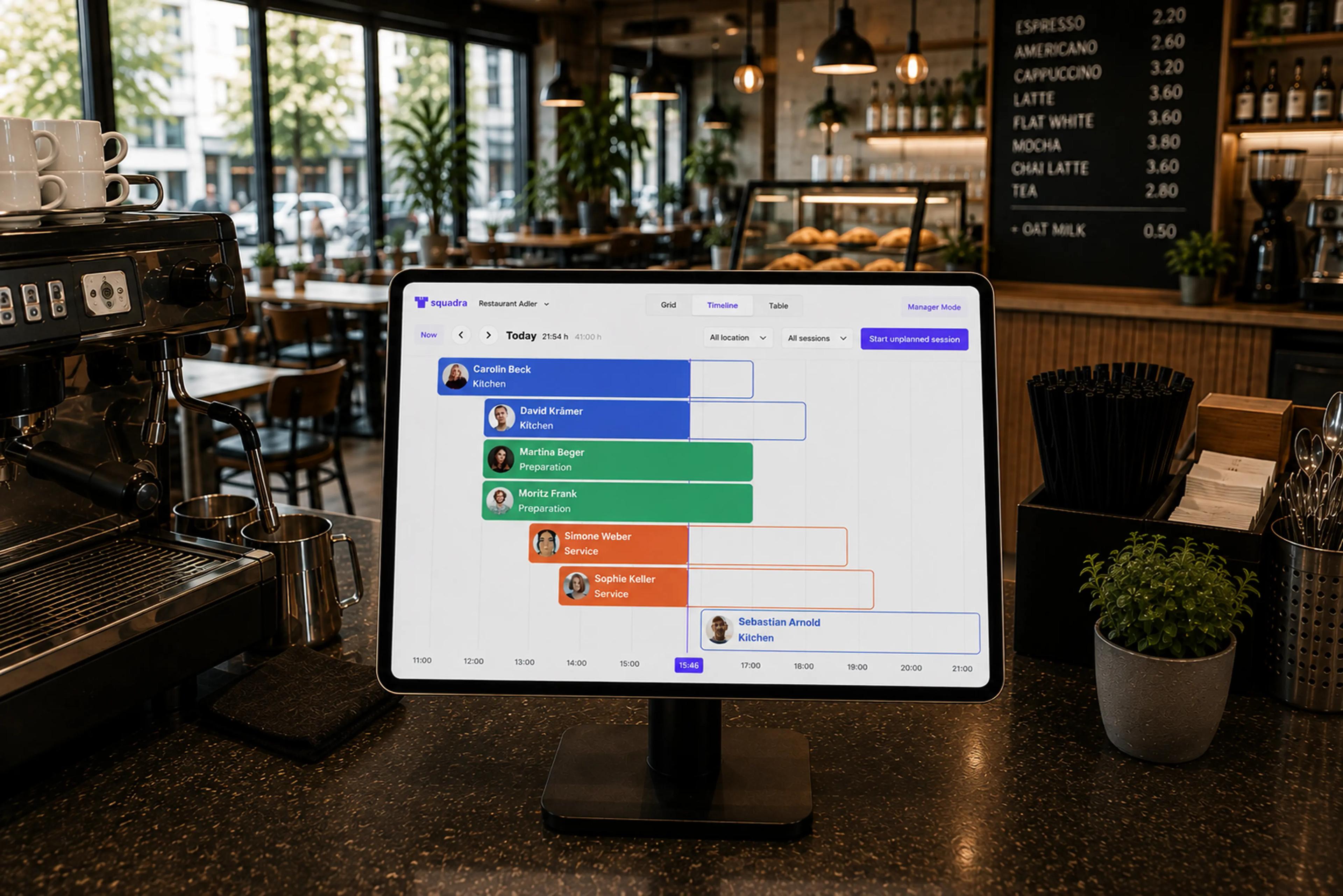
Squadra Terminal transforms any tablet into a central workspace for check-ins, sessions, and daily tasks.
The tablet app in the browser
The app was developed for branches where teams need to access a fast, shared interface directly on-site. Employees and managers can use a shared device to view work schedules, start sessions, log breaks, and complete operational tasks.
Teams can:
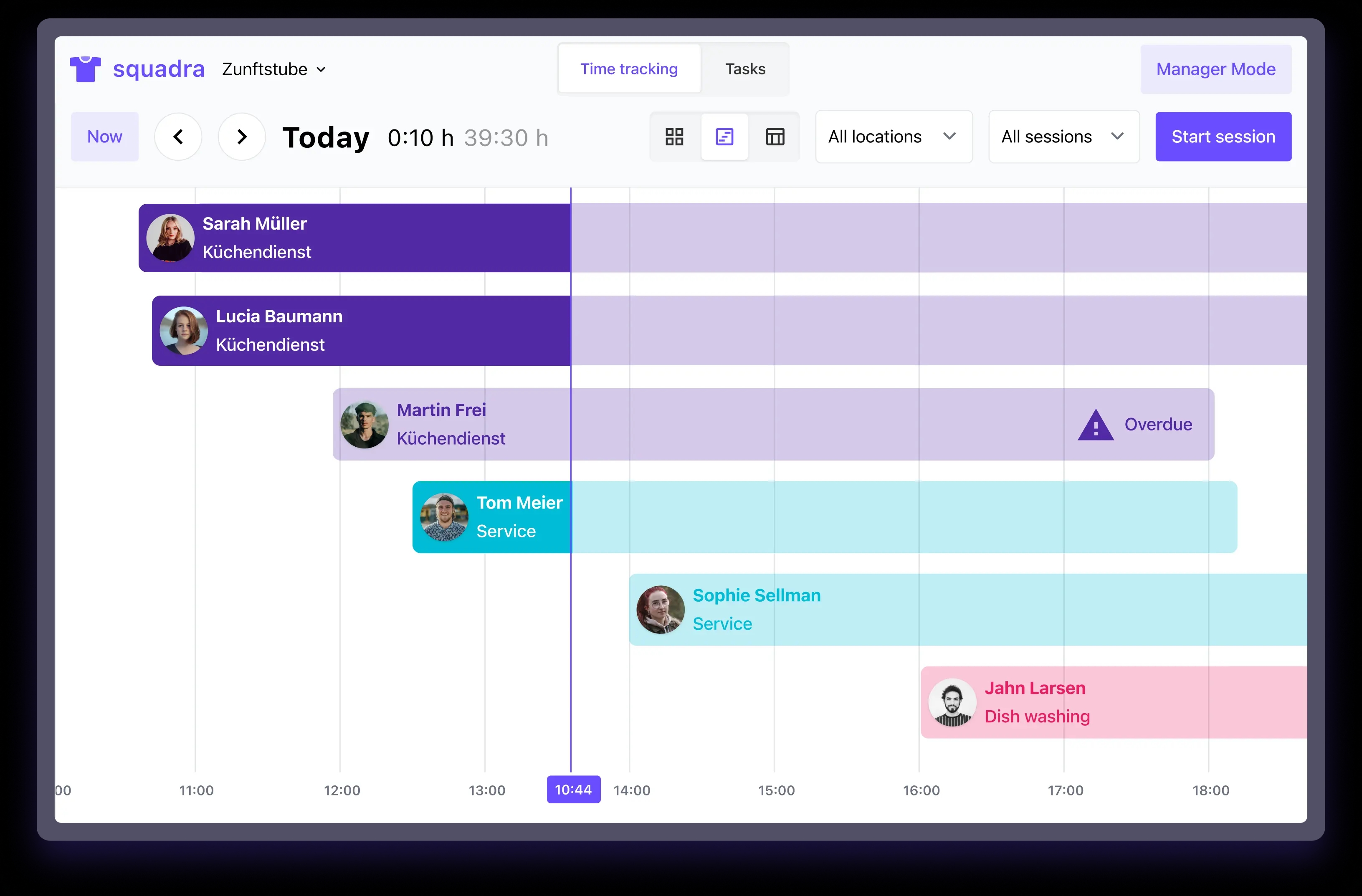
Today's sessions
Squadra Terminal includes three different daily views, so that each team can choose the layout that best suits its daily workflow.
Clocking in
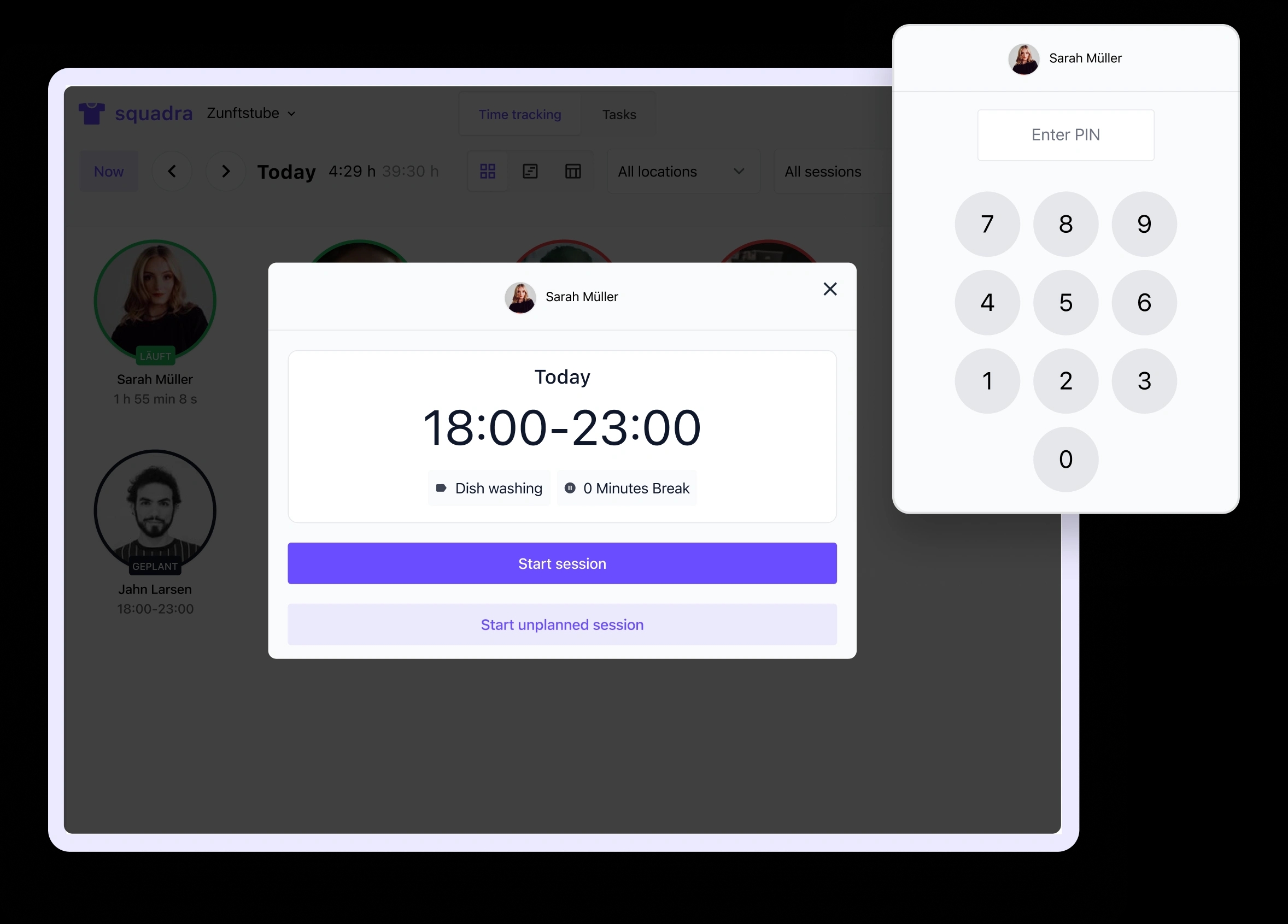
Employees tap directly on their scheduled session on the shared screen. The entire process takes only a few seconds.
Employees tap their session on the shared screen to start the check-in process.
PIN authentication ensures secure and accurate time tracking.
Check the session details and tap "Start Session." Done.
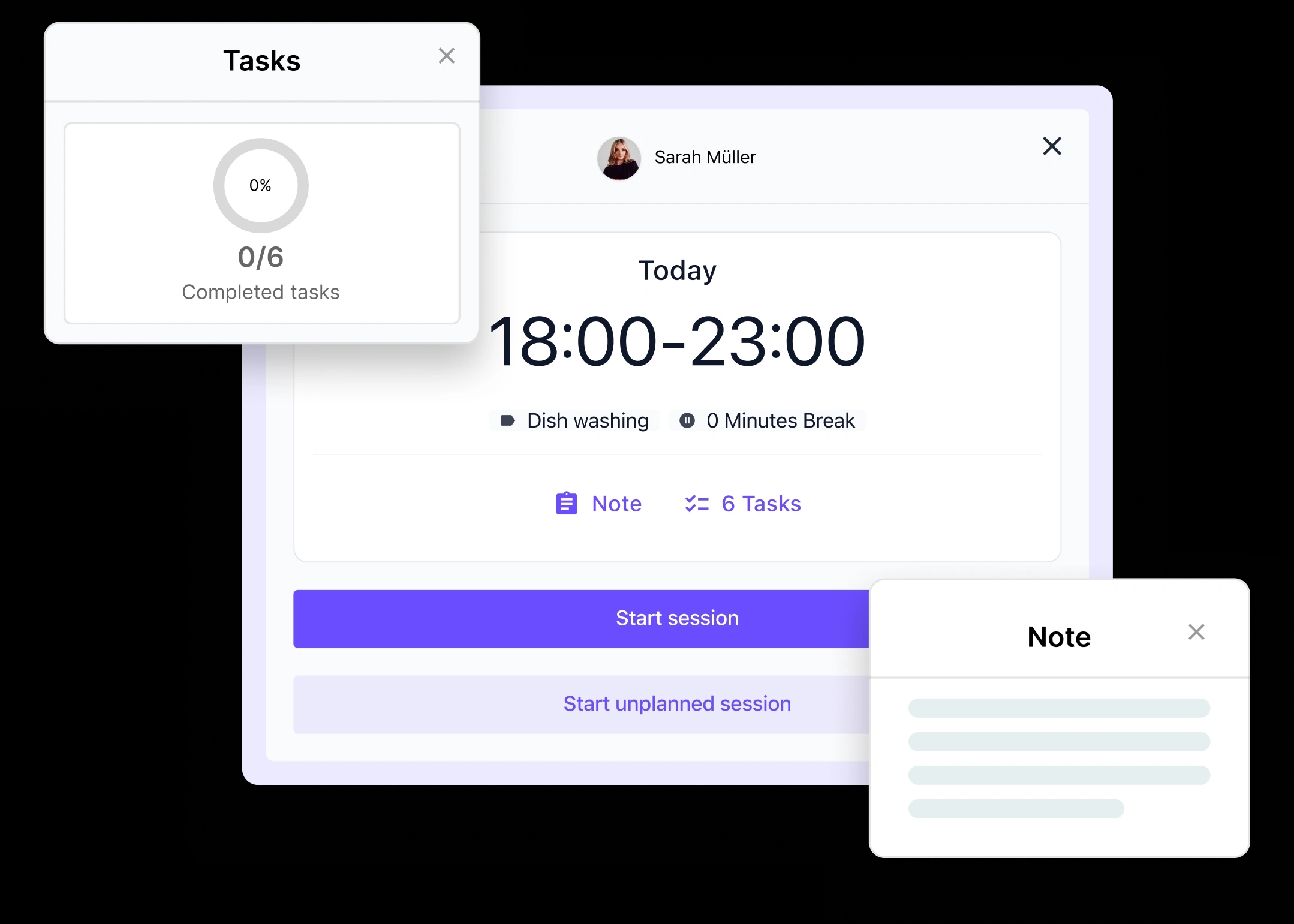
Notes & Attachments
Employees can view session details before starting work or at any time during their session.
Employees can:
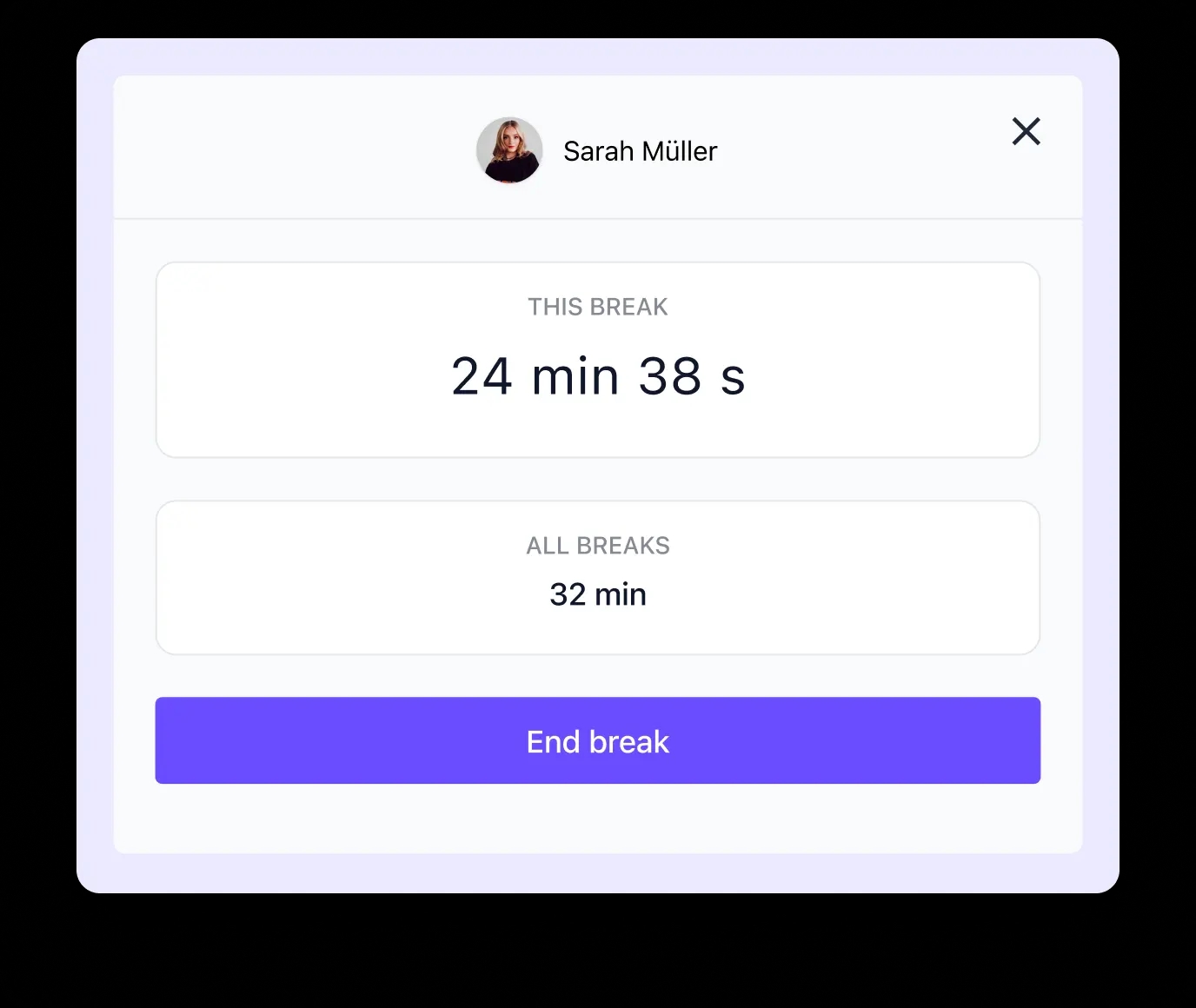
Break Tracking
After clocking in, employees can open their session and record breaks directly. The breaks are automatically included in the time tracking.
Employees can:
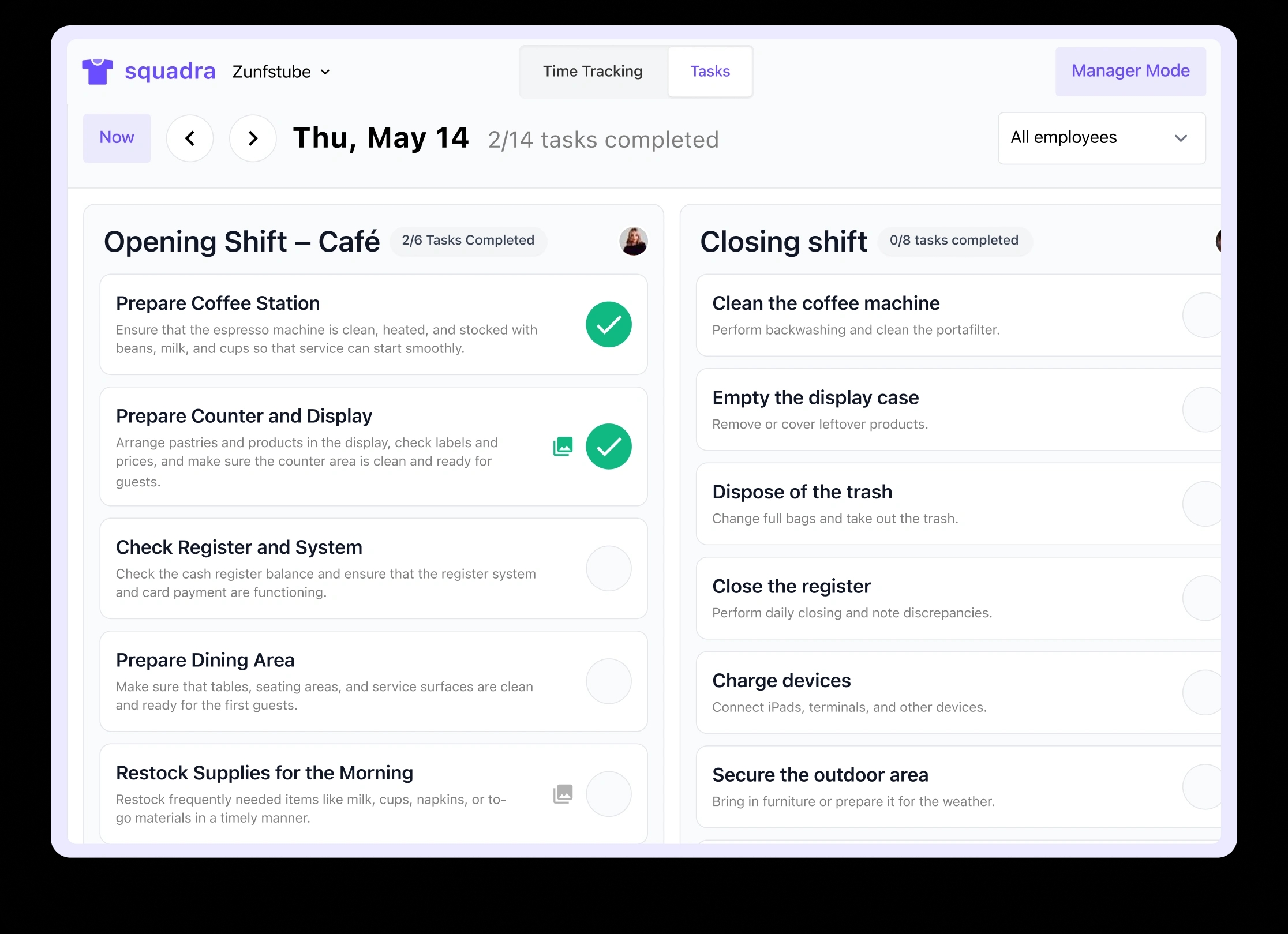
Tasks
With the Tasks tab, teams can access and edit operational checklists directly in Squadra Terminal. Managers can track progress in real time.
Teams can:
Each Squadra app is designed for a specific use case. Explore the other platforms and learn how they work together seamlessly.