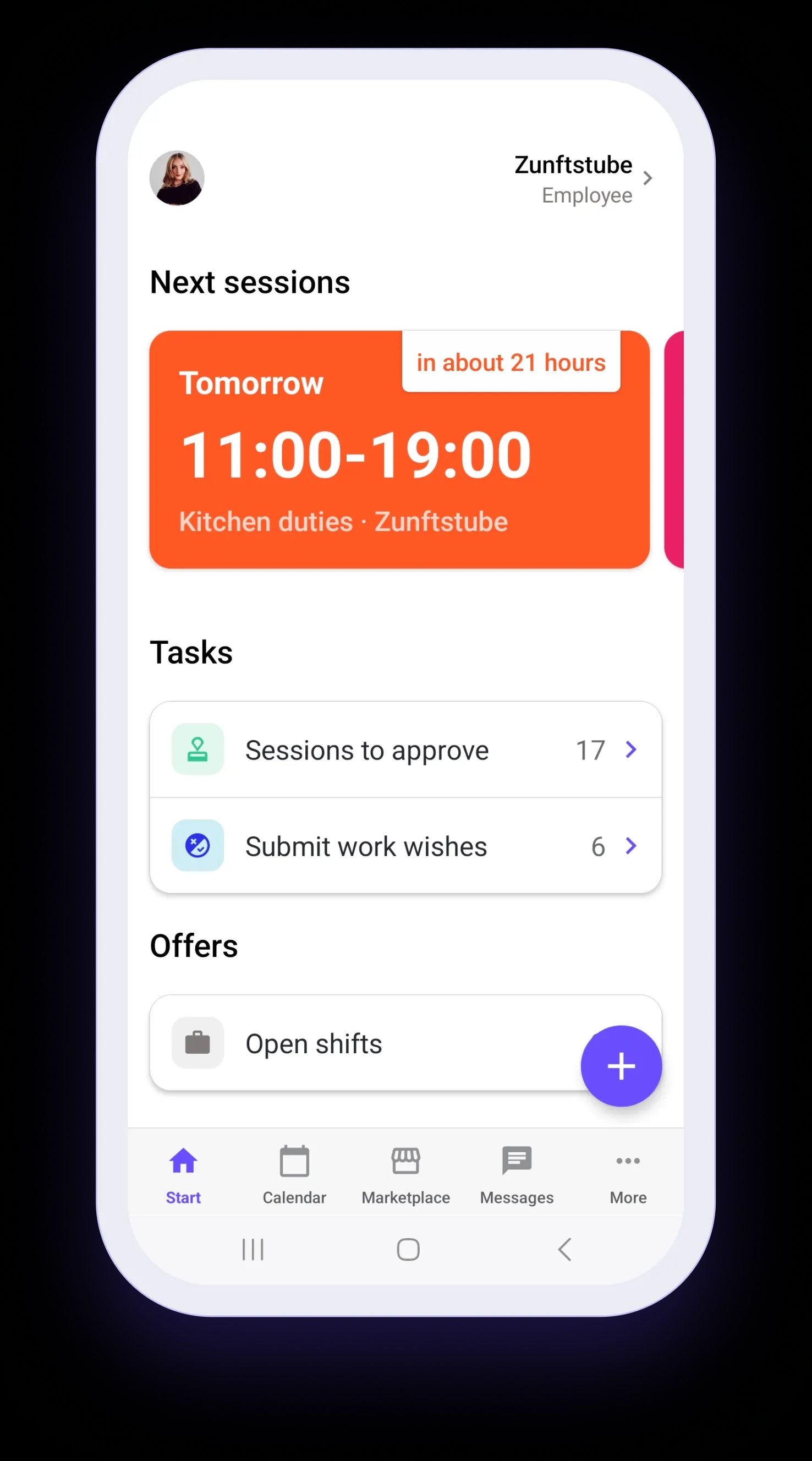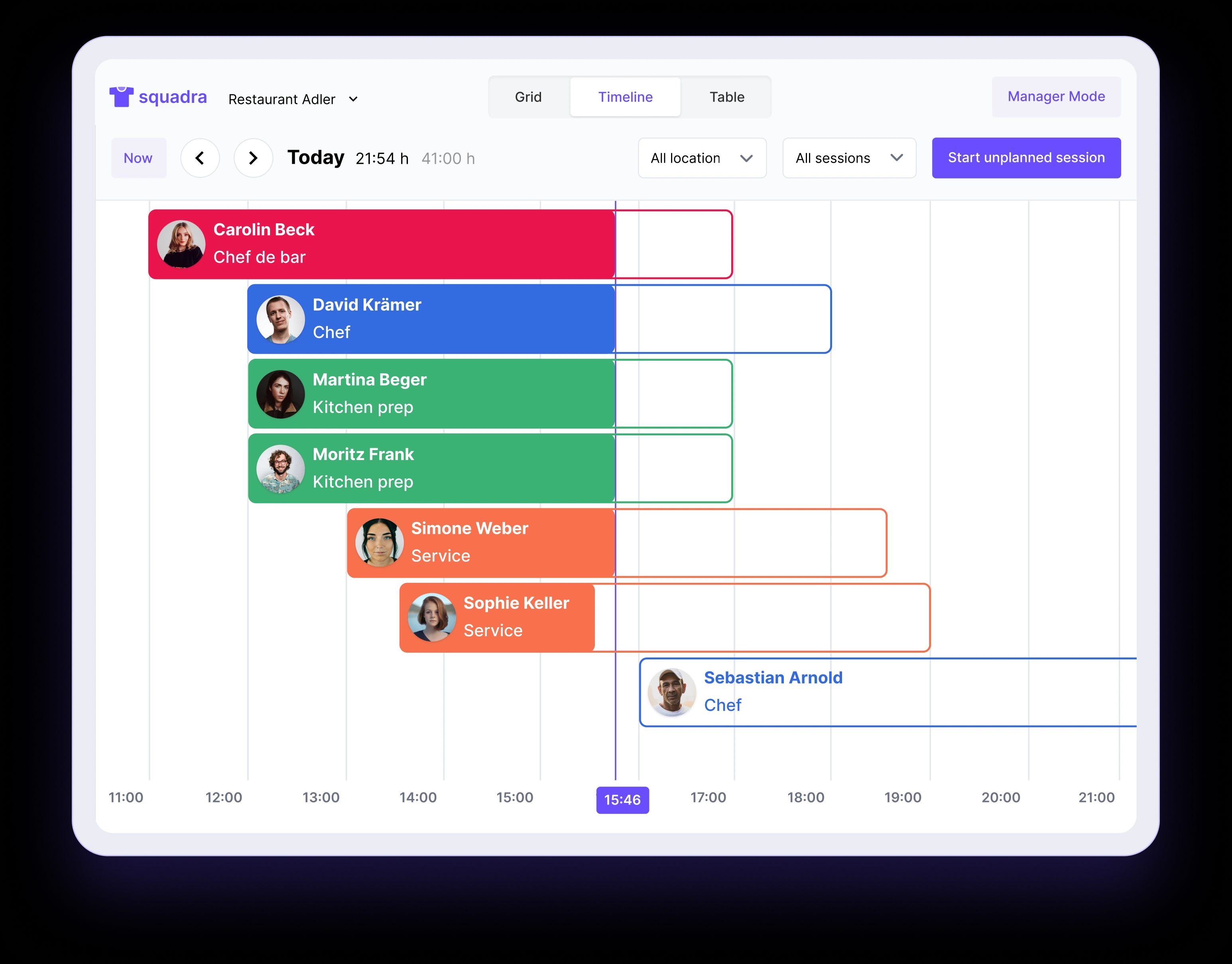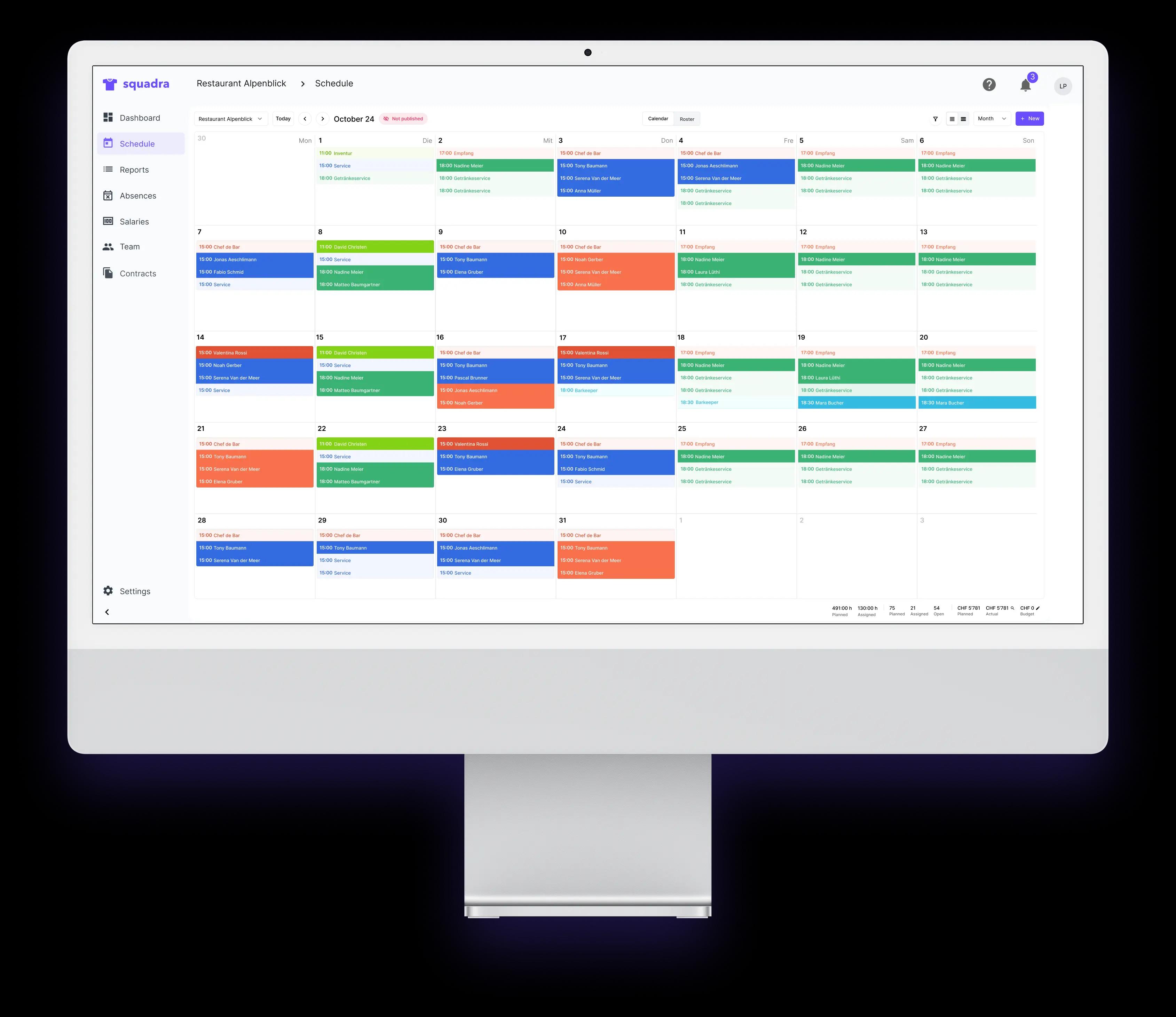
Desktop

Manage your entire branch in one place.

The Squadra web app was developed for operational teams that need transparency, efficiency, and control over their daily operations.

Desktop

The Control Center

Squadra Desktop is the operations center for supervisors.

Here, specific Squadra roles (owners, administrators, and managers) can access the Squadra ecosystem's control center. There, they have a complete overview of their entire branch.

Supervisors can:

  • Create and Manage Work Schedules
  • Check Time Tracking
  • Manage Absences and Approvals
  • Manage Contracts and Teams
  • Prepare Salary
  • Coordinate operational workflows in branches

Dashboard

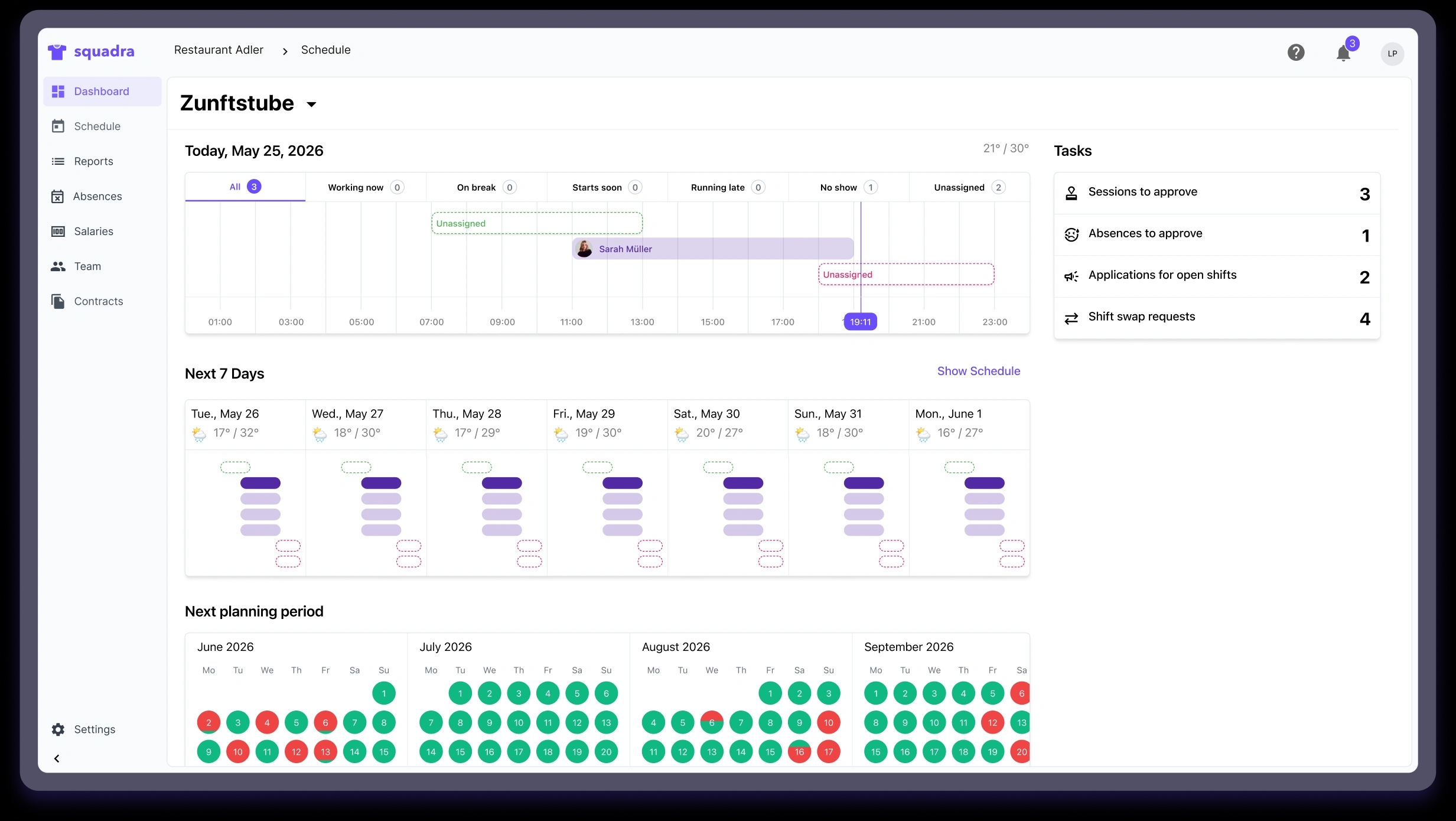
Start your day with a live overview of your branch.

Supervisors can see the current operational status at a glance without having to open the duty roster. All important information is displayed directly on the dashboard.
Dashboard

Today's Schedule

  • Who works
  • Who's on break now?
  • Delayed Arrivals
  • Unassigned Sessions

Tasks

  • Approval Meetings
  • Requests for Leave
  • Pending Deployment Requests
  • Requests for Assignment Changes

Next week

  • Coverage Rate
  • Staffing gaps
  • Busy days
  • Staffing Needs

Staffing Plan for Next Month

  • Employee Availability
  • Periods with Insufficient Staffing
  • Days covered only partially

Work Plan

Visually create and manage work plans.

In the work schedule, you can create and assign sessions for employees across all your locations.

Flexible Planning

Full control over every aspect of your planning.

  • Create and Assign Sessions
  • Publish Work Plans
  • Duplicate Templates
  • Create recurring sessions
  • Plan for multiple business locations

Operational Transparency

The work plan was developed to make problems immediately apparent.
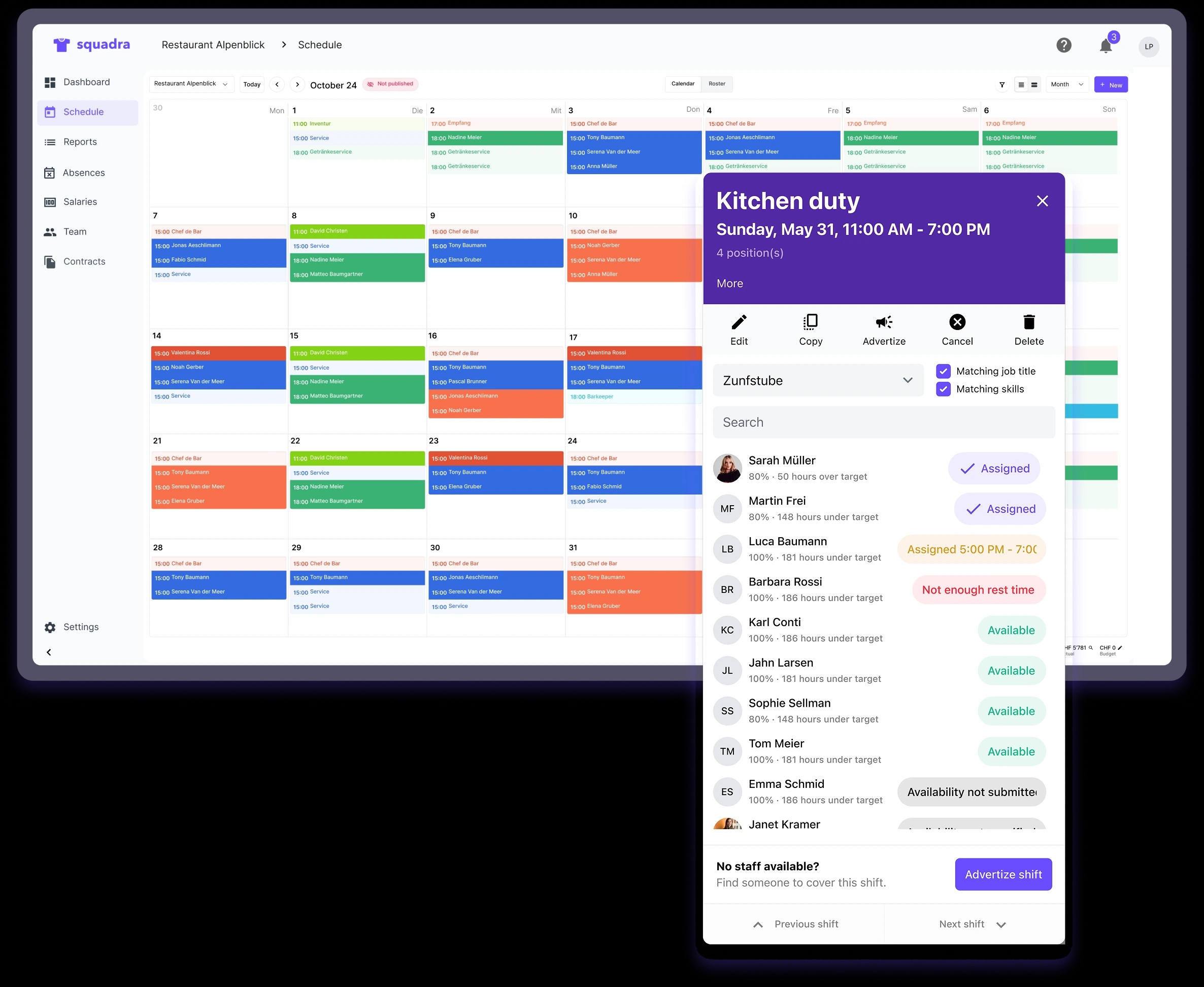
  • Coverage Gaps
  • Overlaps
  • Availability Conflicts
  • Unstaffed Sessions
Work Plan

Reports

Understand what happened at your branch.

Reports help you keep track of your branches and efficiently prepare payroll.

Managers can review the following:
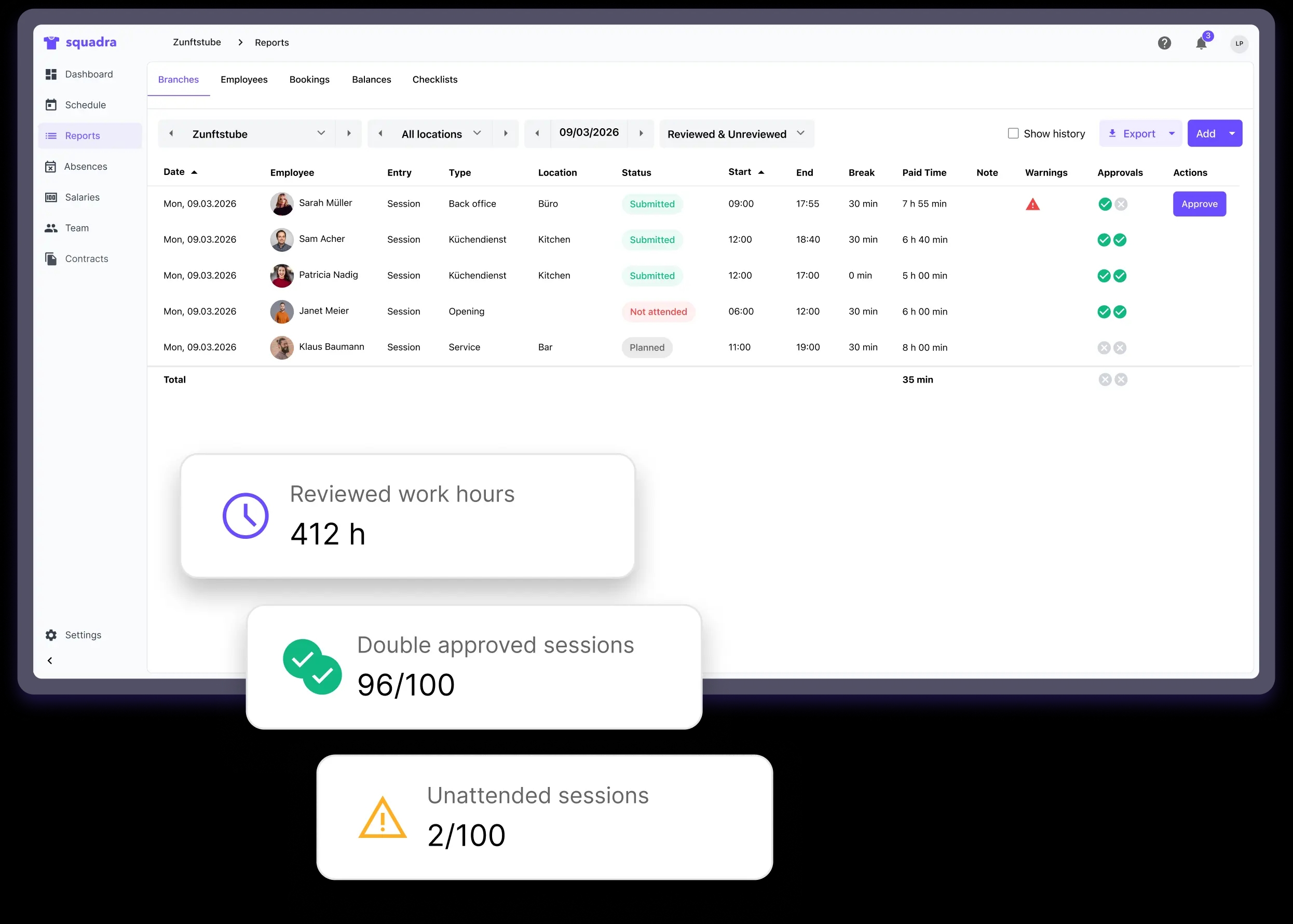
  • Hours Worked
  • Attendance
  • Course of the Operation
  • Completed Tasks
  • Anomalies in Time Tracking
Reports

Absences

Manage vacations and absences centrally.

Absences are automatically integrated into the scheduling and staffing overview, but can also be reviewed and managed centrally.

Managers can:
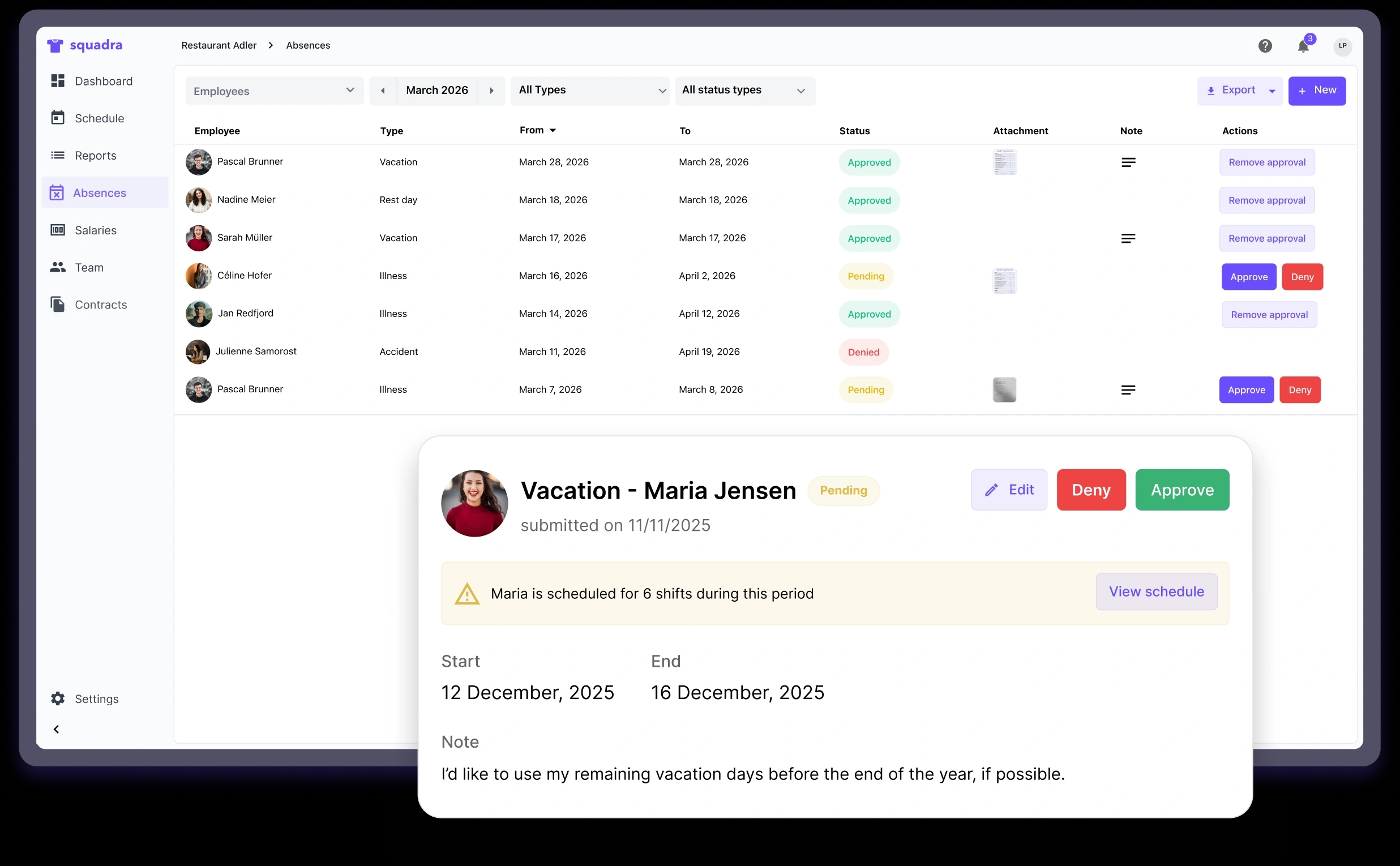
  • Review requests for leave
  • Approve or Deny Absences
  • Manage Sick Leave and Vacation
  • Identify the Impact on Workforce Planning
  • Balancing the Workload Within the Team
Absences

Salaries

Payroll preparation with less manual effort.

Squadra reduces the effort required for payroll preparation by linking scheduling and time tracking directly to payroll data.

Owners and administrators can:
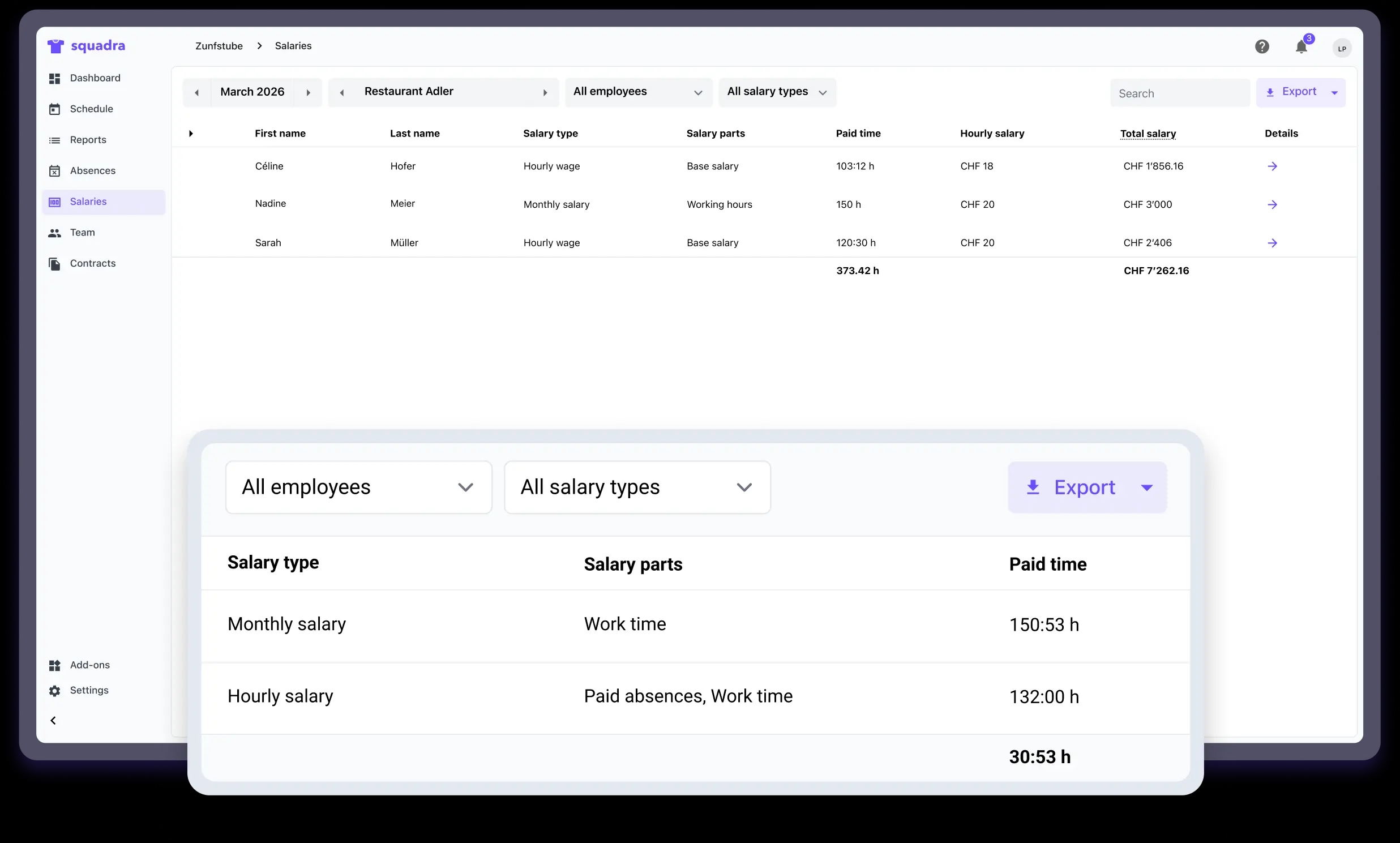
  • View Pay Components
  • Review the sessions on which the salary is based
  • Export Payroll Data
  • Import Squadra data into your payroll system
Salaries

Team

Manage your team centrally.

The Team page helps supervisors keep track of employees, permissions, and organizational roles.

Managers can:
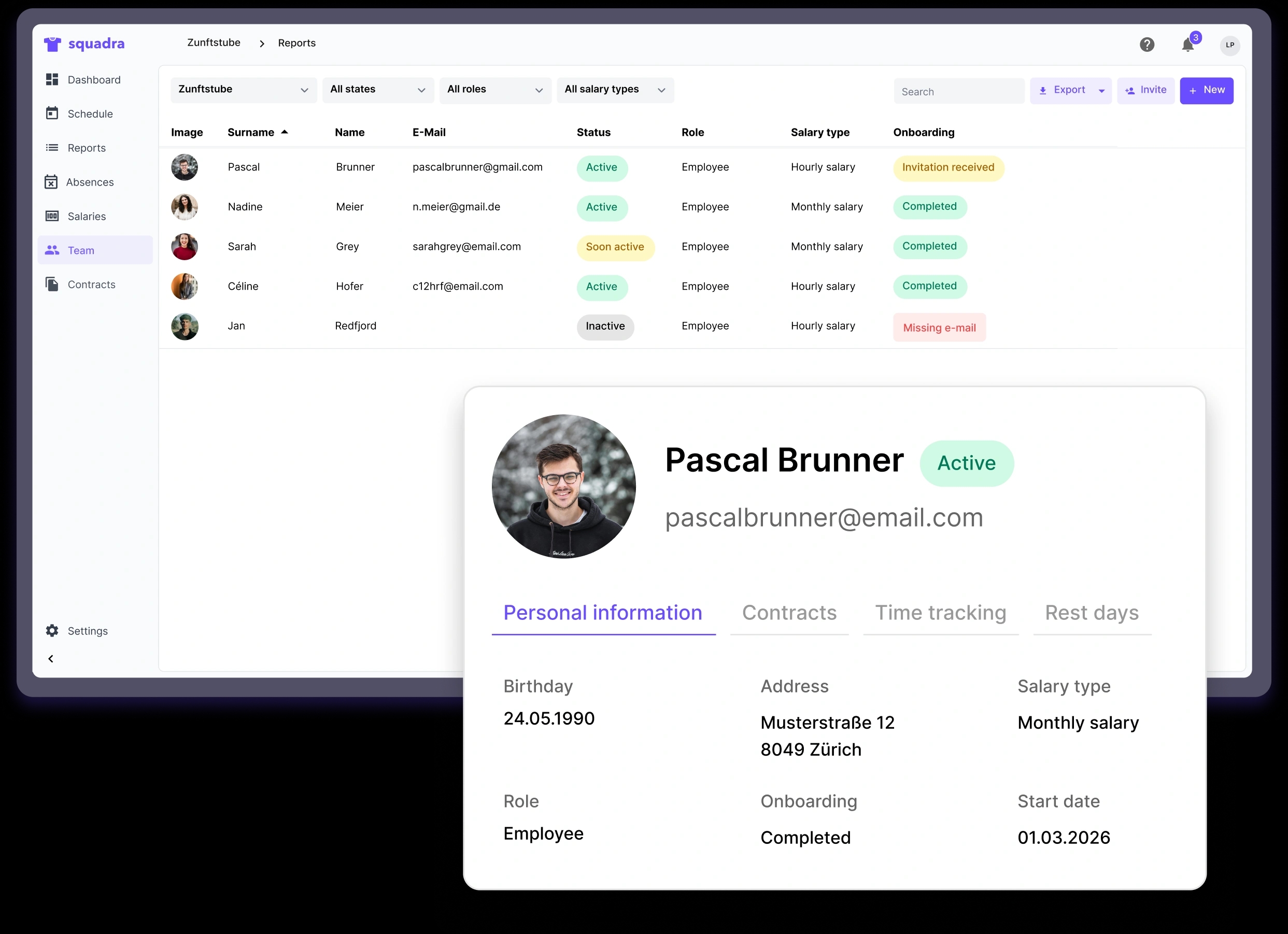
  • View Employee Profiles
  • Creating Employment Contracts
  • Check Employee Status
  • View Work Time Data
Team

Contracts

Manage employment information centrally.

Employees need an active Squadra contract to track their work hours and use business processes in Squadra.

Managers can:
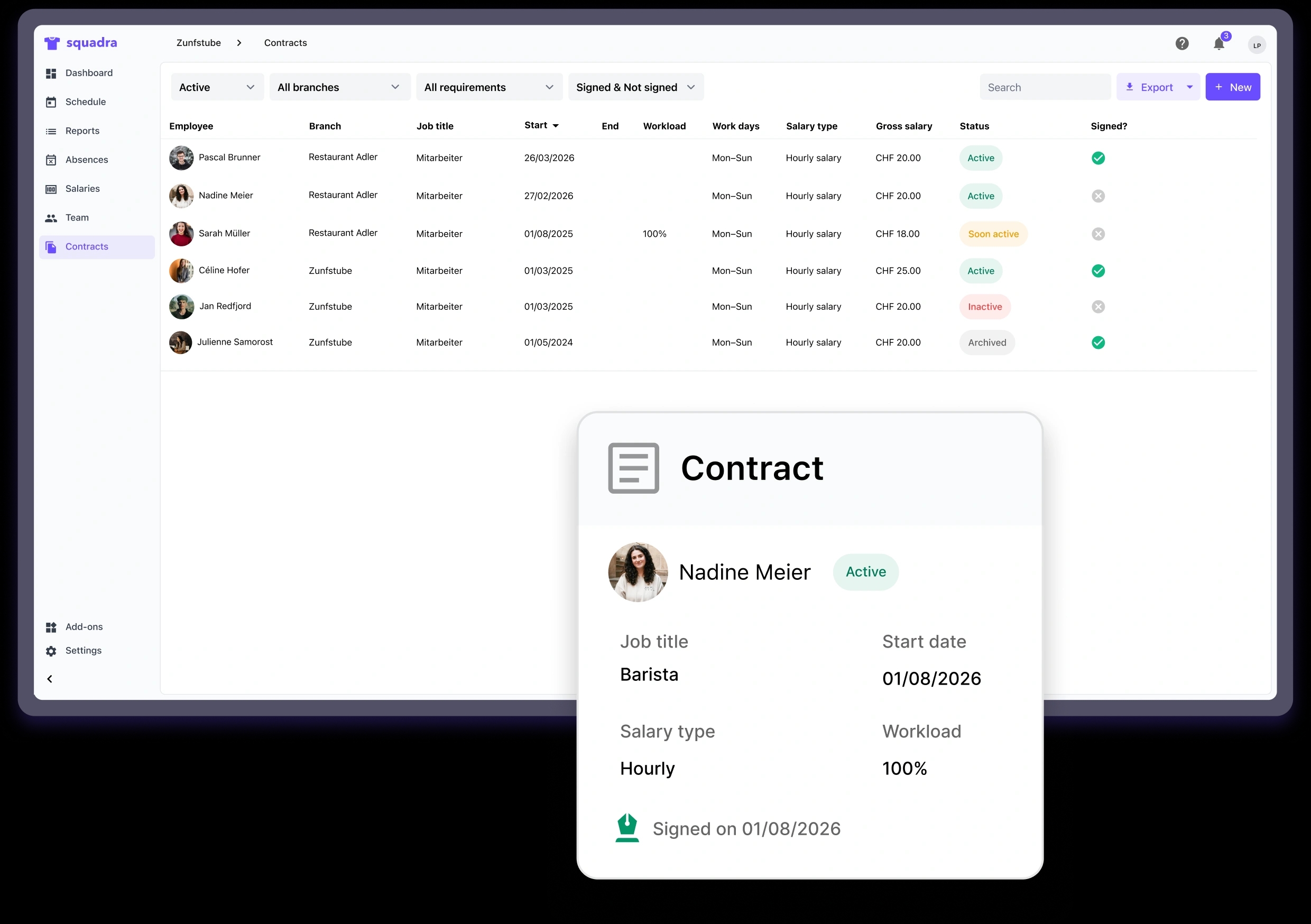
  • Create and Manage Employee Contracts
  • Define Pay Types and Work Loads
  • Assign Branches and Job Titles
  • Track Active and Inactive Contracts
  • Create legal contracts for digital signing
Contracts

Discover the Squadra ecosystem.

Each Squadra app is designed for a specific use case. Explore the other platforms and learn how they work together seamlessly.