Set regular cleaning shifts once.
Set the days and times for recurring cleaning rounds. Add one-off jobs alongside them and adjust individual shifts when a customer's needs change.
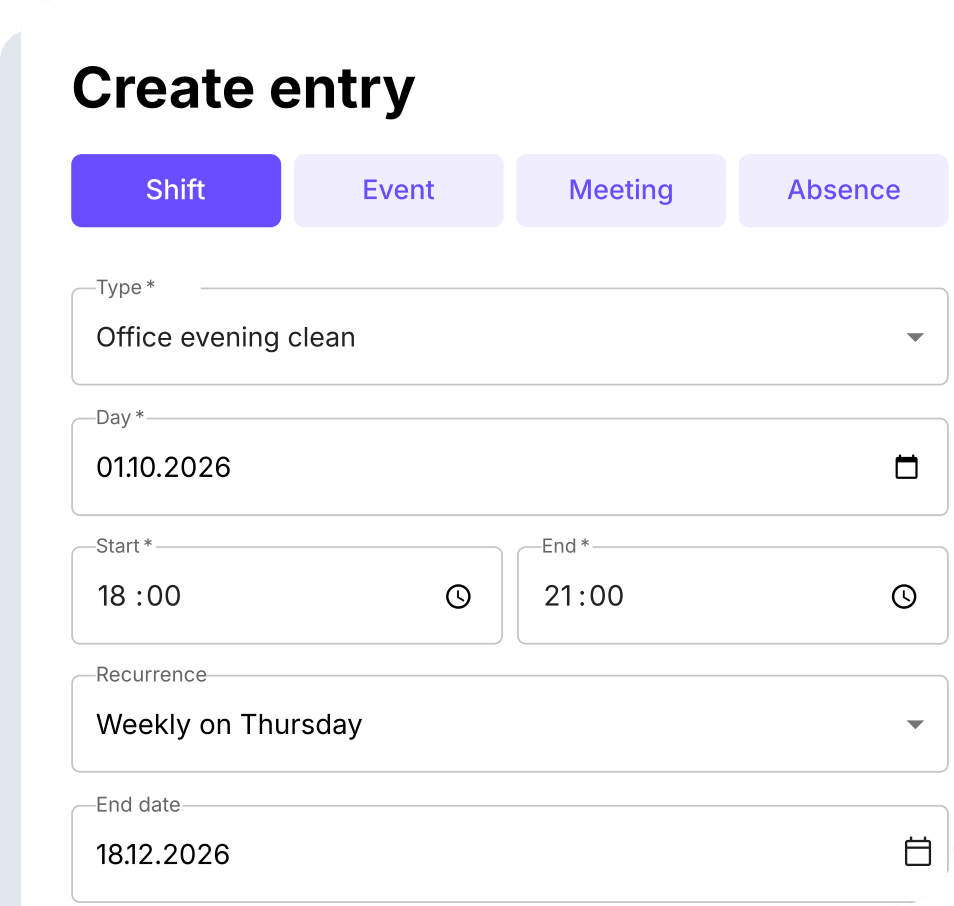

From regular cleaning rounds to last-minute cover, keep schedules, tasks, working hours and pay together in Squadra.
No credit card required. Setup in under 10 minutes.

Squadra for cleaning services
Five essentials. One Squadra. Plan cleaning rounds, guide your team and prepare worked hours for payroll.

Shift planning

Work time control

Salaries

Time recording

Team management
Plan recurring cleans and one-off jobs together, with the right people on each shift.
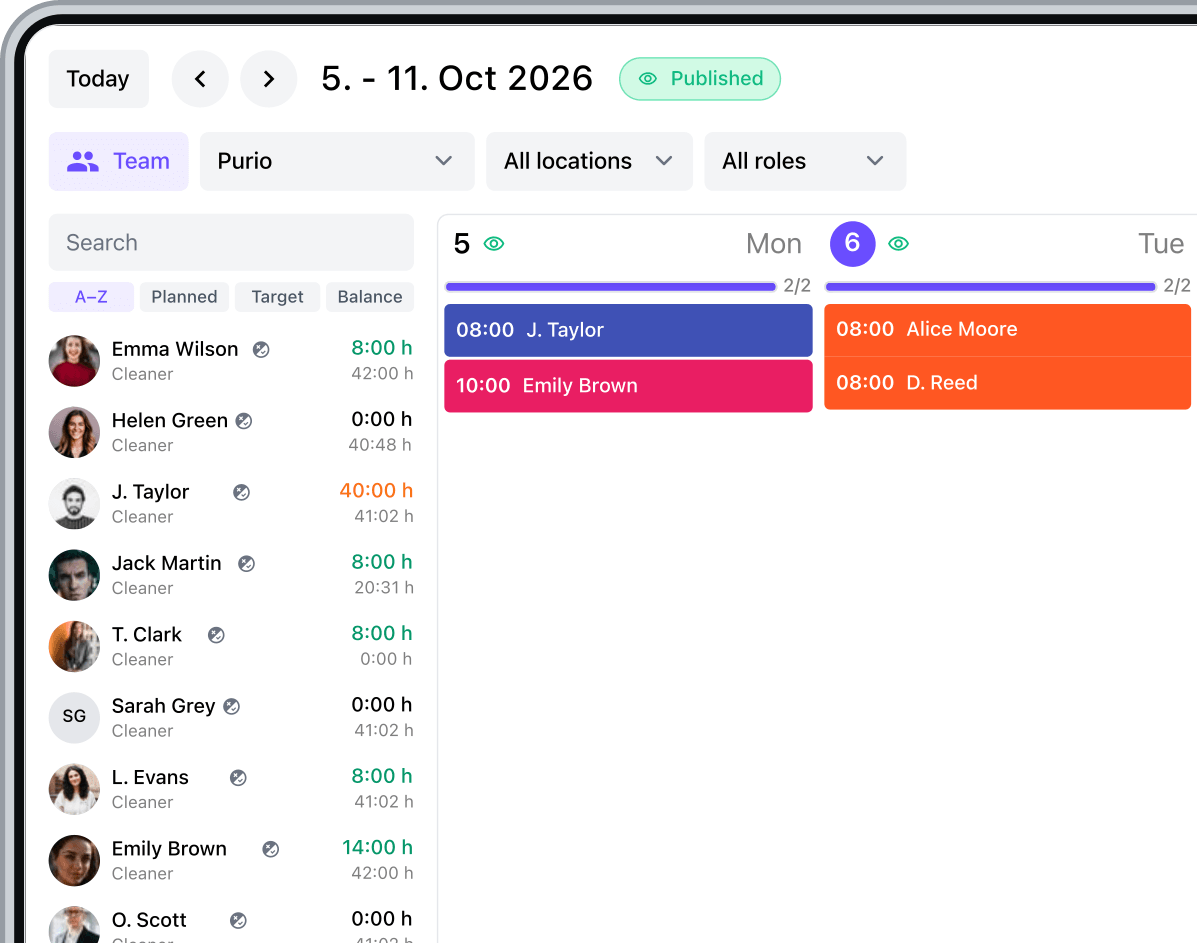
Set the days and times for recurring cleaning rounds. Add one-off jobs alongside them and adjust individual shifts when a customer's needs change.
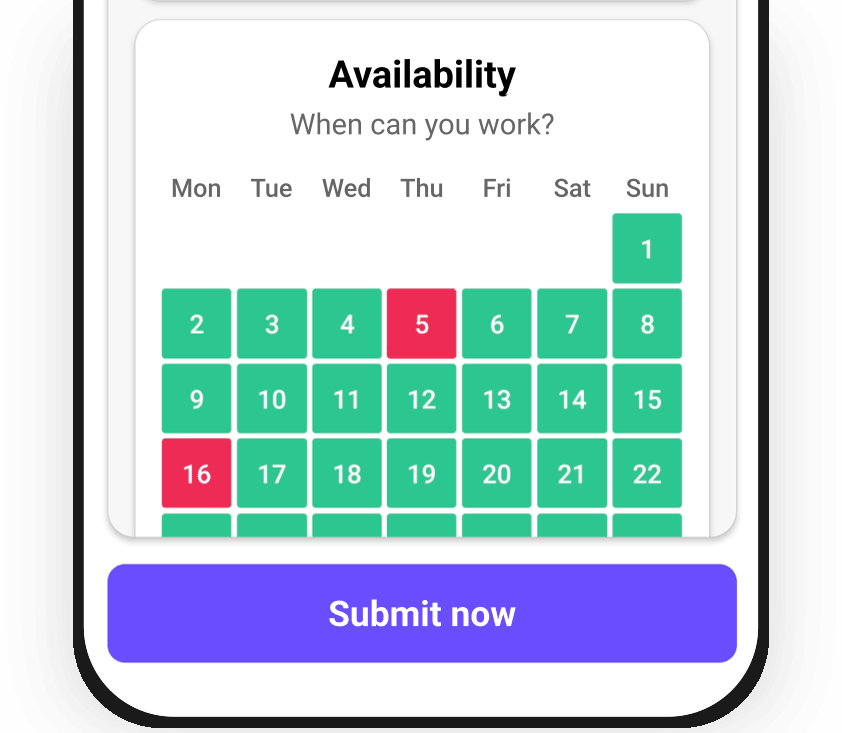
See when cleaners prefer to work before assigning shifts. Check their availability alongside existing work to plan early starts, evening rounds and extra jobs.
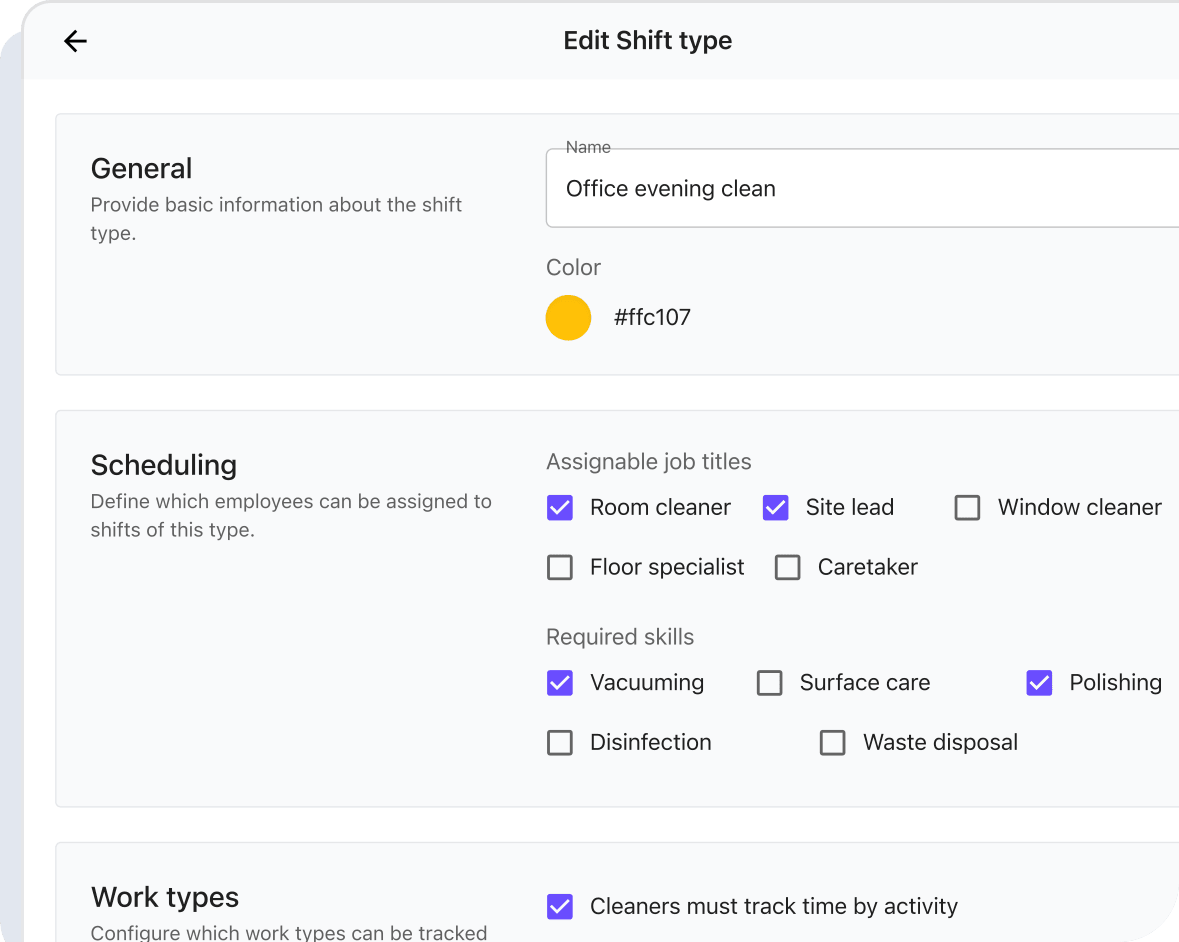
Define the job titles and skills each shift requires. Use those requirements to find cleaners suited to the site and the work that needs doing.
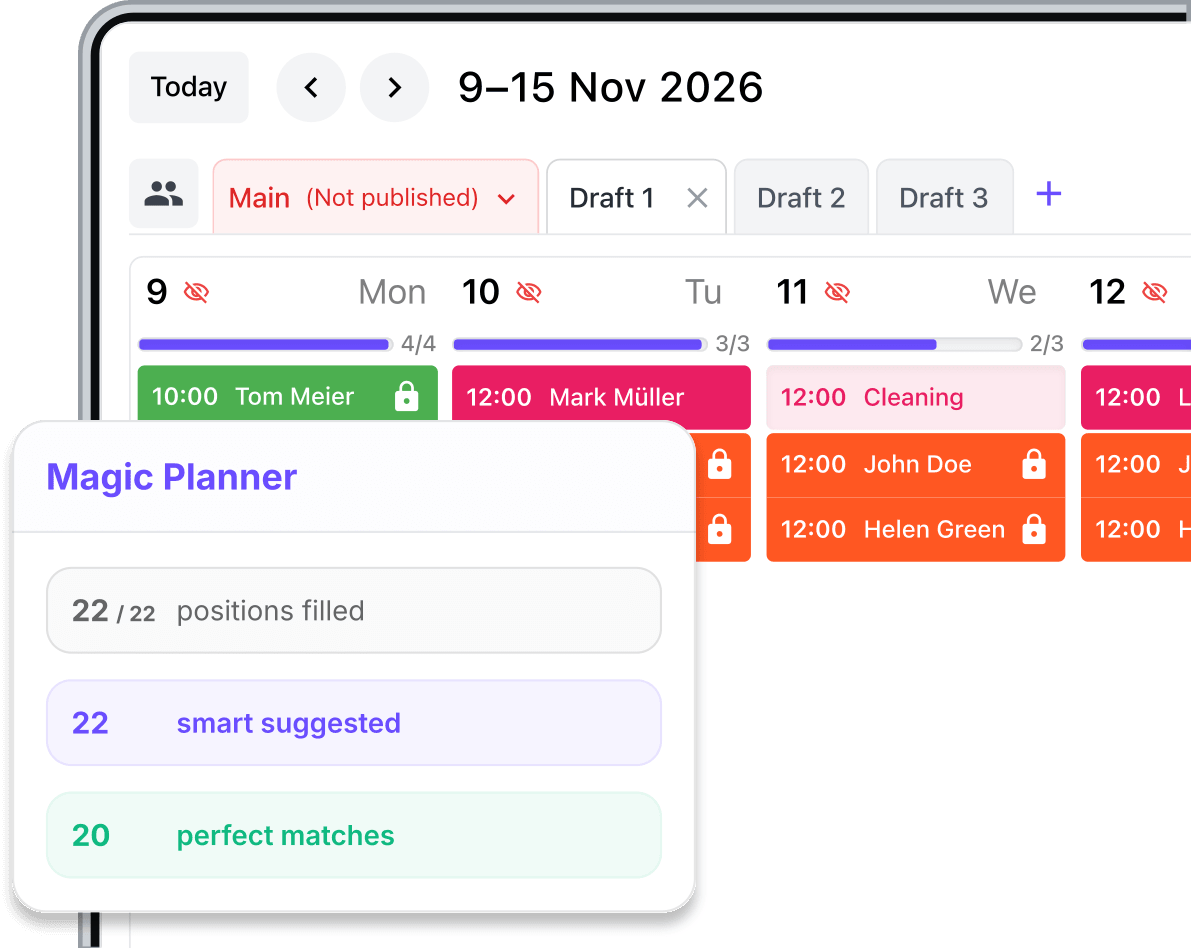
Let Magic Planner suggest assignments using availability, contractual hours and staffing needs. Review the suggestions before publishing your cleaning schedule.
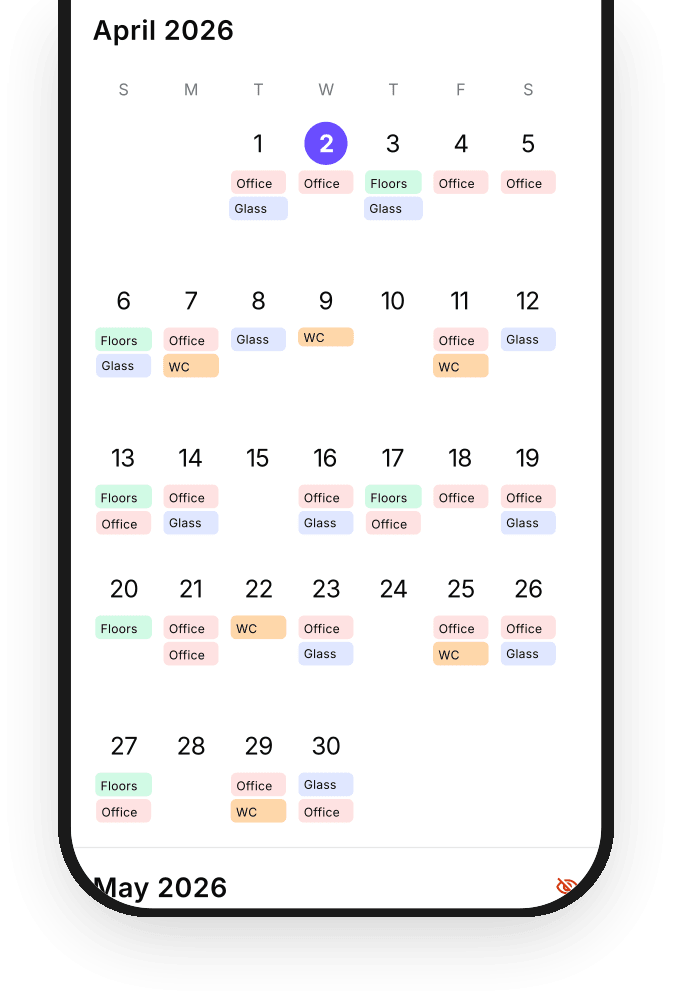
Publish the schedule and let cleaners check their shifts in the app. When plans change, your team can see the latest times and locations on their phone.
Give your team clear instructions and checklists for every site, so regular cleaners and replacements know what to do.
Create reusable checklists for each cleaning routine and attach them to shifts. Set out the tasks and instructions so regular cleaners and replacements know what to do.
Discover checklists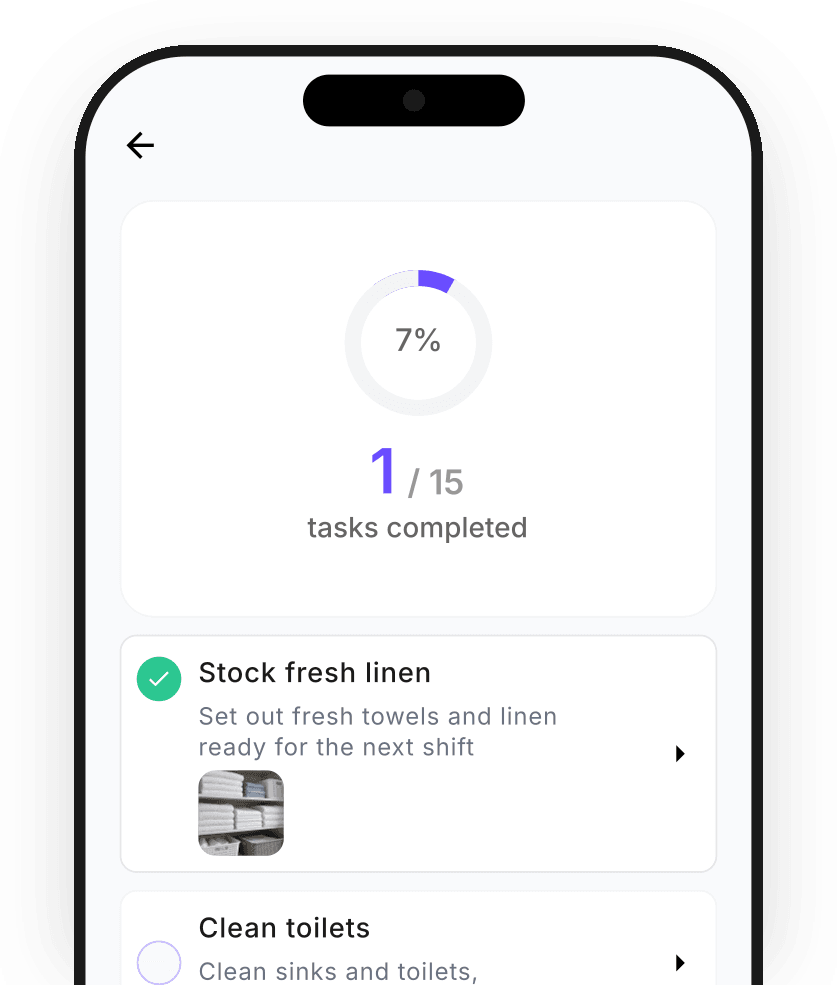
Open the cleaning checklist on a shared tablet at the site. Team members can see the tasks, mark their work complete and keep track of what remains.
Discover checklists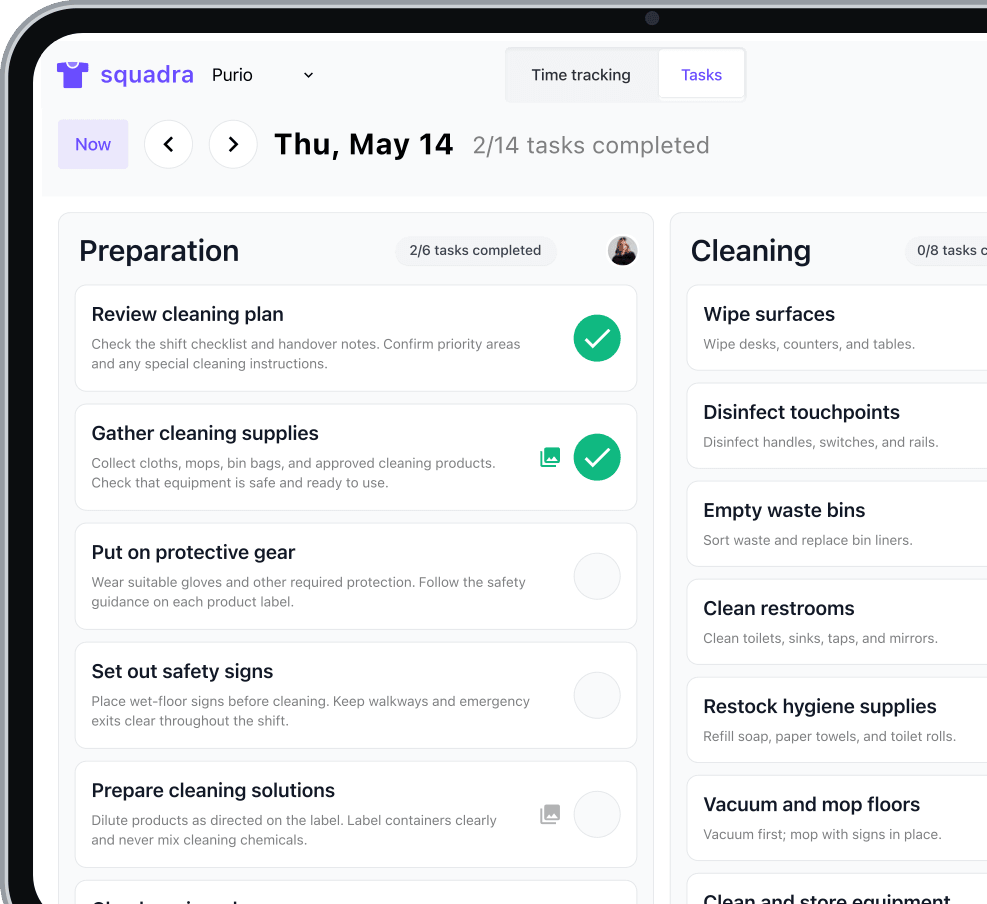
Your team records hours, completes tasks and reports issues in the app. You stay informed without being on site.
Cleaners can start work, record breaks and finish their shift in the app. Their recorded hours are ready for supervisors to review, wherever the team is working.
Discover Squadra mobile app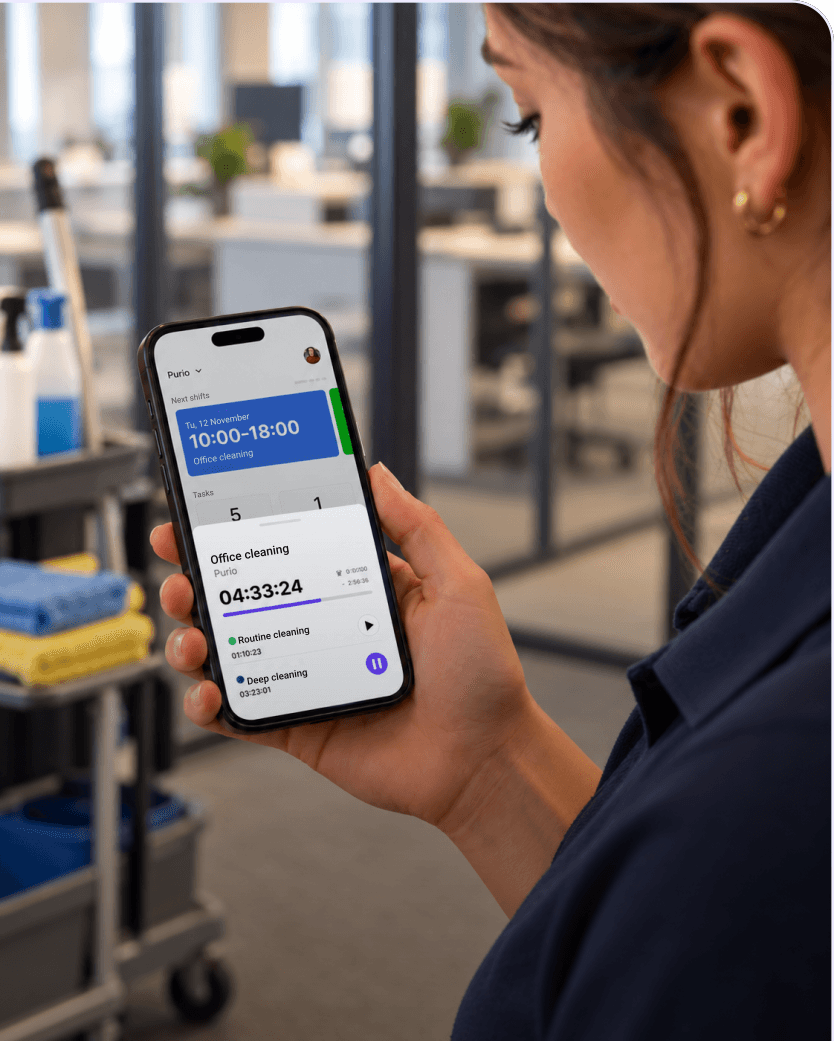
Place a QR code at the site for cleaners to scan when they start, pause or finish work. Choose which shifts require a presence check without installing separate clock-in hardware.
Learn more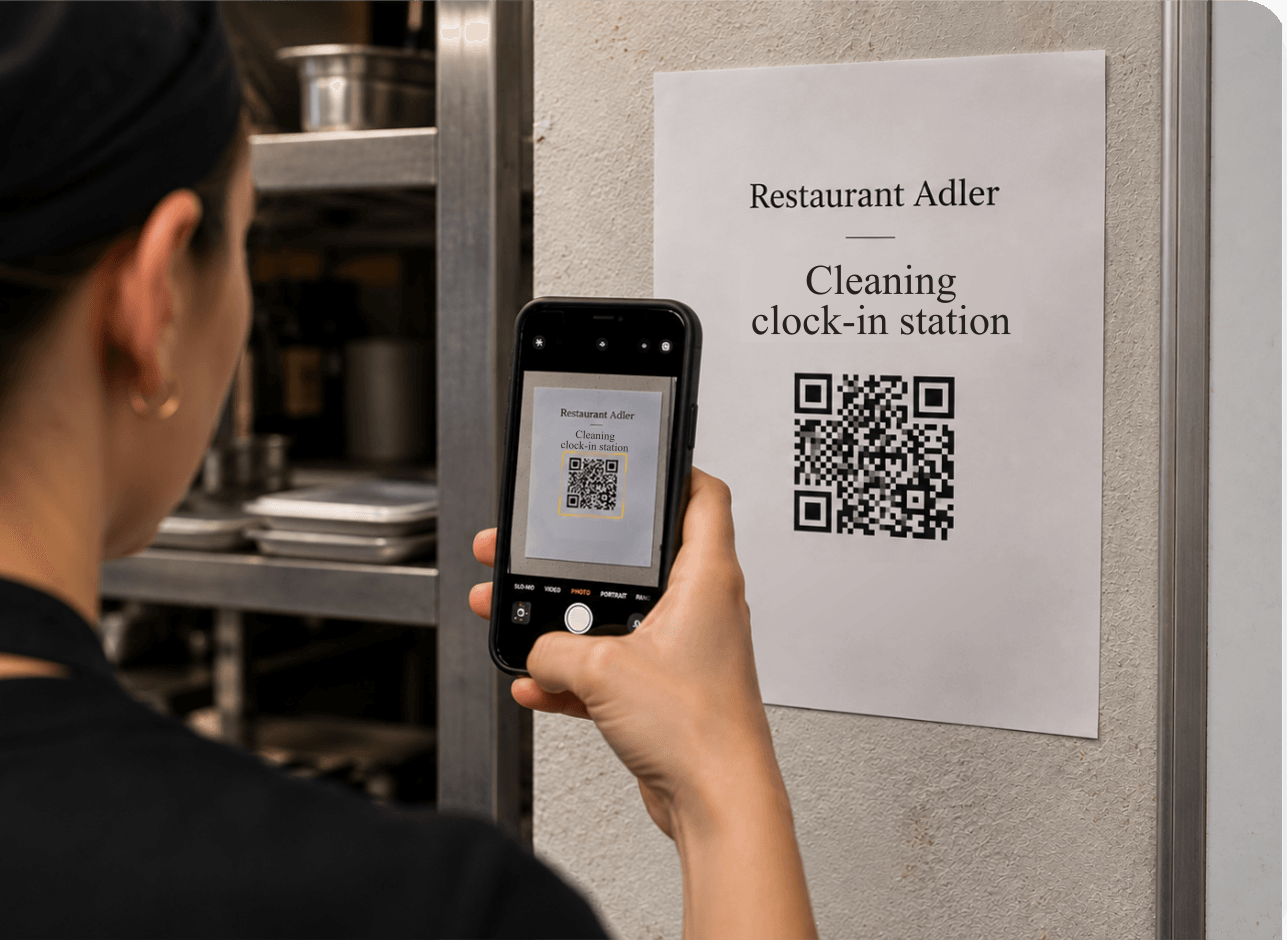
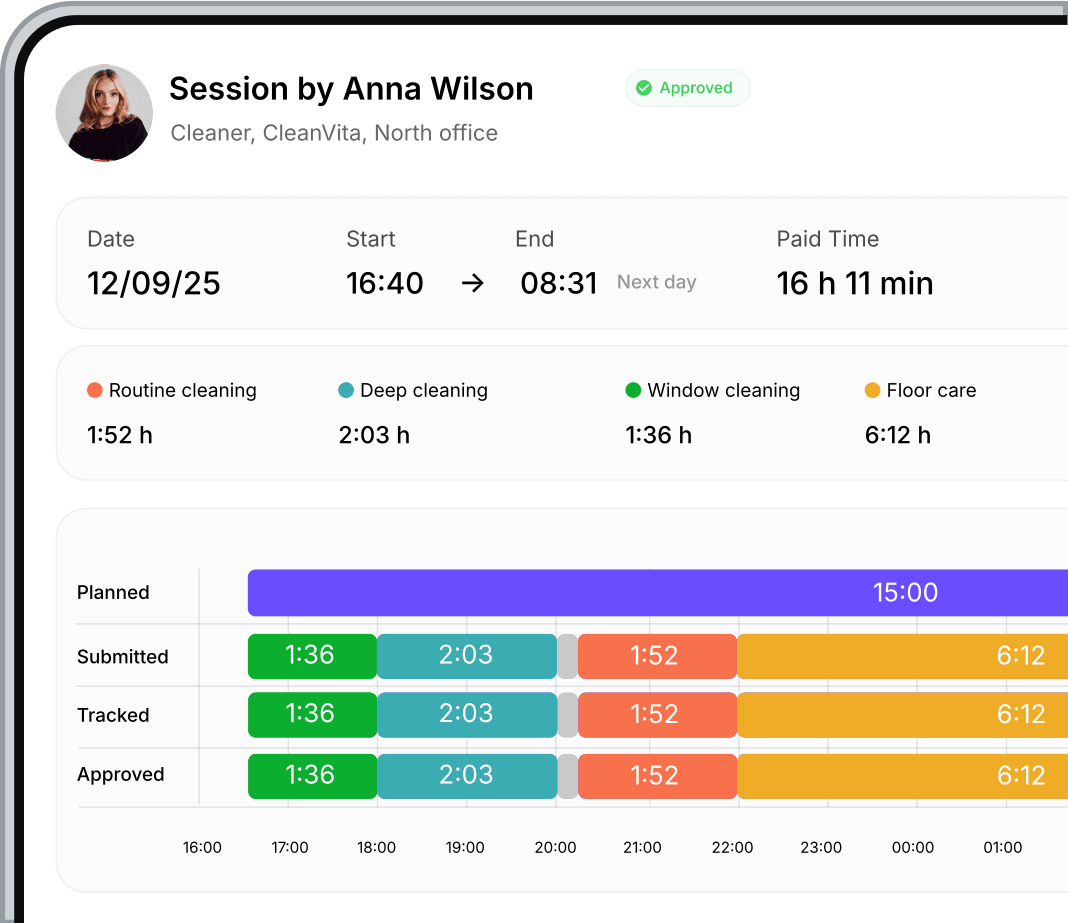
Separate routine cleaning, deep cleaning and other activities within one shift. Cleaners switch work types in the app so the record shows how their time was spent.
Discover Squadra mobile app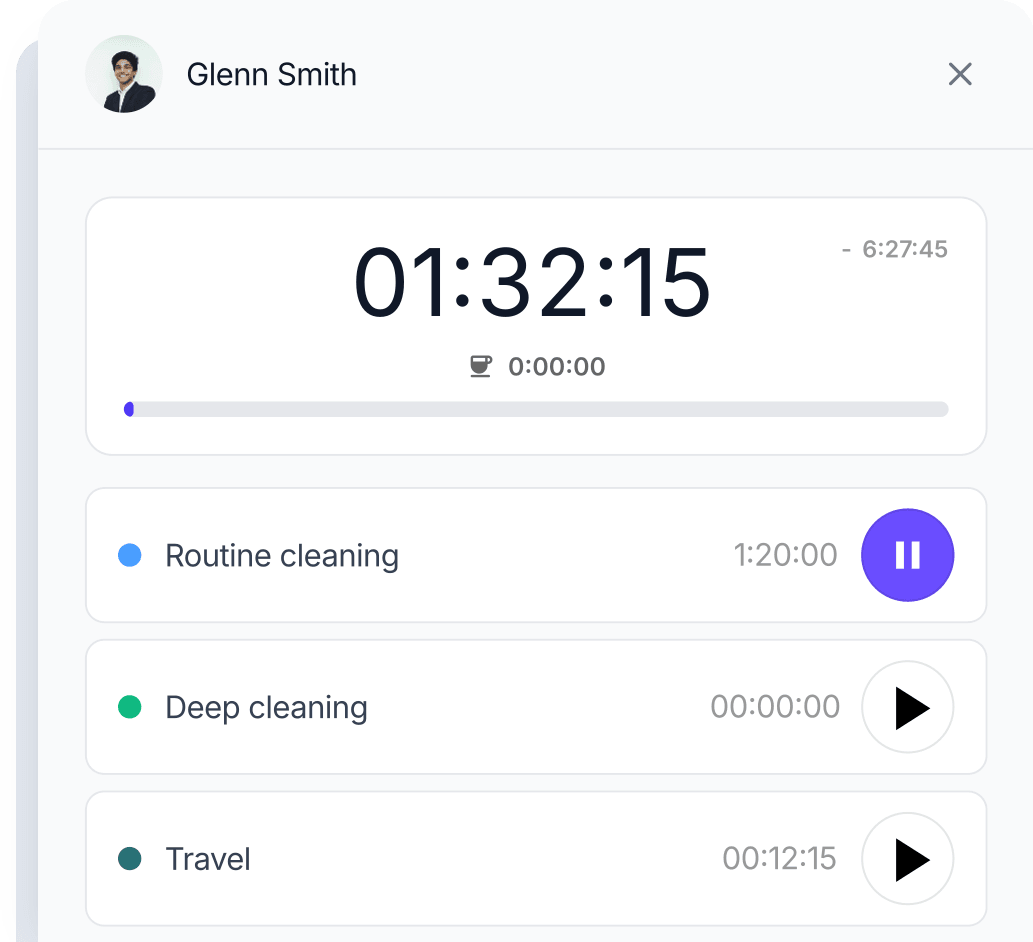
Add a note or photo to a checklist task when something needs attention. Supervisors can see a damaged floor or an unfinished task and the cleaner's explanation in one place.
Discover checklists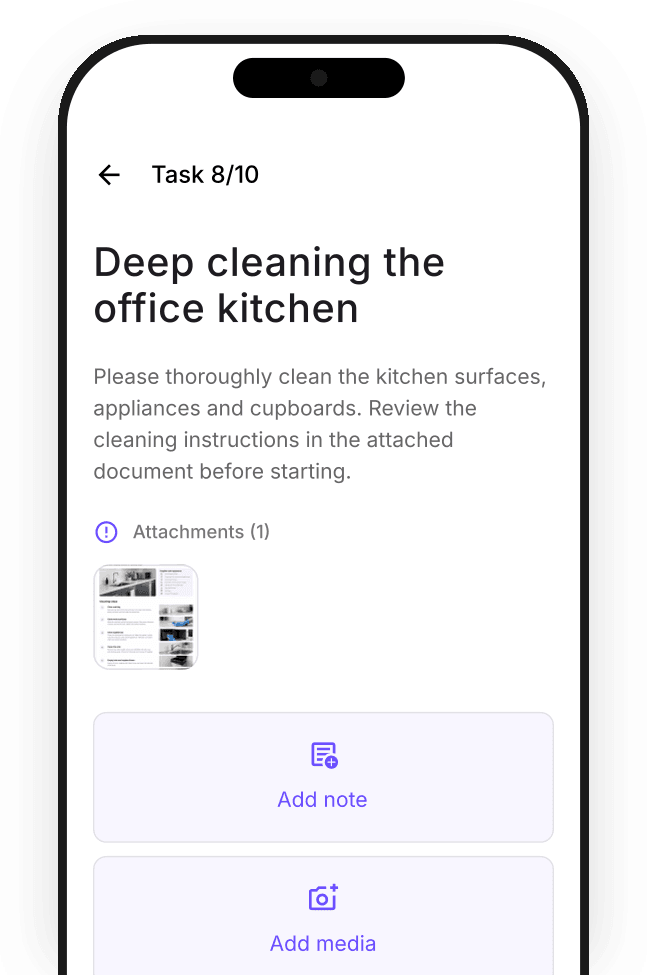
See who has started, who is taking a break and who has not clocked in. Follow attendance across your cleaning team without calling each site.
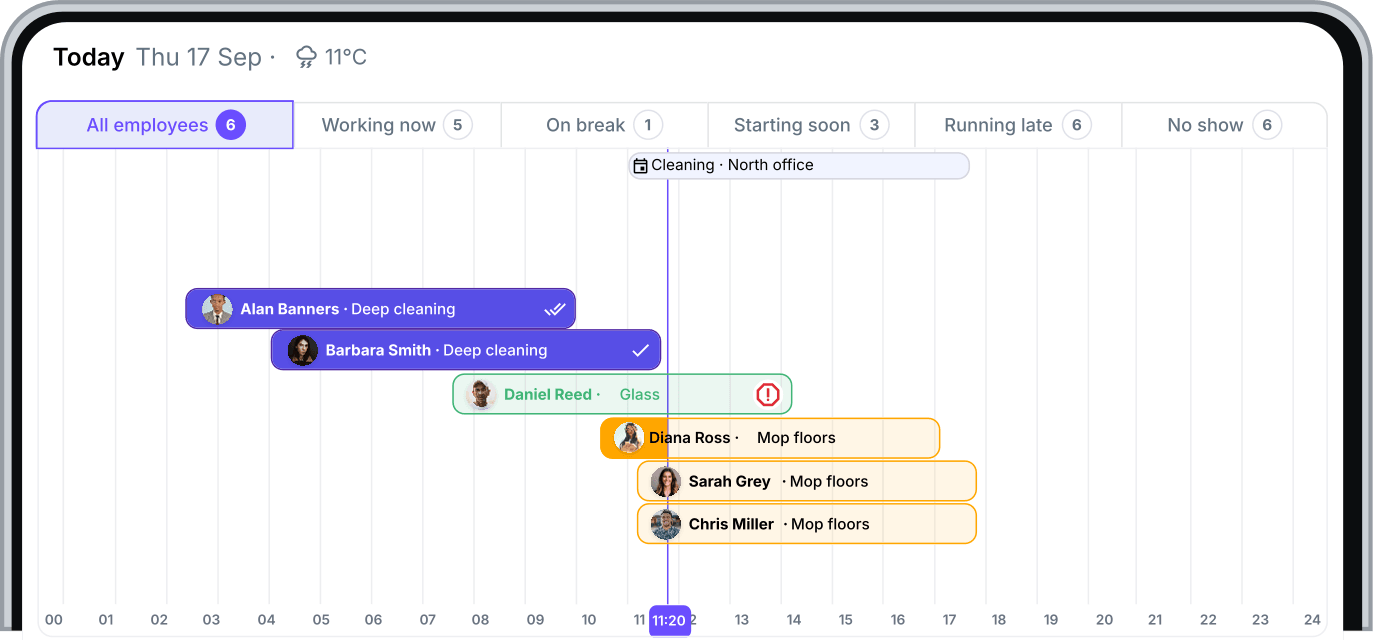
Handle absences, extra cleans and shift swaps. Find cover and keep everyone up to date.
Offer an open shift to suitable cleaners and let them apply in the app. Review the applications and choose who will cover the work.
Discover shift ads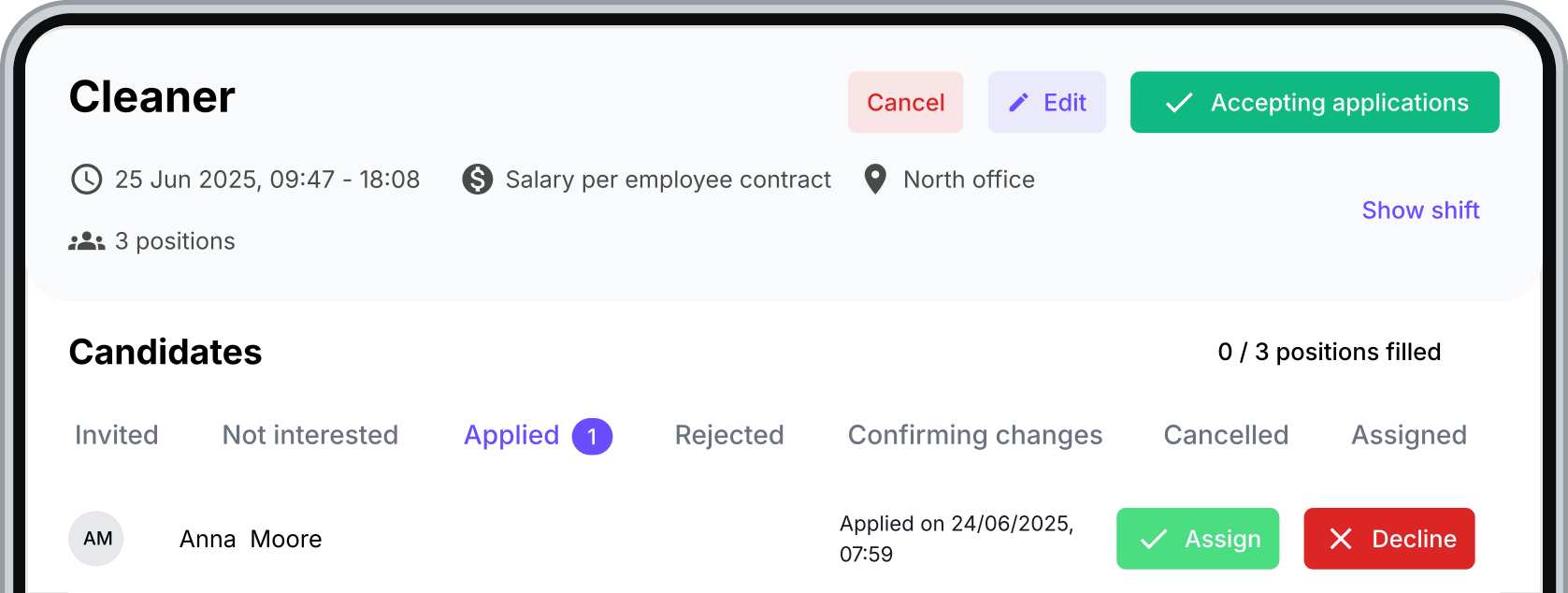
Cleaners can offer a shift to colleagues and request a swap in the app. You review the request and keep control of the final assignment.
Discover shift swaps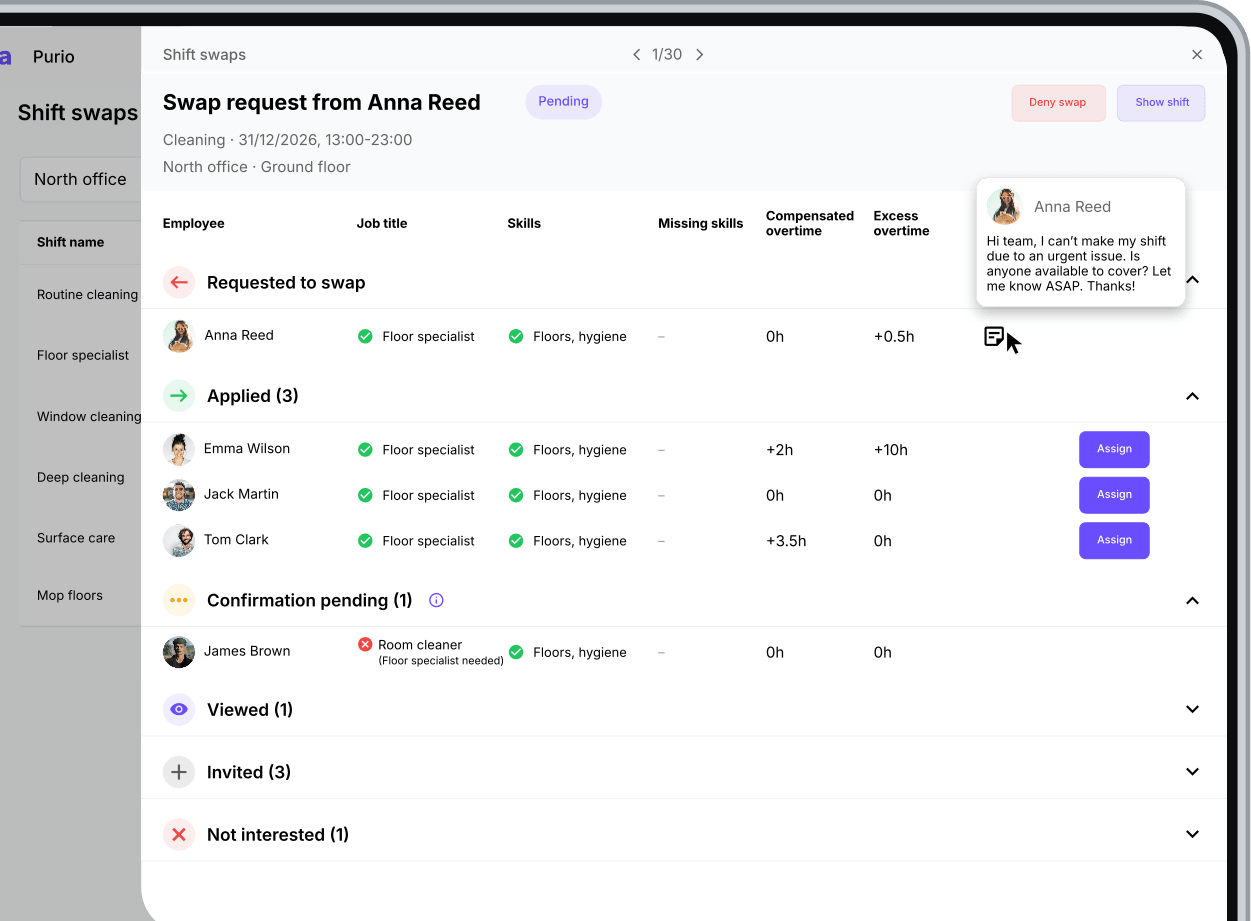
Review absence requests alongside scheduled cleaning work. See which shifts need attention before approving time off and arranging cover.
Learn more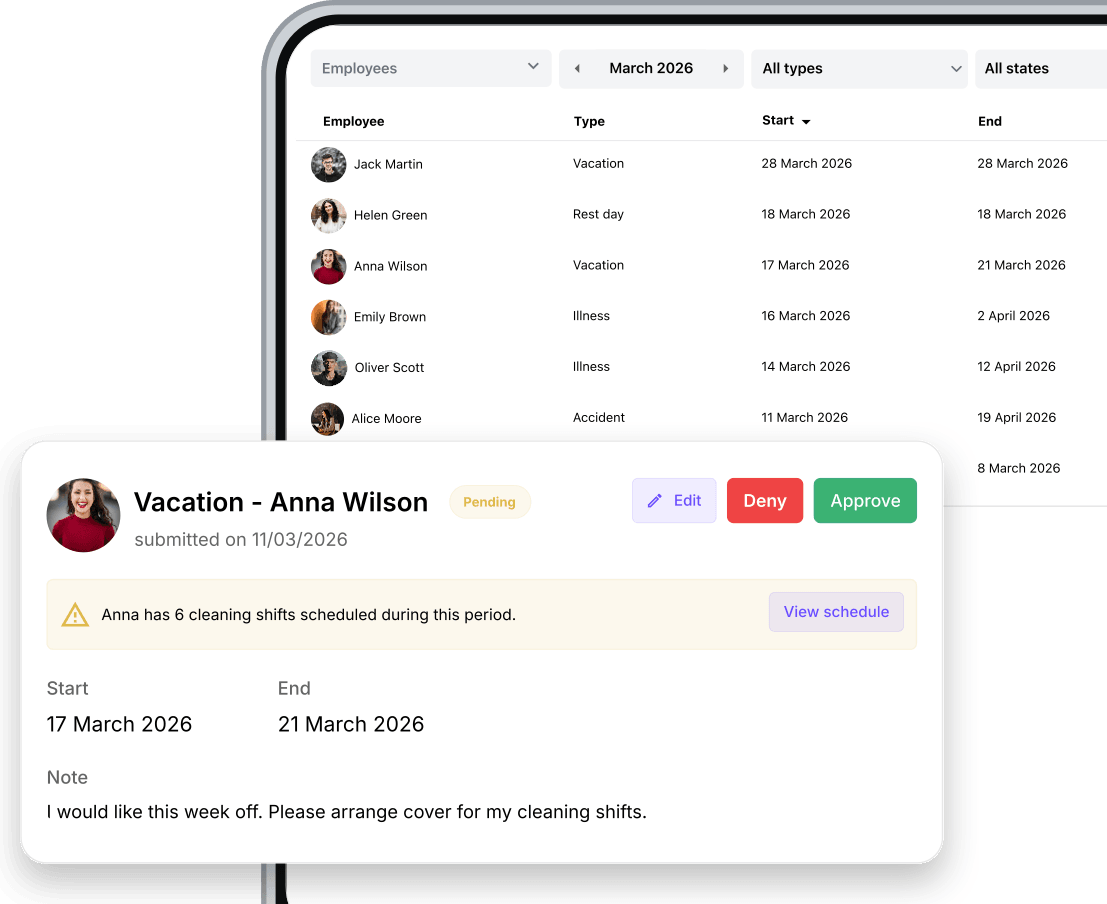
Let supervisors and cleaners confirm shift details through direct or group chats. Keep updates and questions about the work together in Squadra.
Discover chats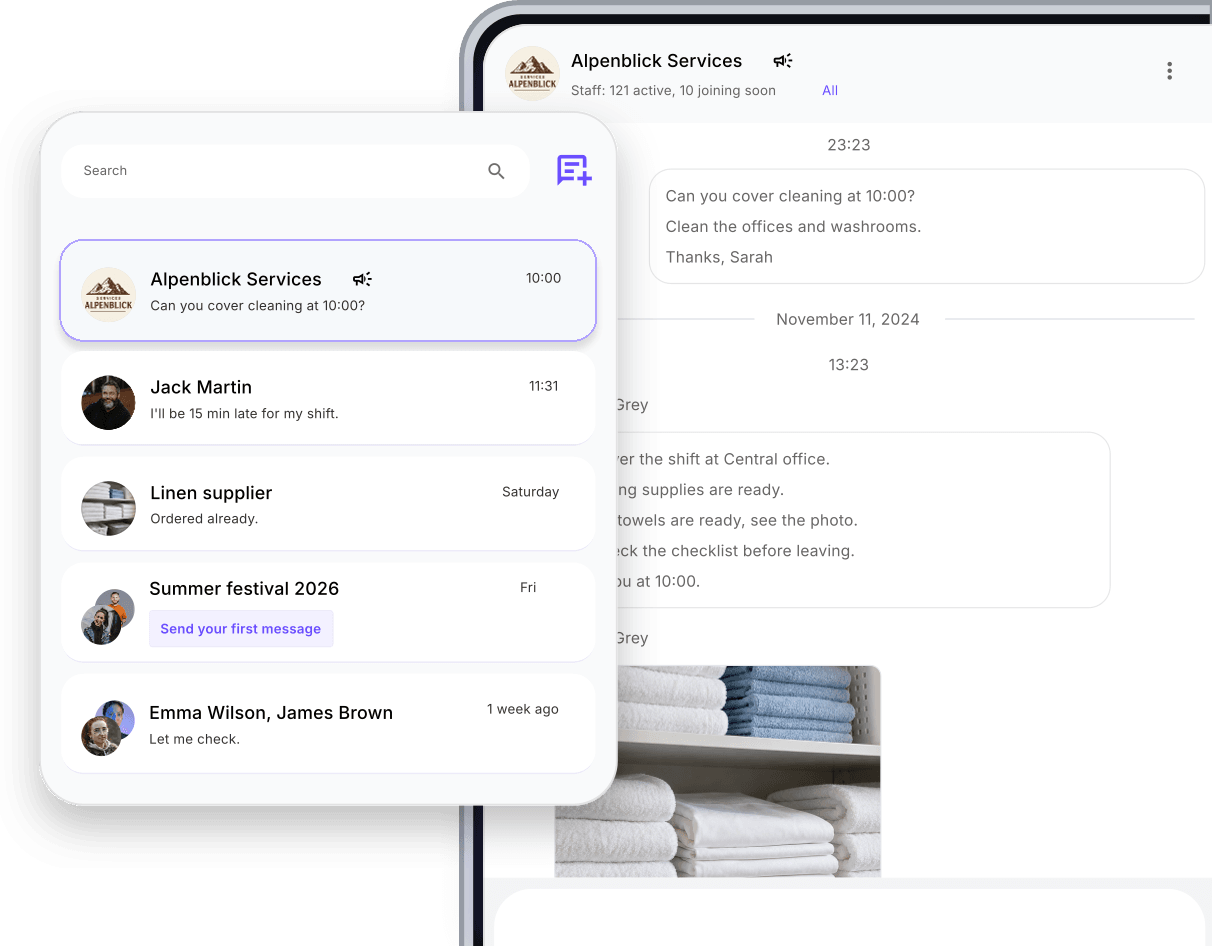
Review hours, checklists, notes and photos. Resolve differences and approve shifts for payroll.
Review completed tasks, unfinished items and the cleaner's notes or photos. Use that context to follow up on work that still needs attention.
Discover checklists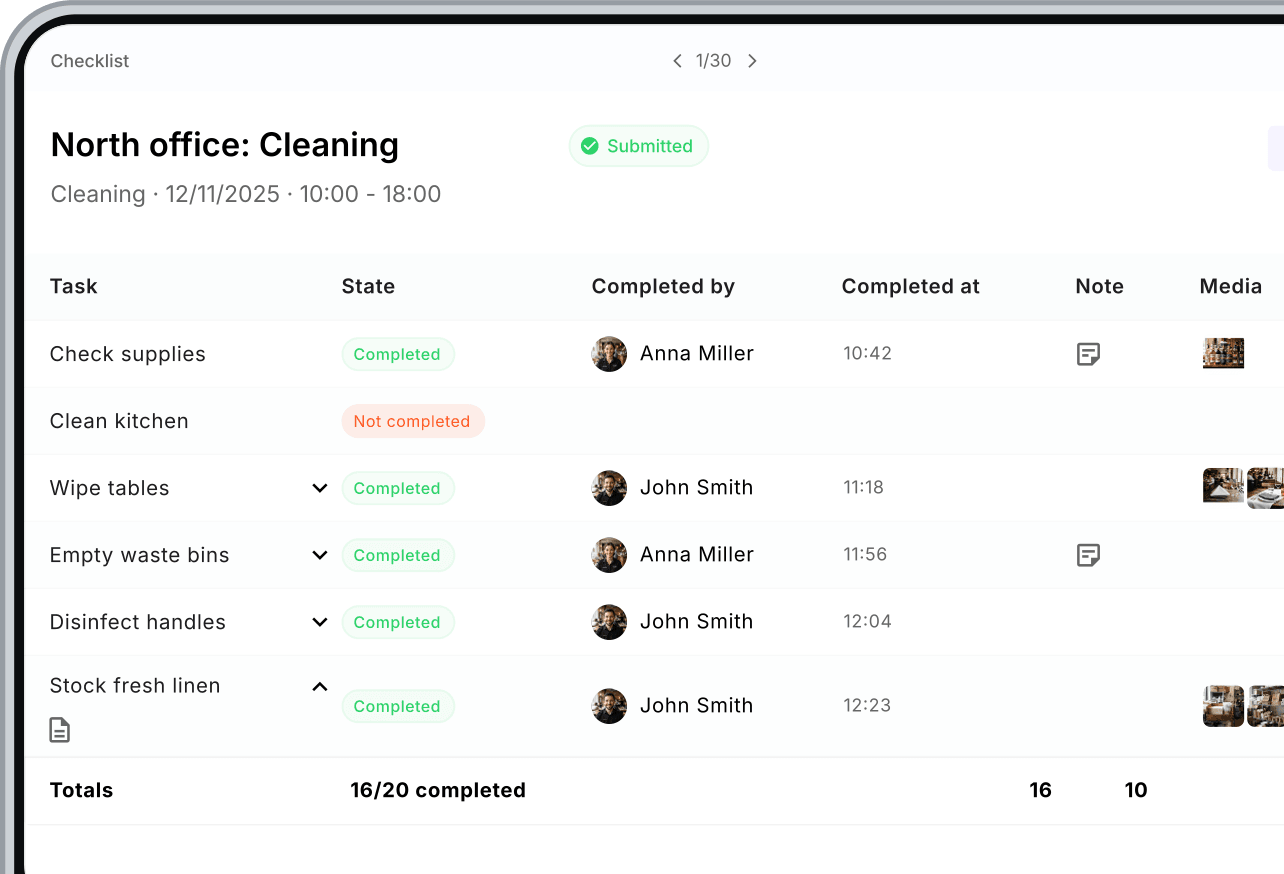
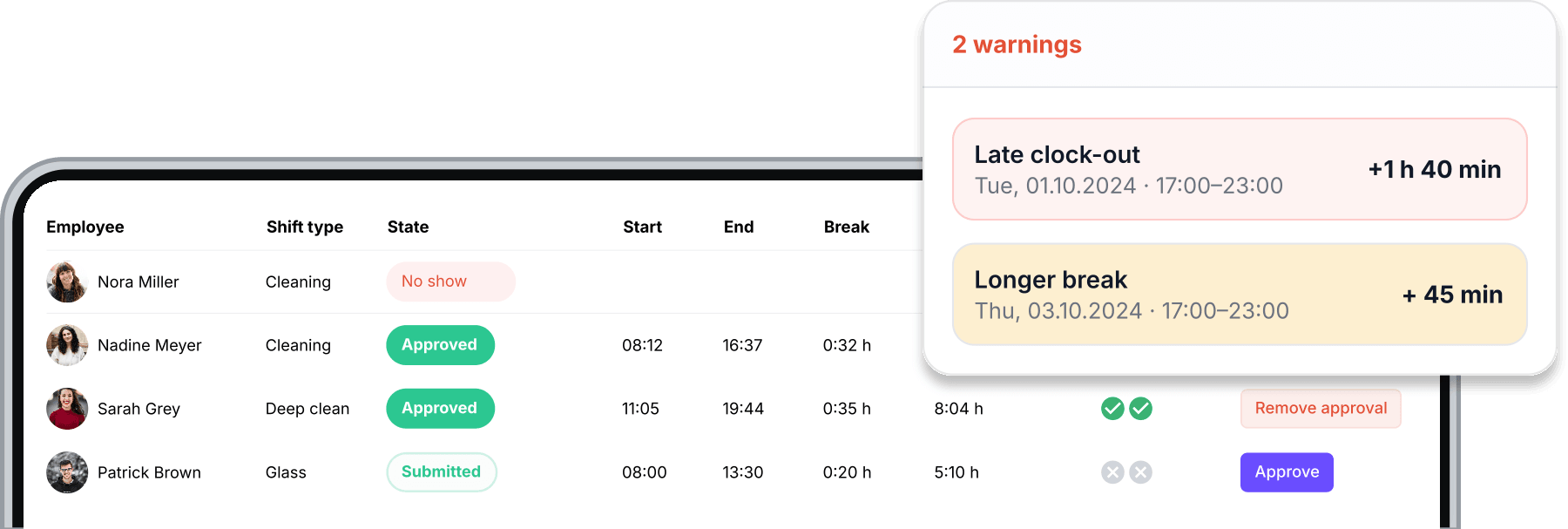
Find late starts, early finishes, longer breaks and unexpected overtime. Review differences while the details of the cleaning shift are still fresh.
Follow planned, tracked, submitted and approved time in one timeline. See the work types and breaks that make up each cleaning shift.
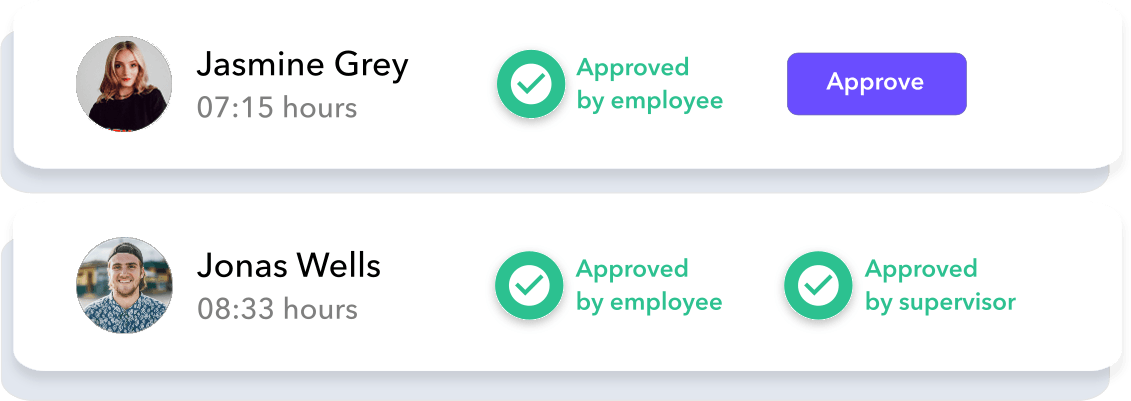
Cleaners submit their hours and supervisors review them. Squadra's double-approval process keeps both sides involved in confirming the record.
Let cleaners submit expenses and receipts for purchases such as replacement supplies. Review each claim, approve or decline it and keep its status visible in the app.
Learn more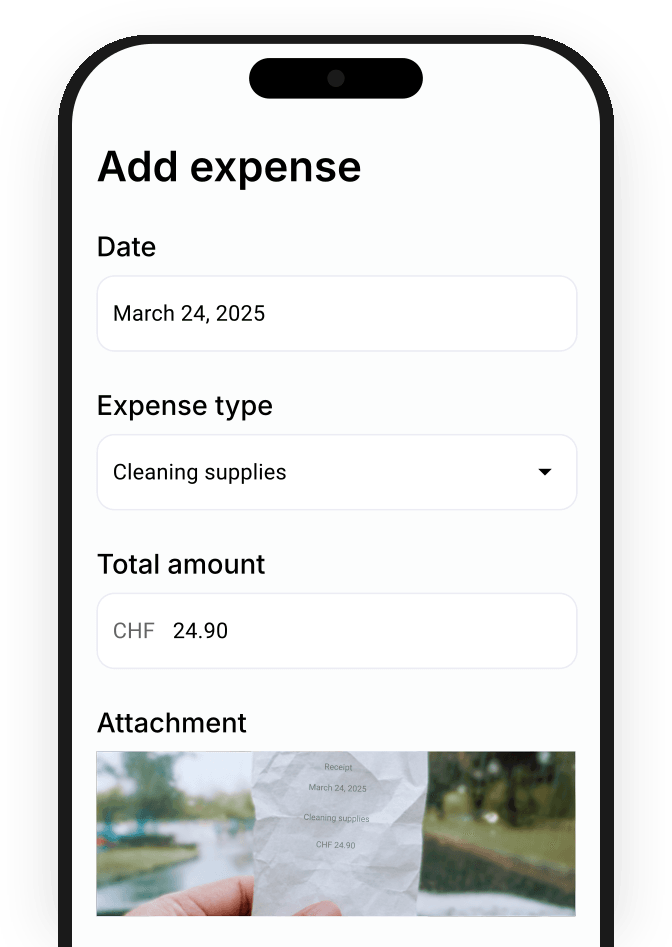
Bring approved hours together, apply configured supplements and prepare your payroll data.
Compare each cleaner's working hours with their contracted hours. Keep hour balances visible as you review the month and plan upcoming work.
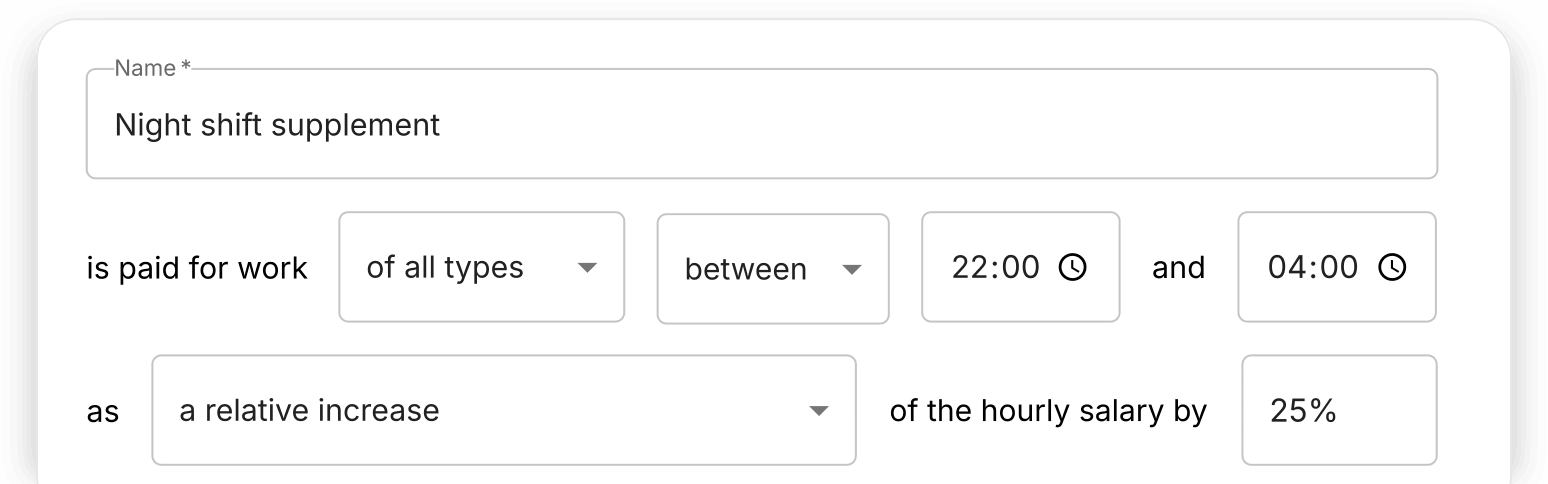
Set up supplements for the hours and days that apply to your team. Squadra includes them in salary calculations according to your rules.
Follow gross wages using recorded working time. See how regular rounds, extra shifts and configured supplements contribute to your team's wage costs.
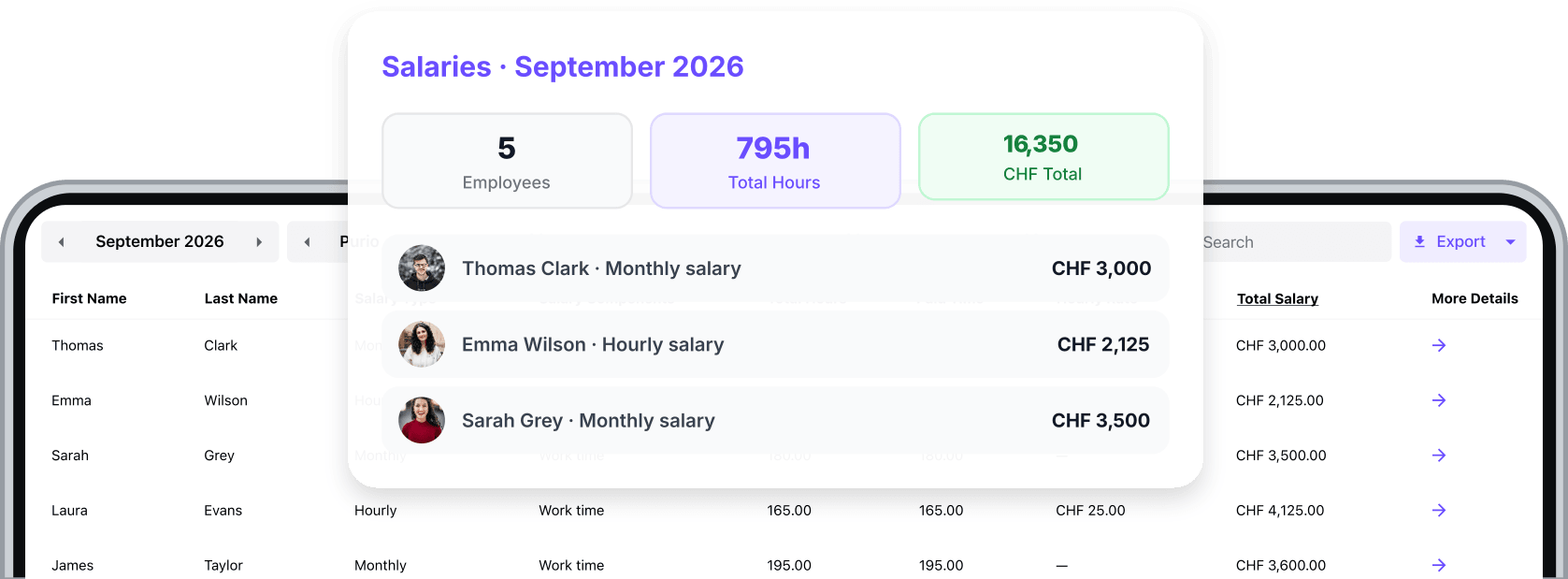
Bring approved hours and calculated salaries into your payroll process. Export the prepared data without entering the same figures again.
Find new cleaners, collect their details and contracts, and give them the schedules and instructions they need to start.
Publish vacancies and bring applications into Squadra. Review candidates and keep hiring alongside the team and cleaning work you already manage.
Learn more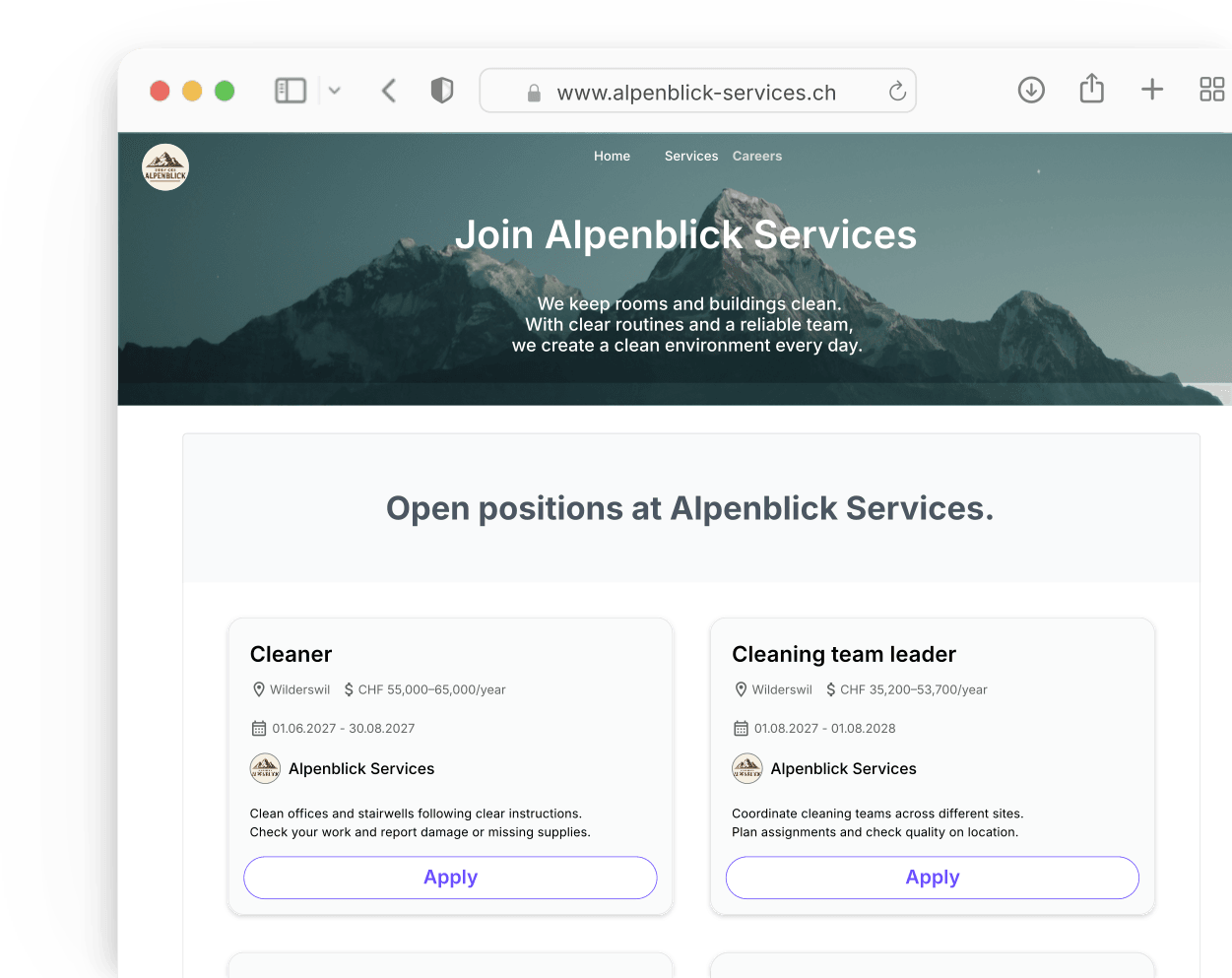
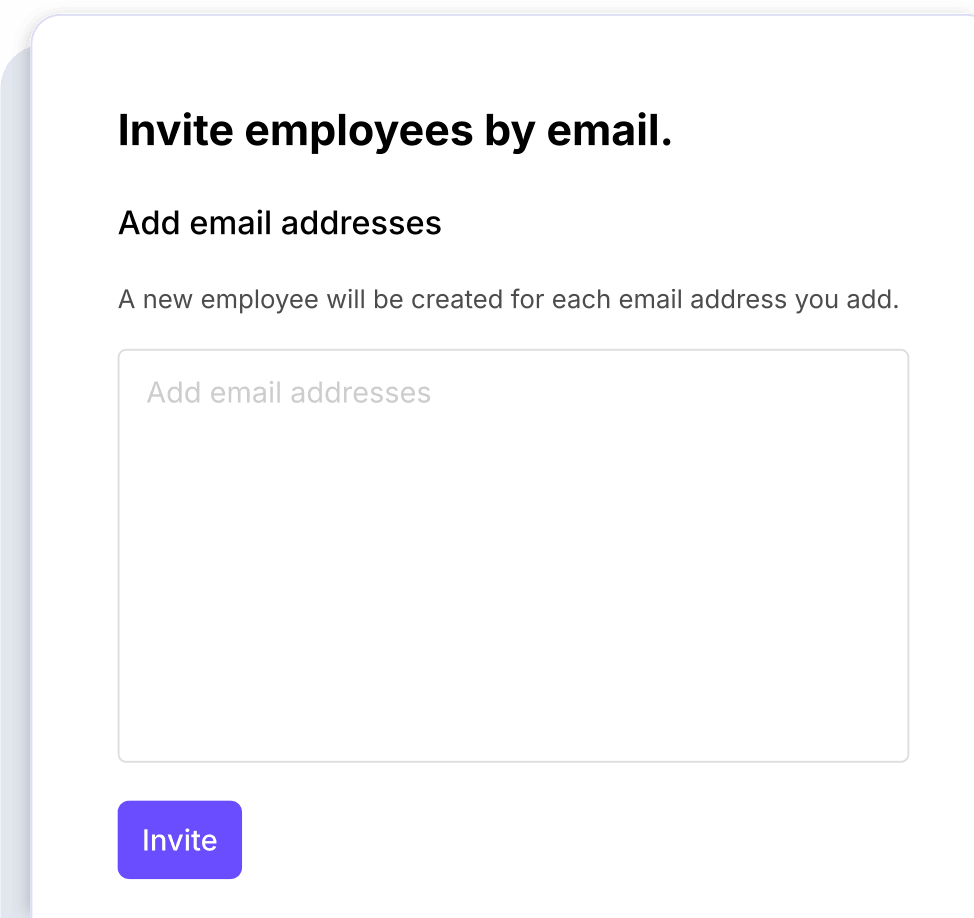
Send an invitation using an email address. The cleaner follows the link to join your company in Squadra and begin setting up their profile.
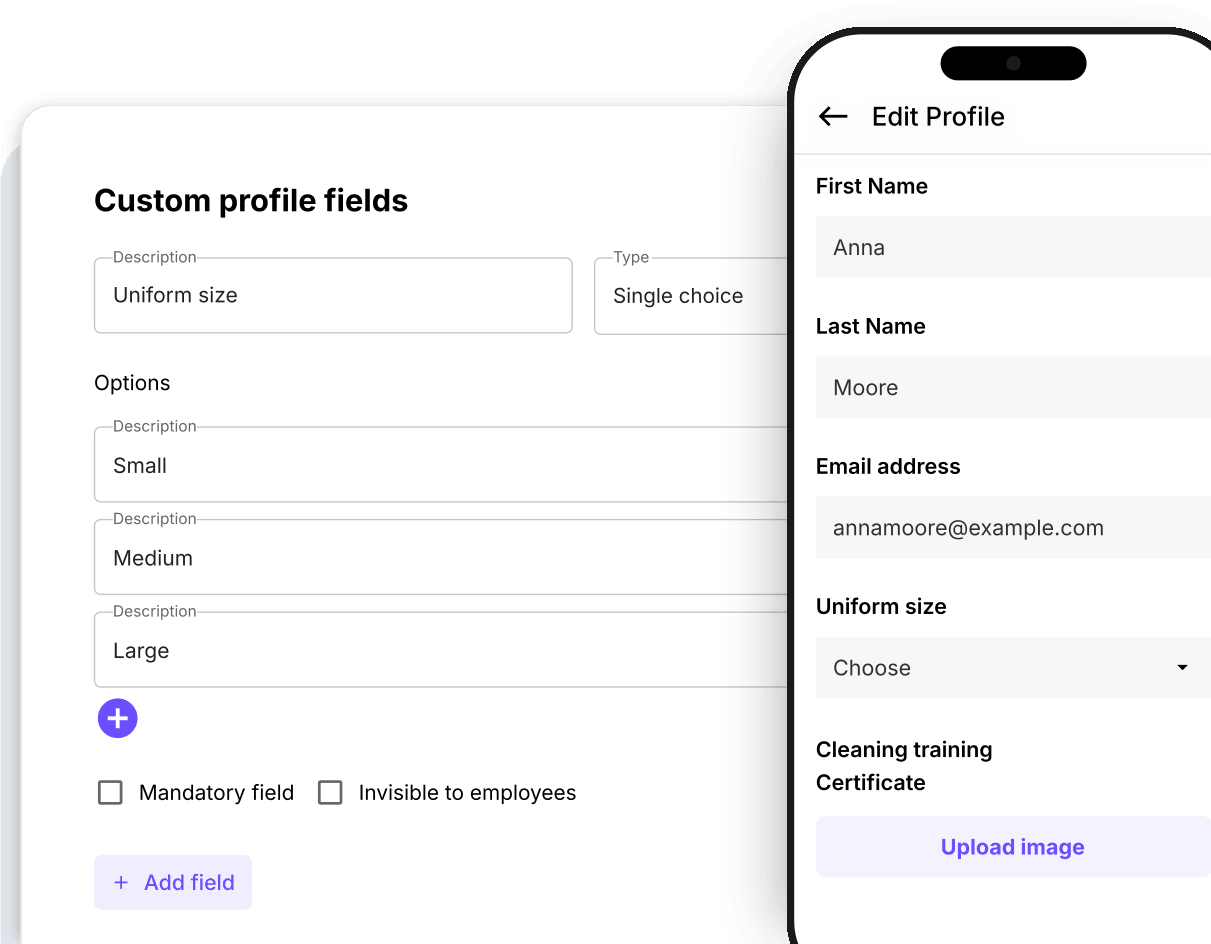
Let new cleaners enter their details in the app. Choose the standard and custom fields your team needs to collect before work begins.
Create and send employment contracts from Squadra. Employees can review and sign on their phone while you follow the contract's status.
Discover Signable Contracts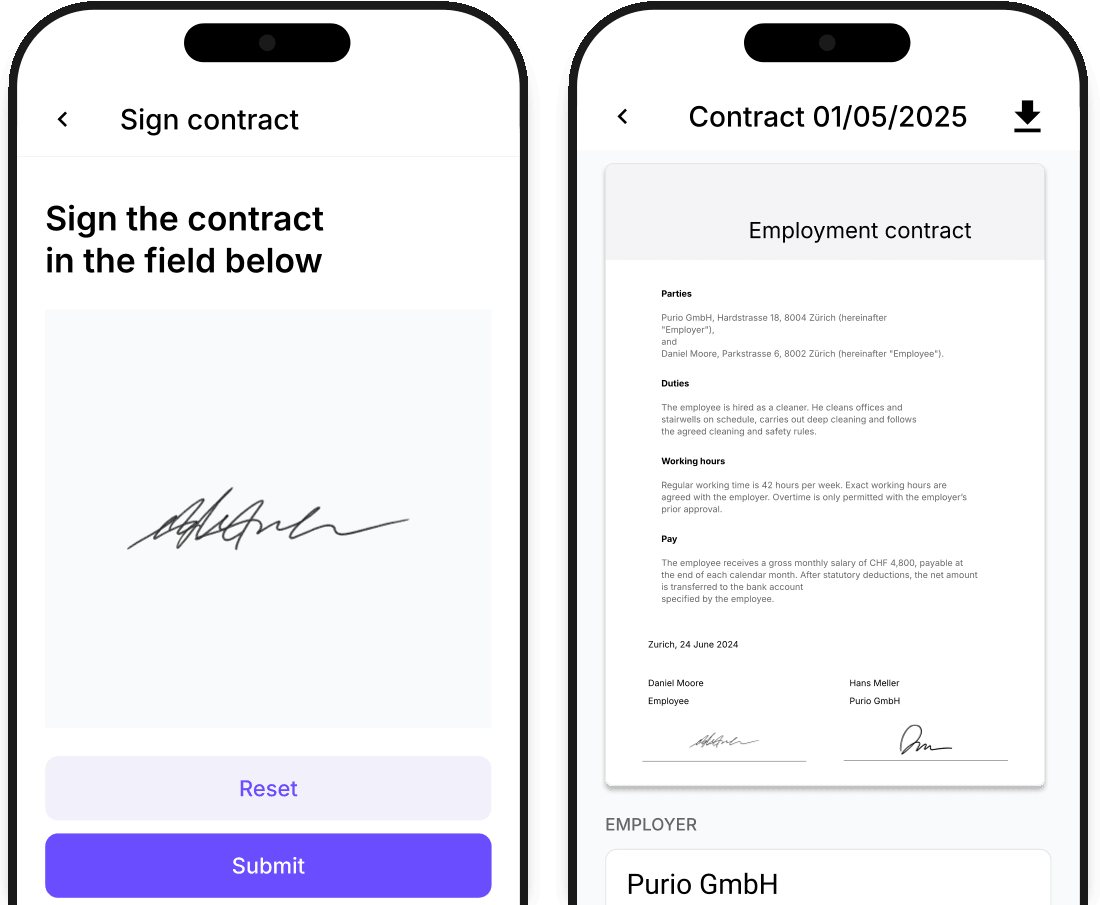
Store documents with each employee's profile and choose which files to share. Cleaners can find the documents they need in the app.
Discover File sharing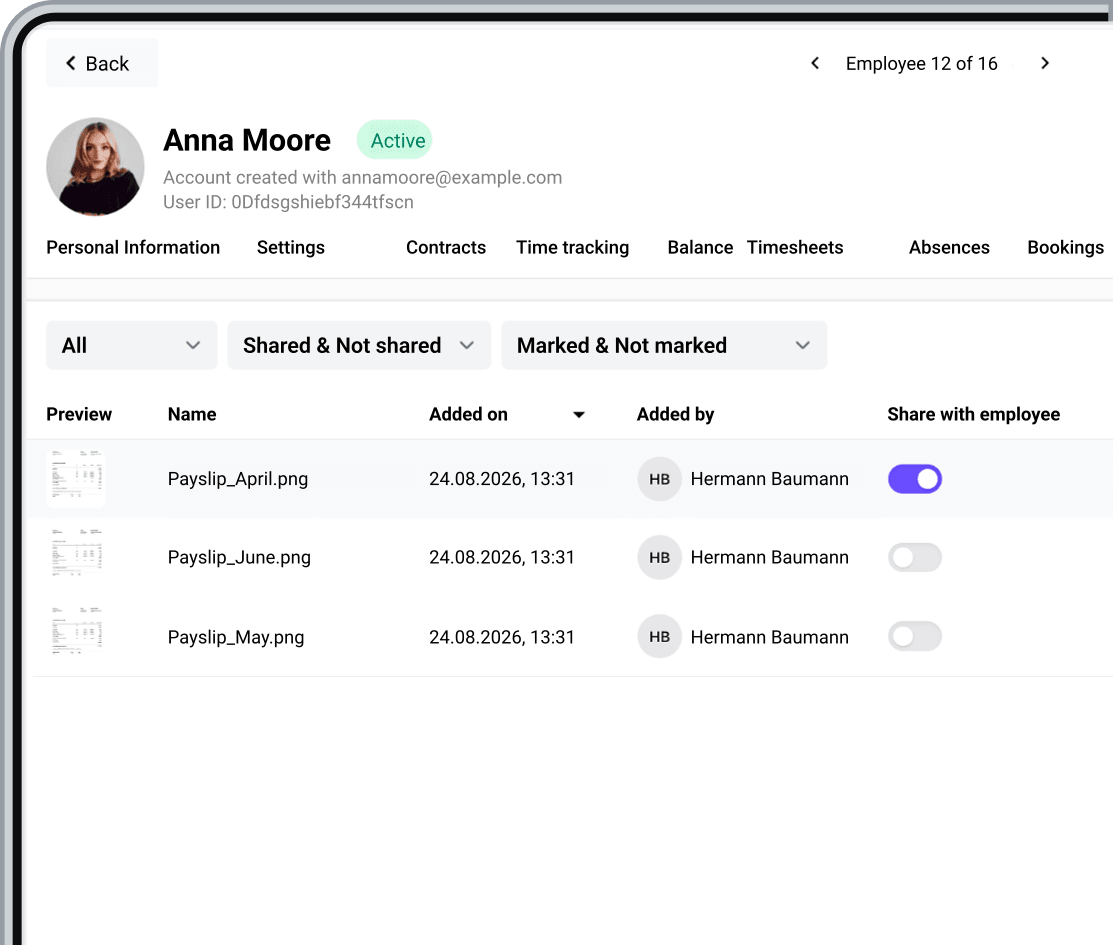
Experience the benefits of smarter shift management. Start your free 30-day trial now or book a demo.