Know who’s available.
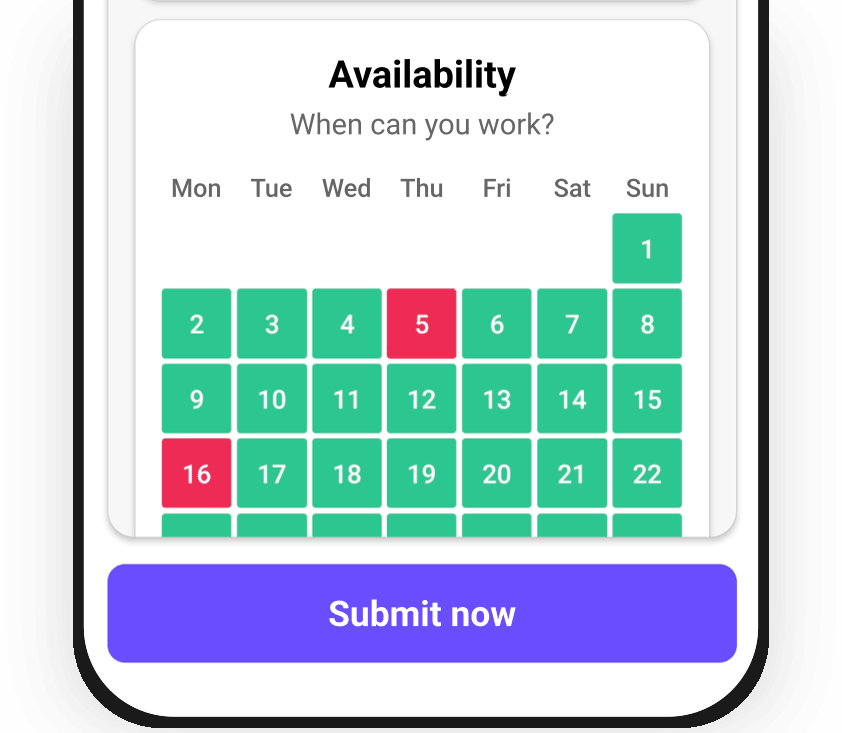
See caregivers’ preferred working hours before you plan. Check availability alongside existing assignments to find someone who can take the visit.

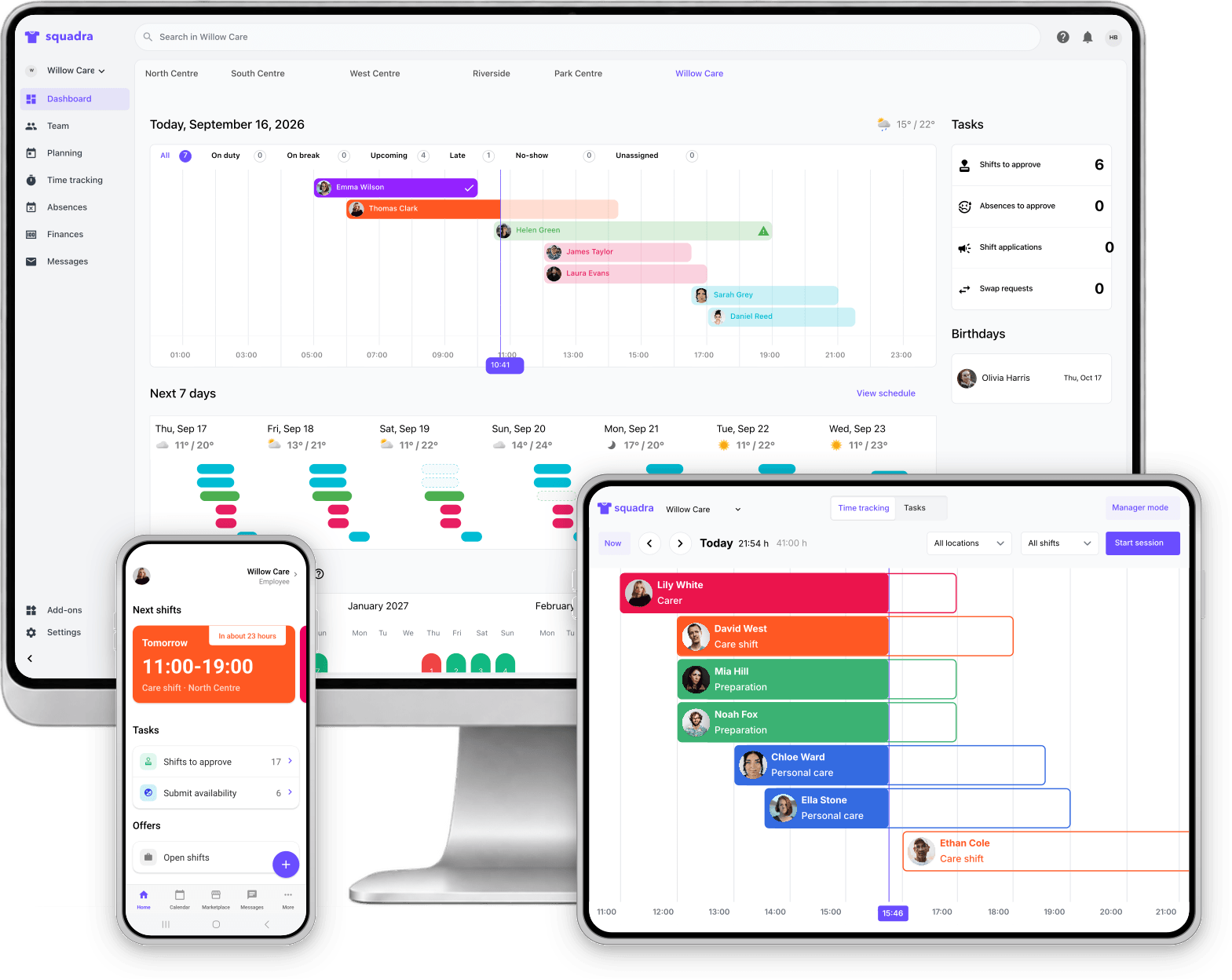
From finding the right caregiver to managing visits, working hours and pay, keep your care operations together in Squadra.
No credit card required. Setup in under 10 minutes.


Squadra for care providers
Five essentials. One Squadra. Plan care assignments, support caregivers and prepare worked hours for payroll.

Shift planning

Work time control

Salaries

Time recording

Team management
Check availability and skills, then offer open assignments to the right caregivers.
See caregivers’ preferred working hours before you plan. Check availability alongside existing assignments to find someone who can take the visit.
Share open assignments with suitable caregivers and let them apply in the app. Review applications and choose who will take the work.
Discover shift ads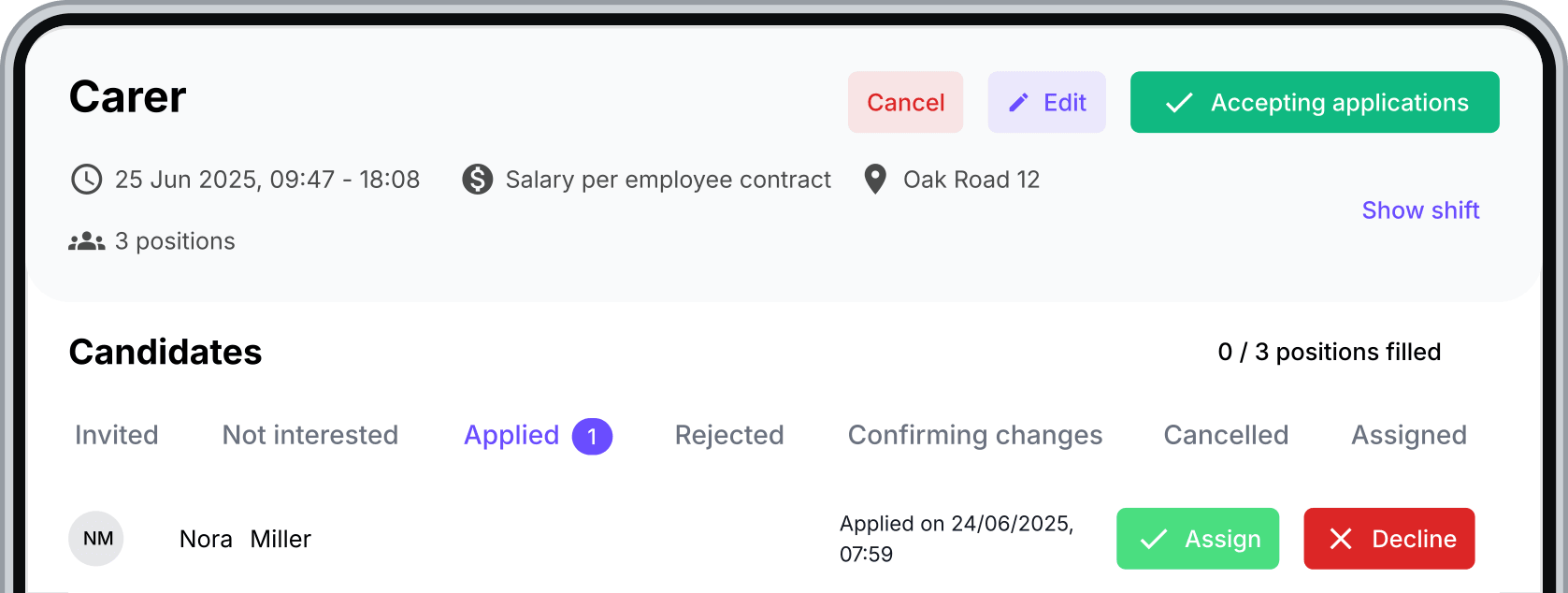
Keep the agreed hours, pay and terms together for each assignment. With Squadra you can create an ad-hoc contract when an open shift is accepted.
Discover shift ads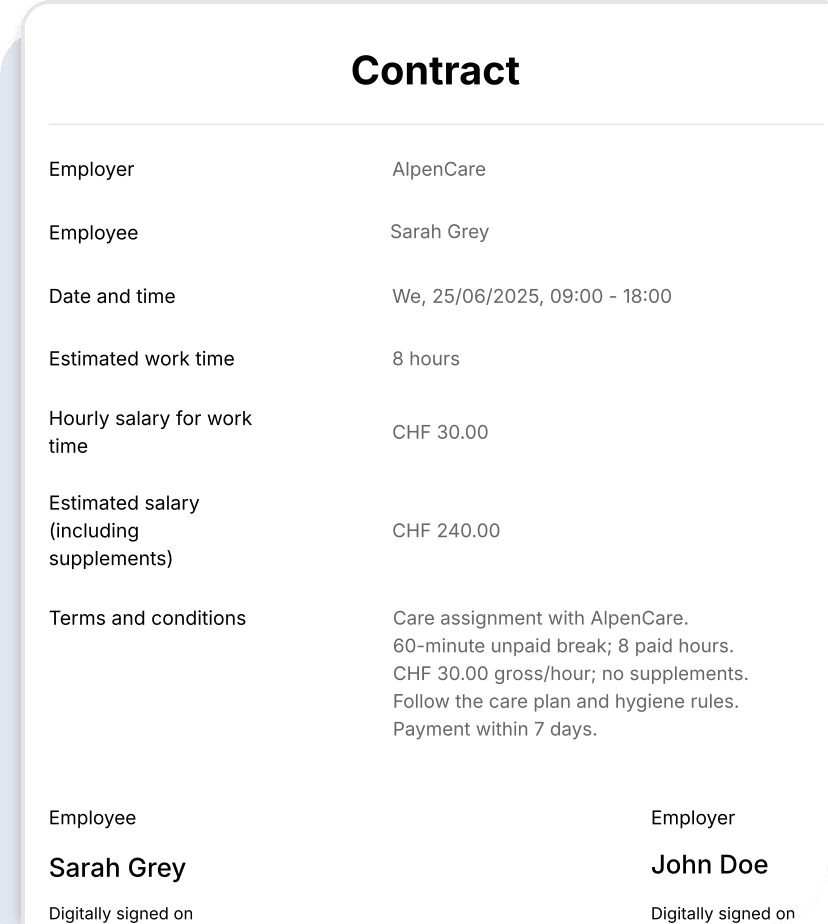
Create repeat visits without rebuilding the schedule each week. Set the days and times, then adjust individual assignments when plans change.
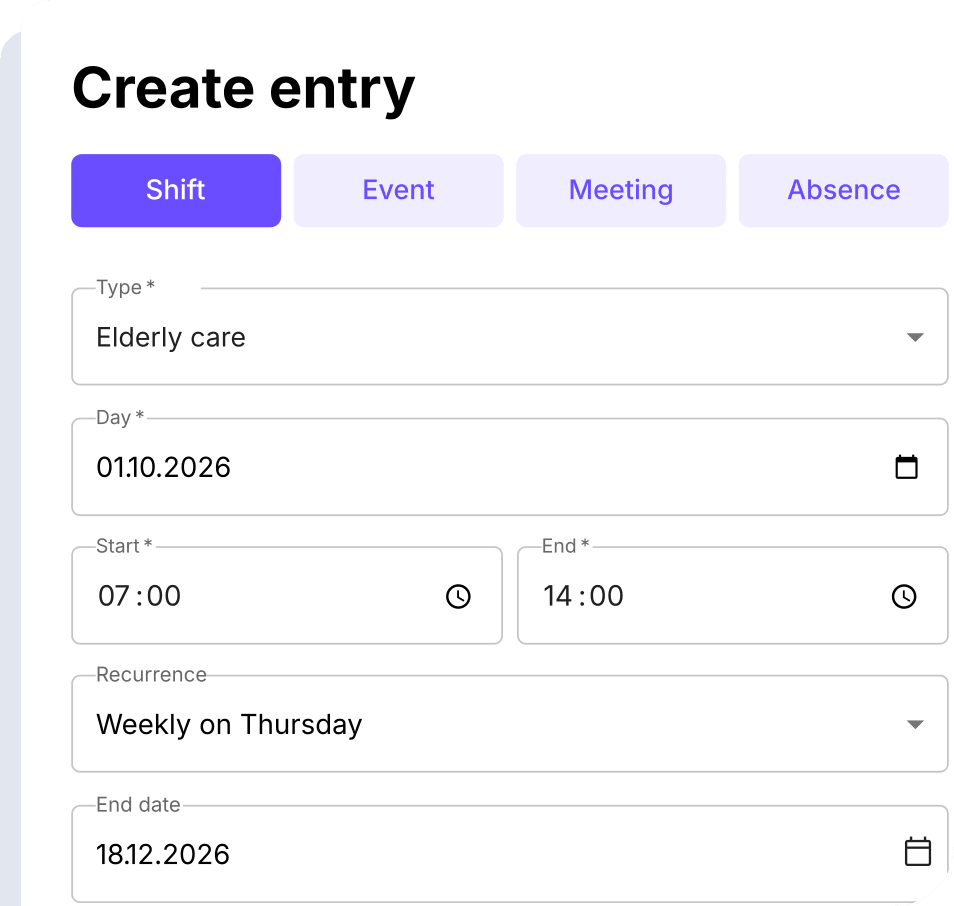
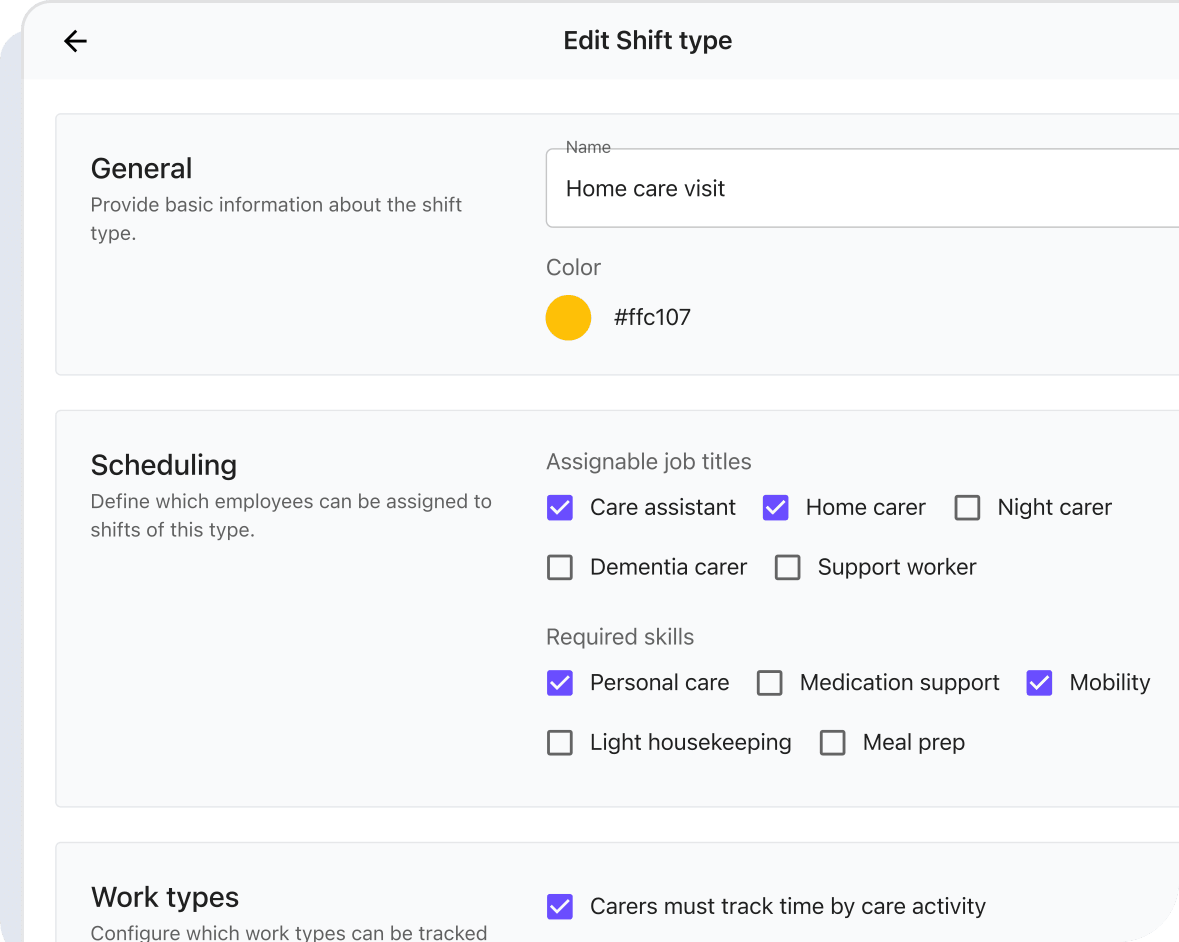
Define which job titles and skills each shift requires. Use those requirements to identify caregivers who are suitable for the assignment.
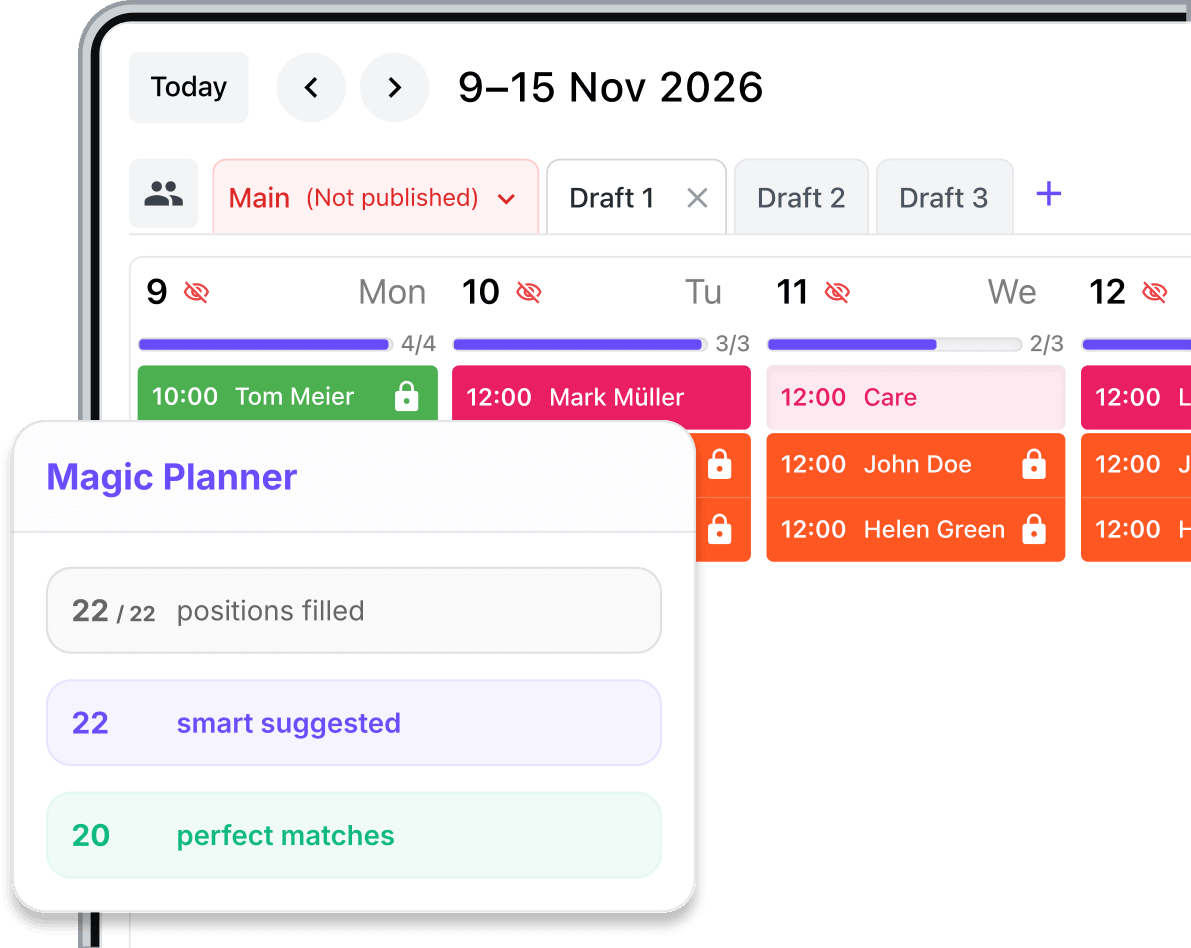
Let Magic Planner suggest assignments using availability, contractual hours and staffing needs. Review the suggestions before publishing your schedule.
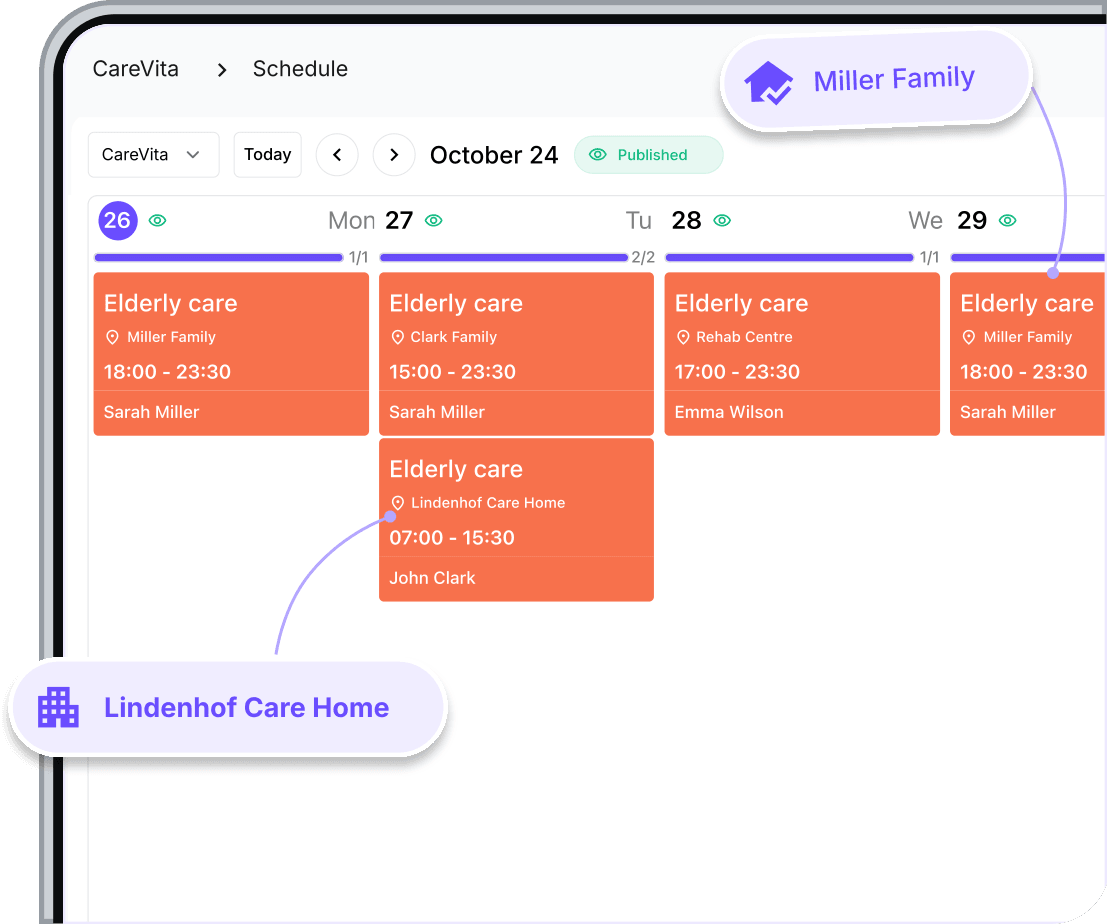
From private homes to care facilities, keep every assignment in one schedule. See who is working, when and where, and make sure every client has the care they need.
Handle cancelled visits, extra hours and absences while keeping your team informed.
Caregivers can offer a shift to colleagues and request a swap in the app. You review the request and keep control of the final assignment.
Discover shift swaps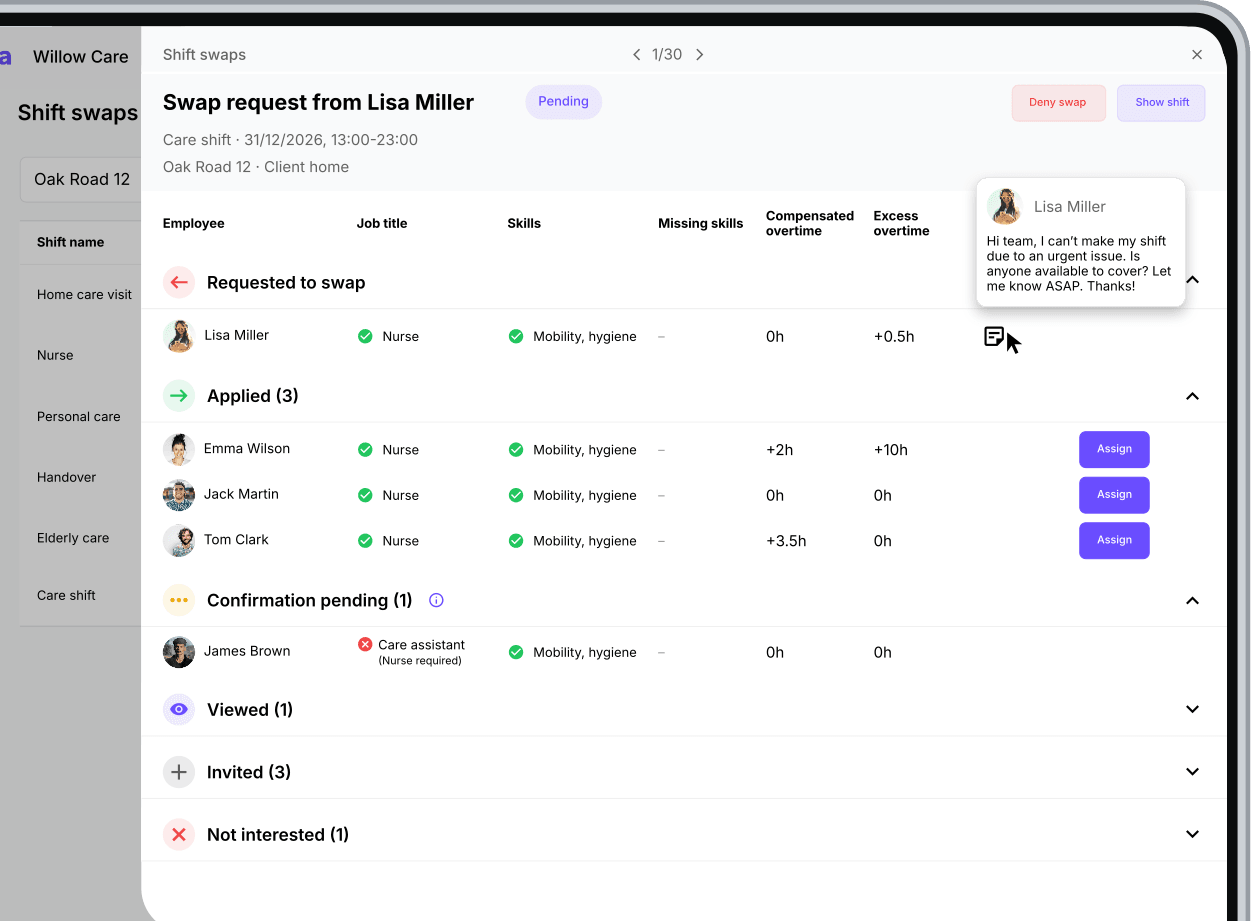
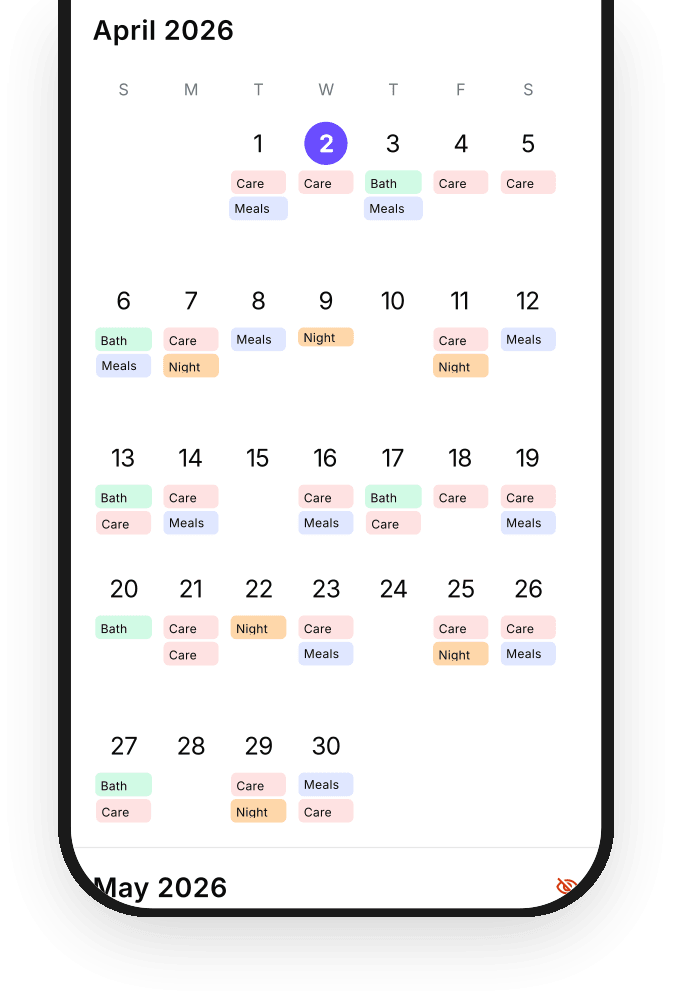
Publish schedule updates and notify your team through the Squadra app. Caregivers can check their latest assignments wherever they are.
Keep absence requests and approvals together with your team’s working time. See who is unavailable before making changes to the schedule.
Learn more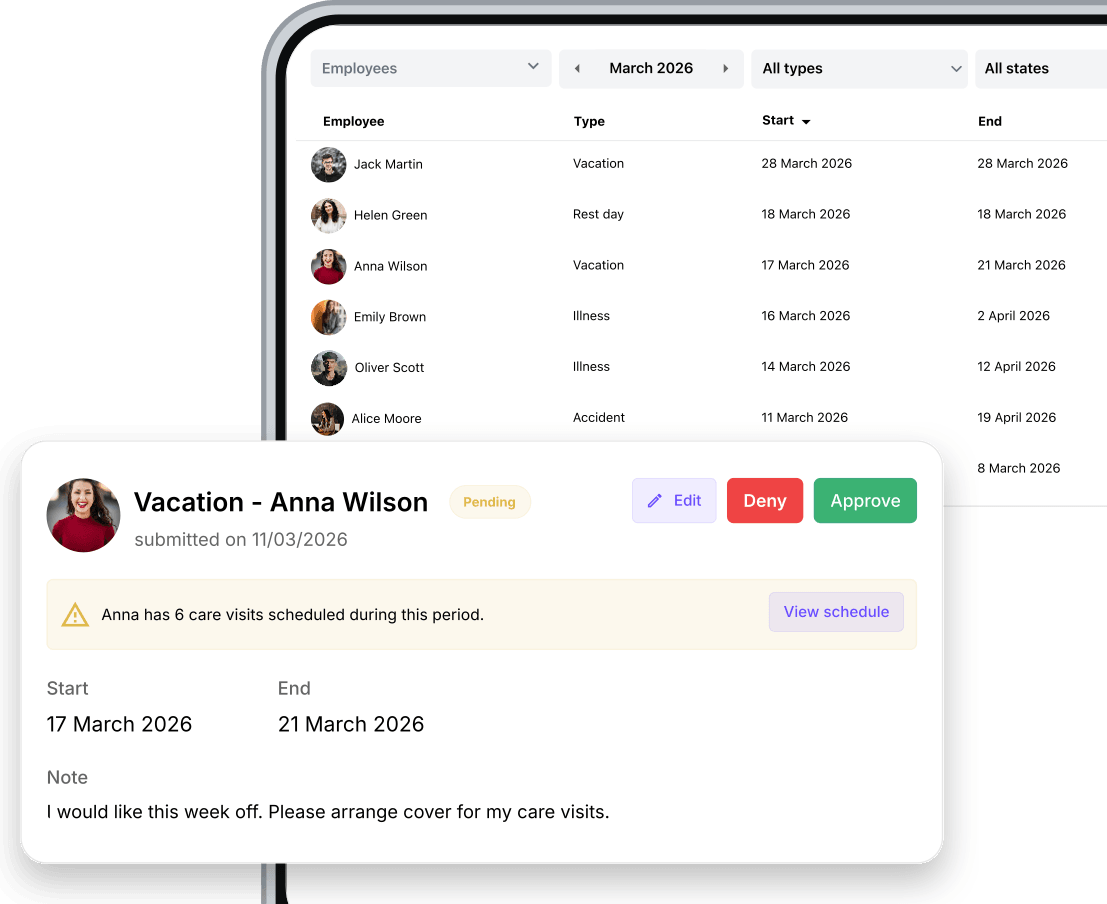
Your team checks assignments, records hours and completes tasks from their phones. You stay informed from anywhere.
Caregivers can start work, record breaks and finish their shift from their phone. Their recorded hours are ready for coordinators to review.
Discover Squadra mobile app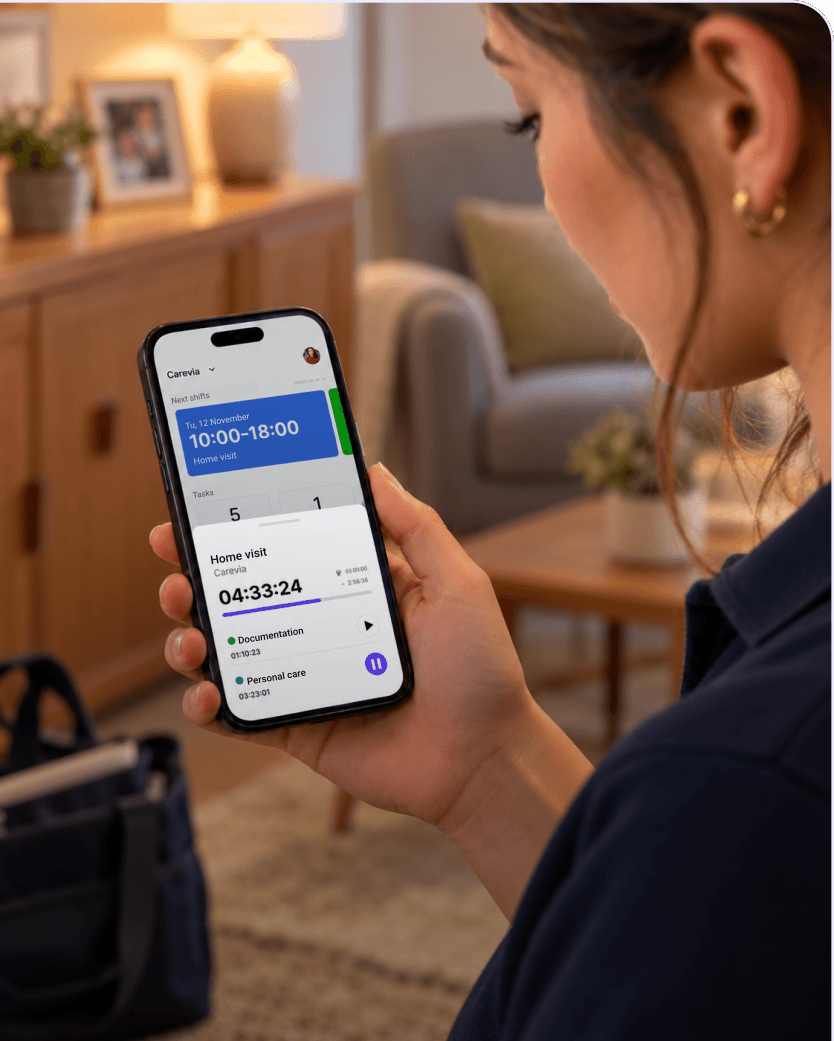
Separate care, travel and administrative time within one assignment. Caregivers switch work types in the app, so the record reflects how their time was spent.
Discover Squadra mobile app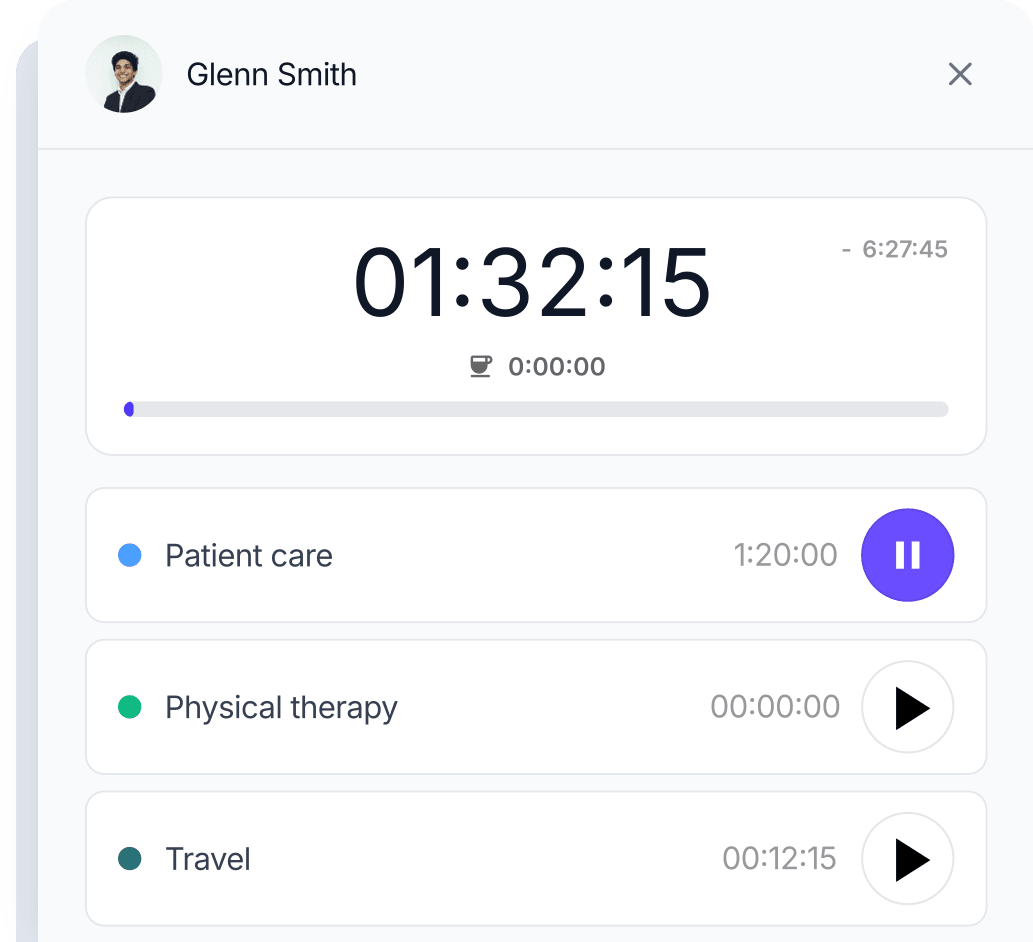
Attach a checklist to a shift so caregivers know what needs to be done. They can tick off tasks and add notes or photos in the app.
Discover checklists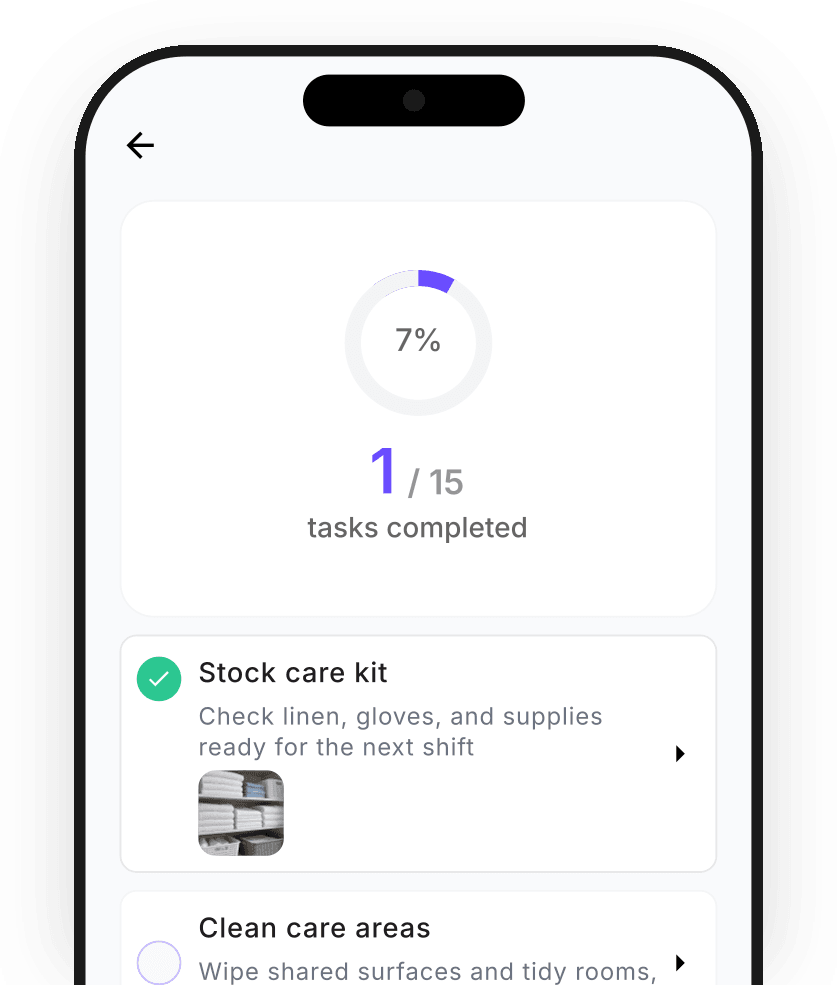
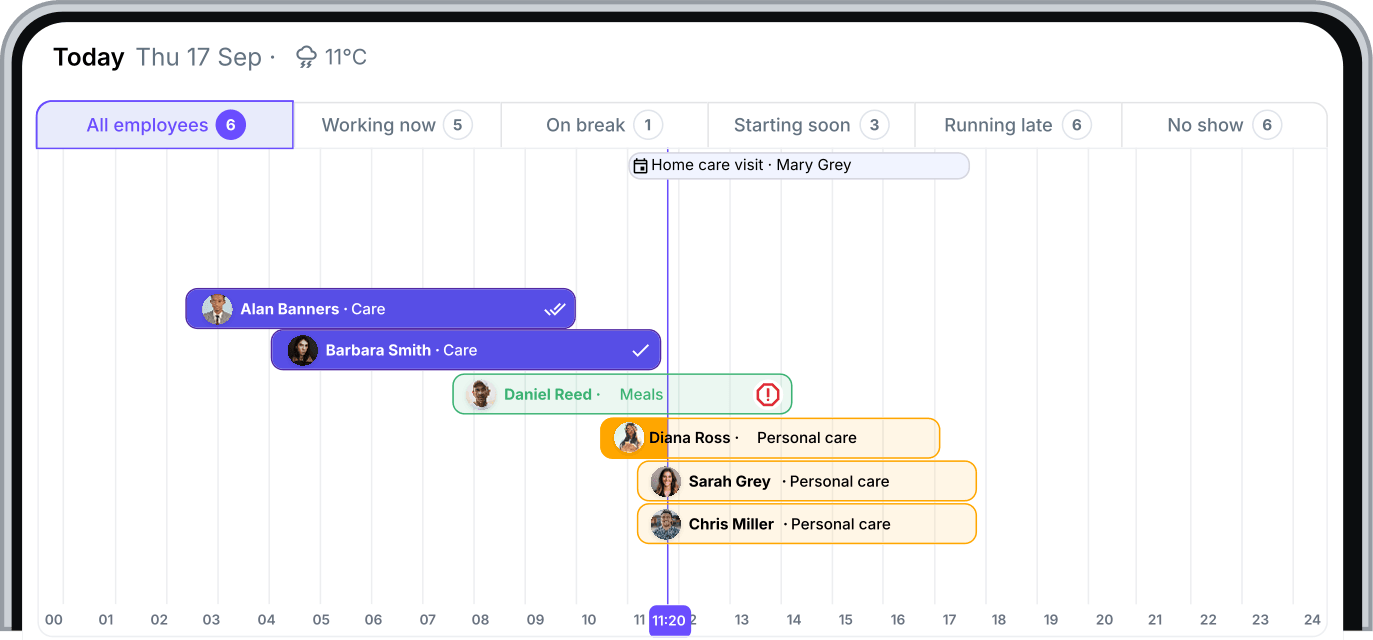
Check who has started, who is on a break and who has not checked in. The live attendance view helps coordinators follow the day as it happens.
Compare planned and recorded hours, resolve differences, approve assignments and manage expenses in one place.
Compare scheduled and recorded hours to find late starts, early finishes or unexpected overtime. Review discrepancies while the details are still fresh.
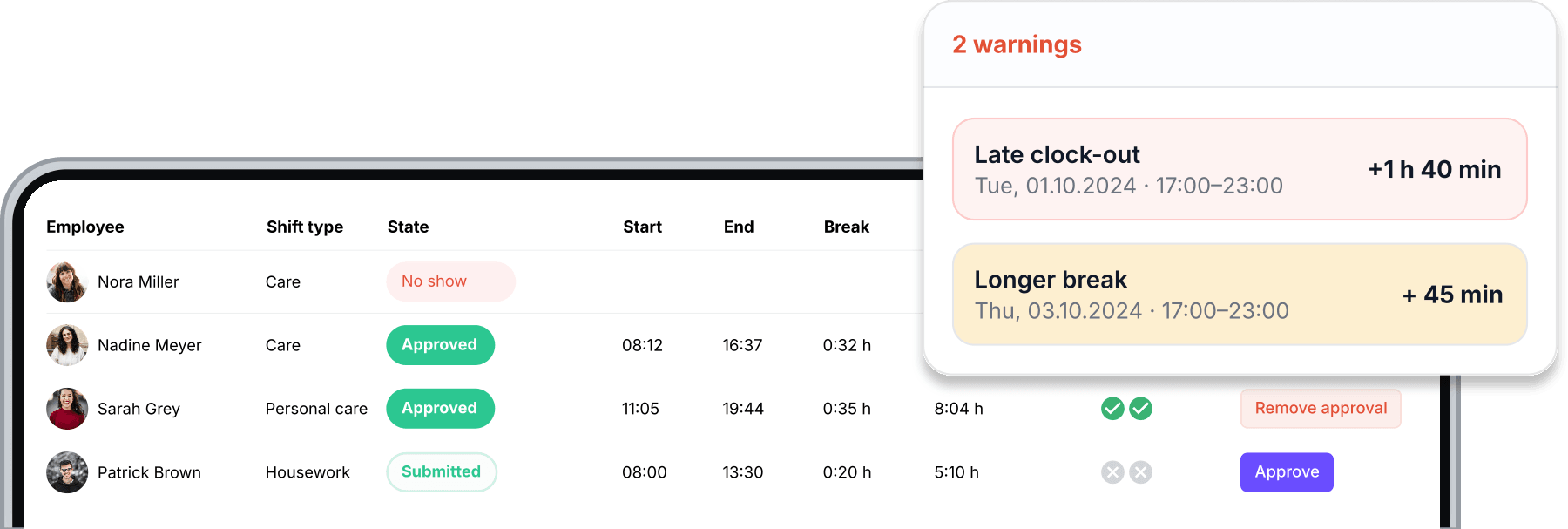
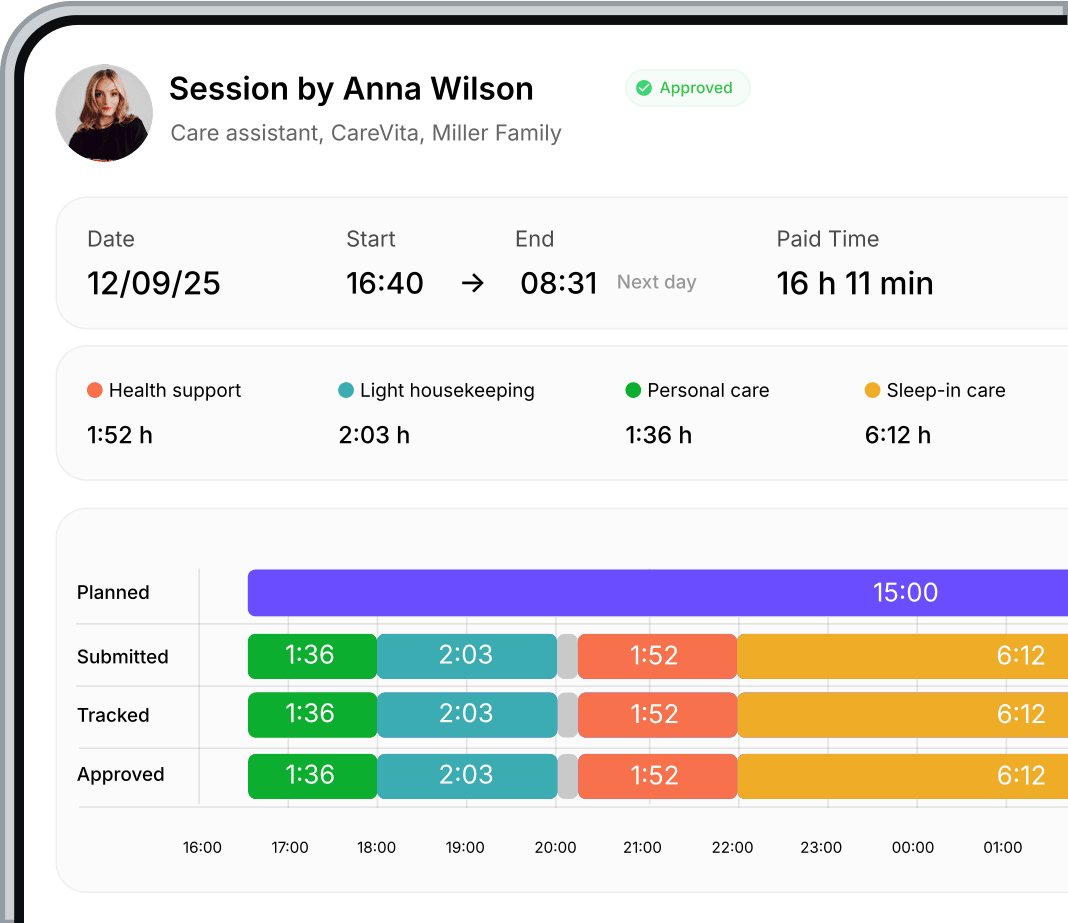
Follow planned, tracked, submitted and approved time in one timeline. See the work types and breaks that make up each assignment.
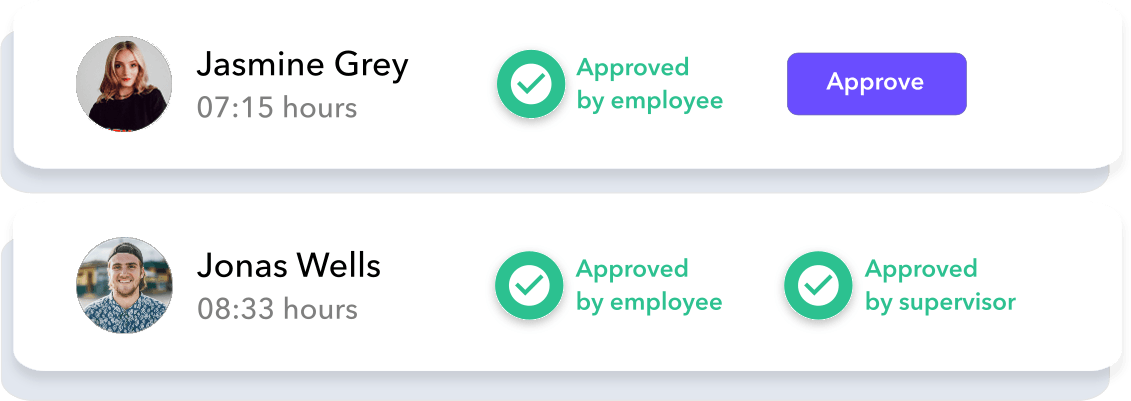
Caregivers submit their hours and coordinators review them. Squadra’s double-approval process keeps both sides involved in confirming the record.
Caregivers submit expenses and receipts in the app. Review each claim, approve or decline it and keep its status visible to the person who submitted it.
Learn more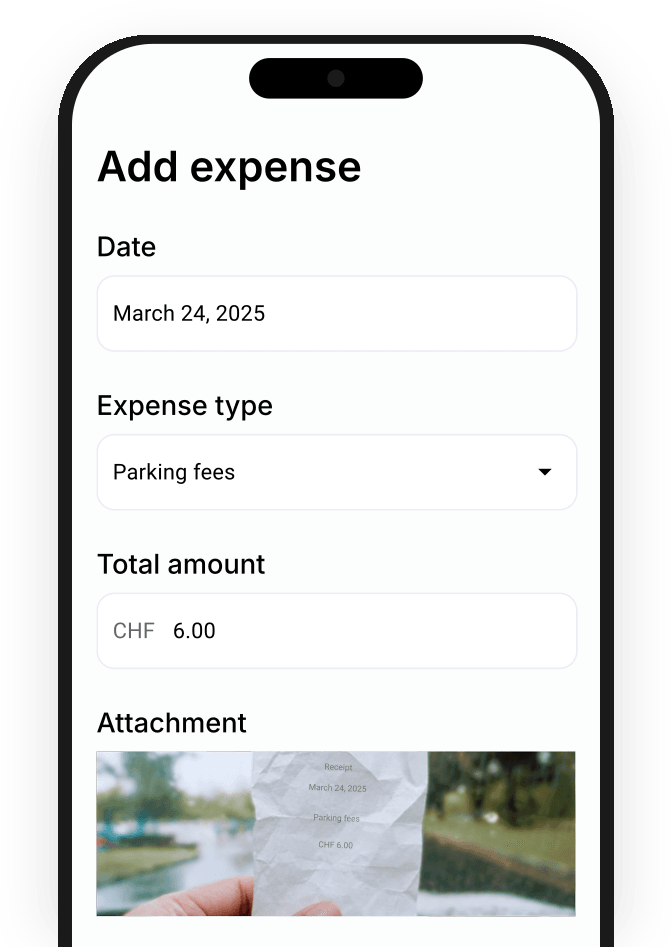
Review tasks, notes and photos after every assignment.
Discover checklists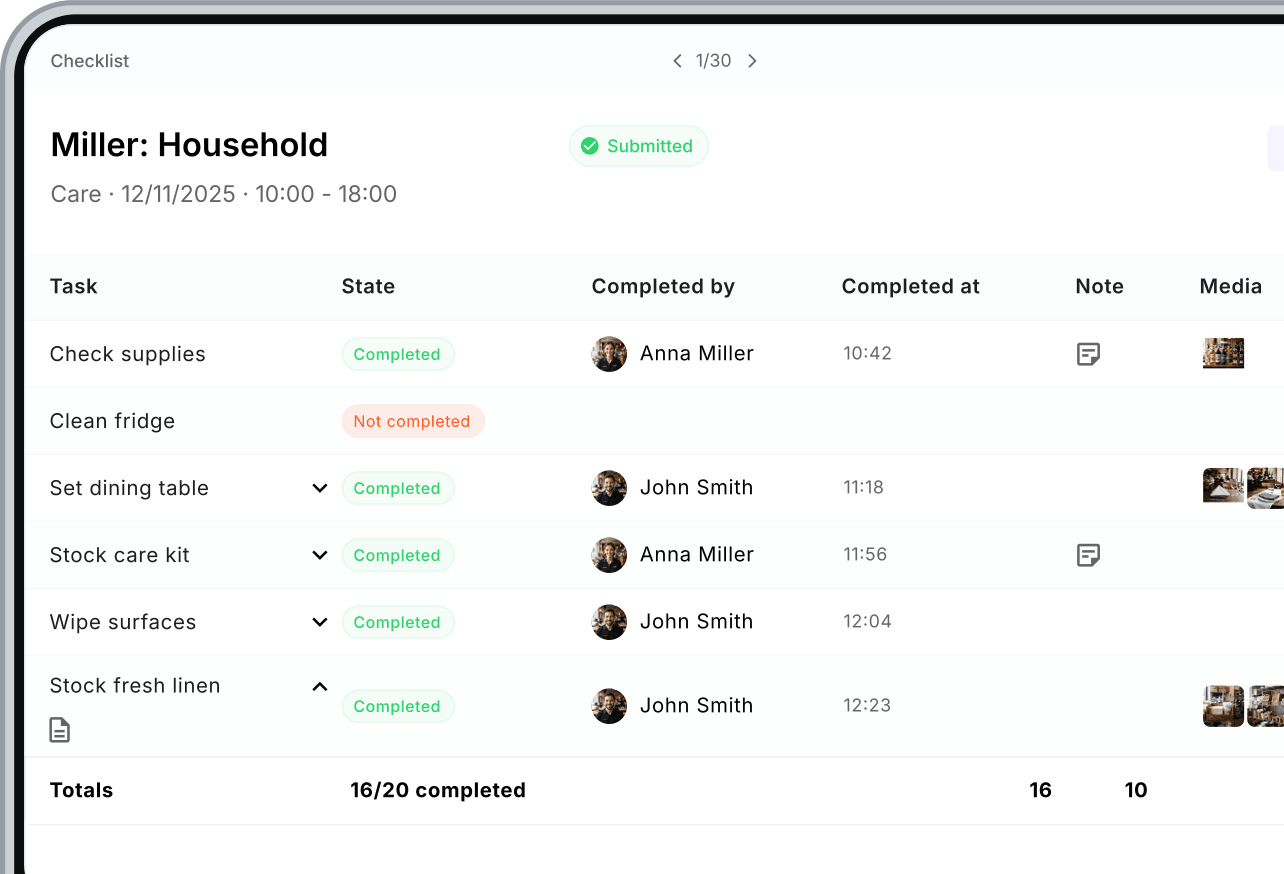
Advertise roles, invite new caregivers and collect their details and contracts. Manage hiring and onboarding in Squadra.
Publish vacancies and bring applications into Squadra. Review candidates and keep the hiring process alongside the team you already manage.
Learn more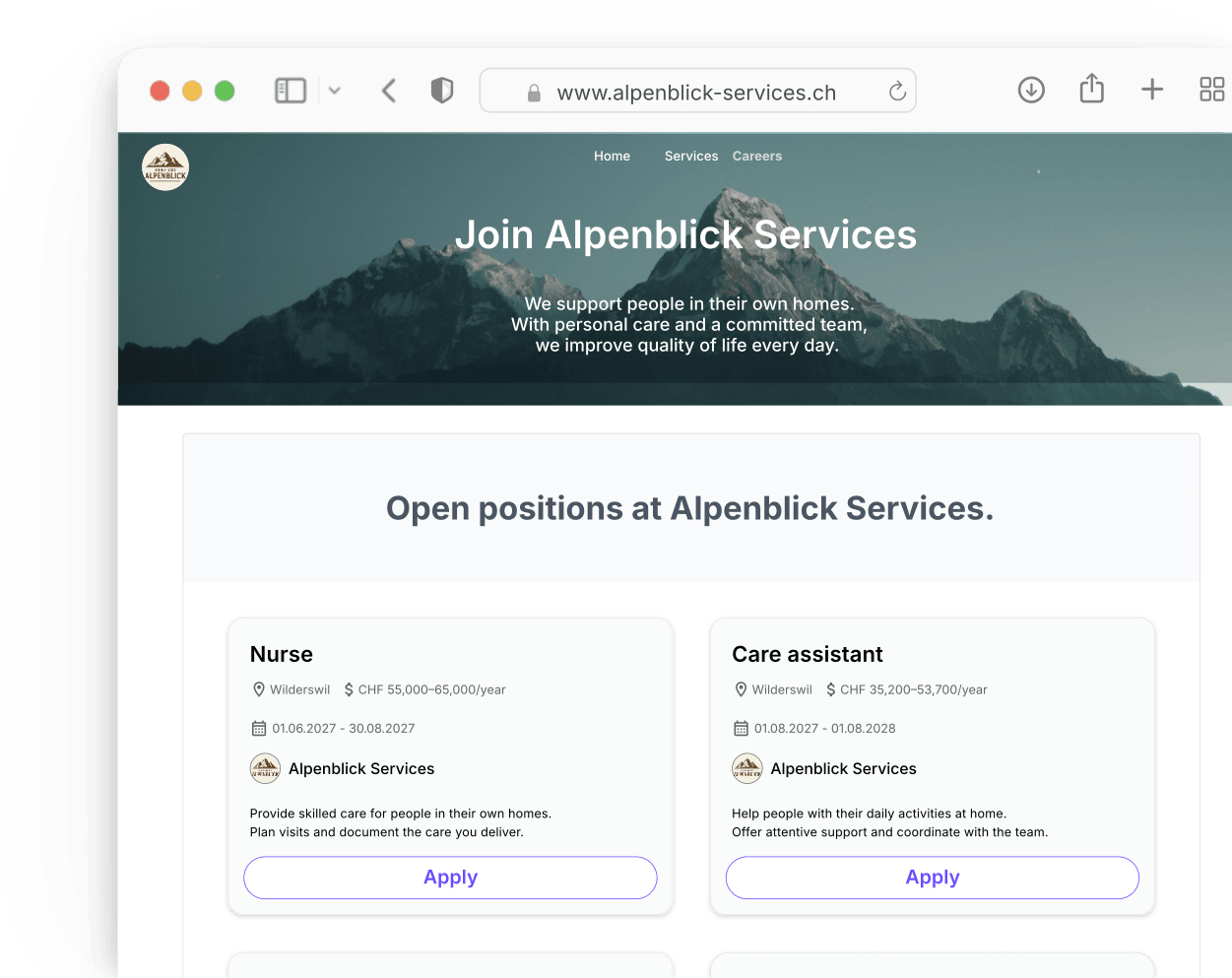
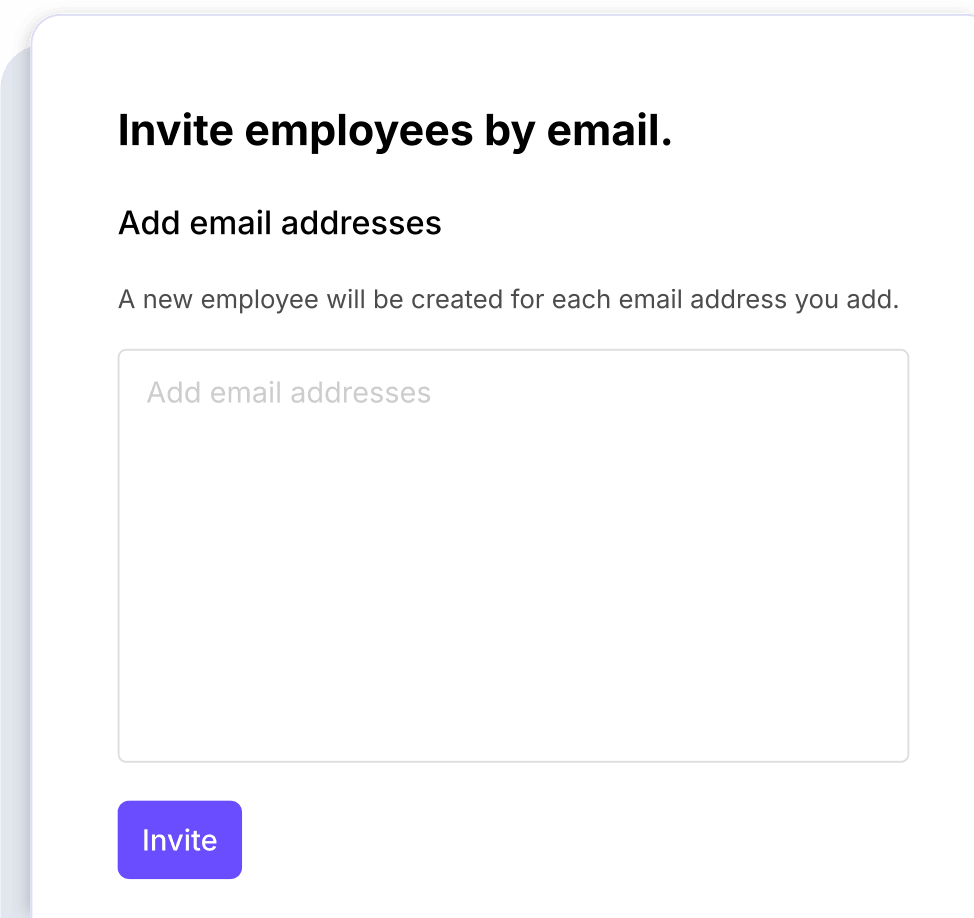
Send an invitation using an email address. The caregiver follows the link to join your company in Squadra and begin setting up their profile.
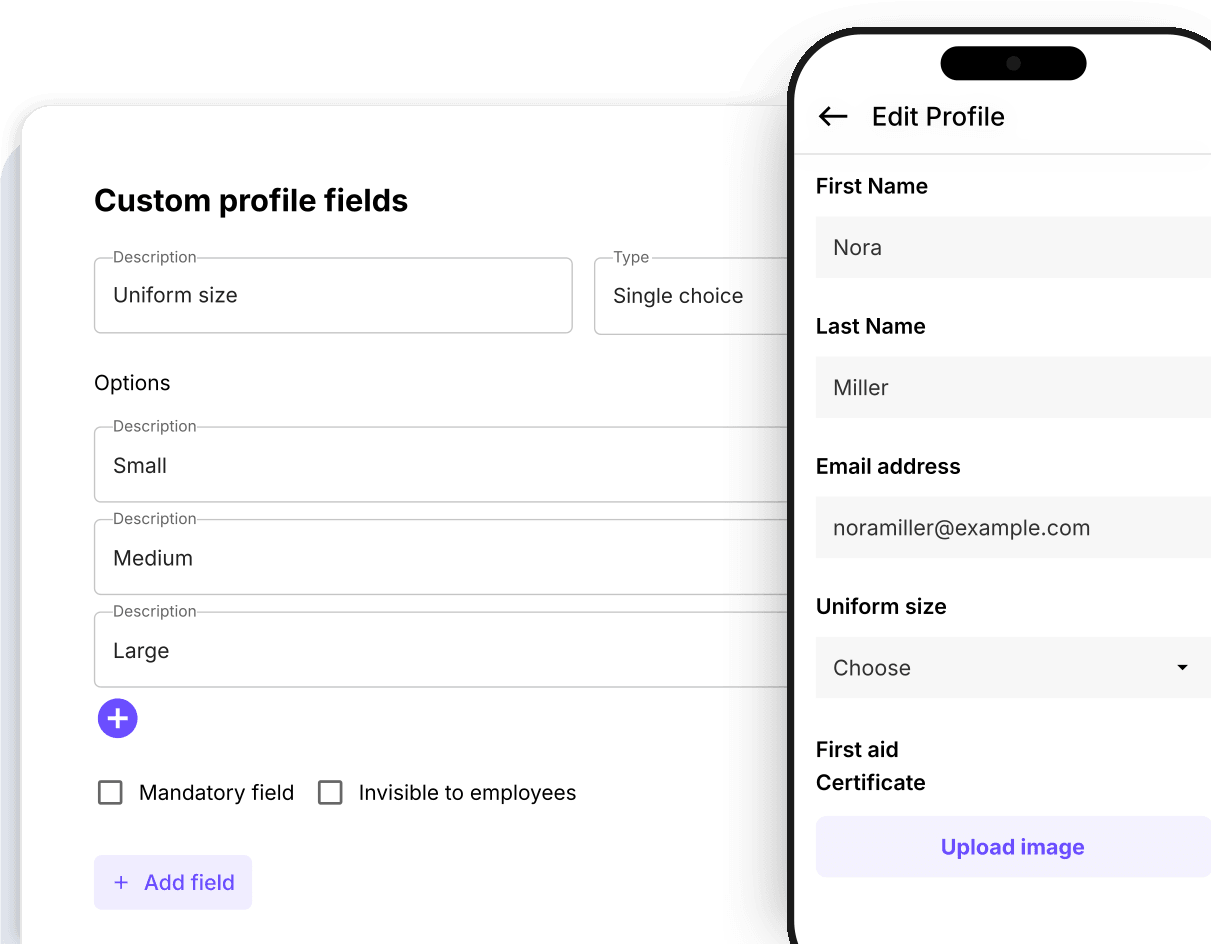
Let new team members enter their own details in the app. Choose the standard and custom fields your team needs to collect.
Create and send employment contracts from Squadra. Caregivers can review and sign on their phone, while you follow the contract’s status.
Discover Signable Contracts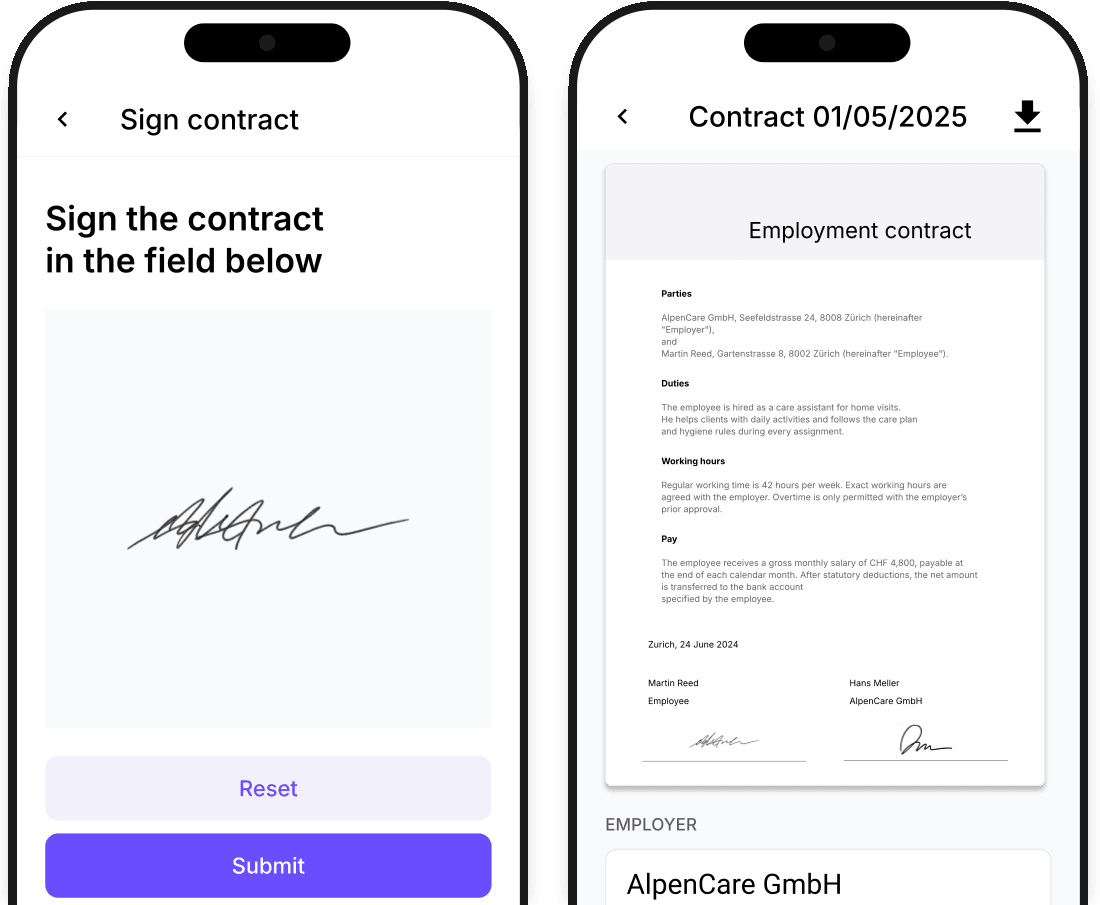
Store documents with the employee profile and choose which files to share. Caregivers can find the documents they need in the app.
Discover File sharing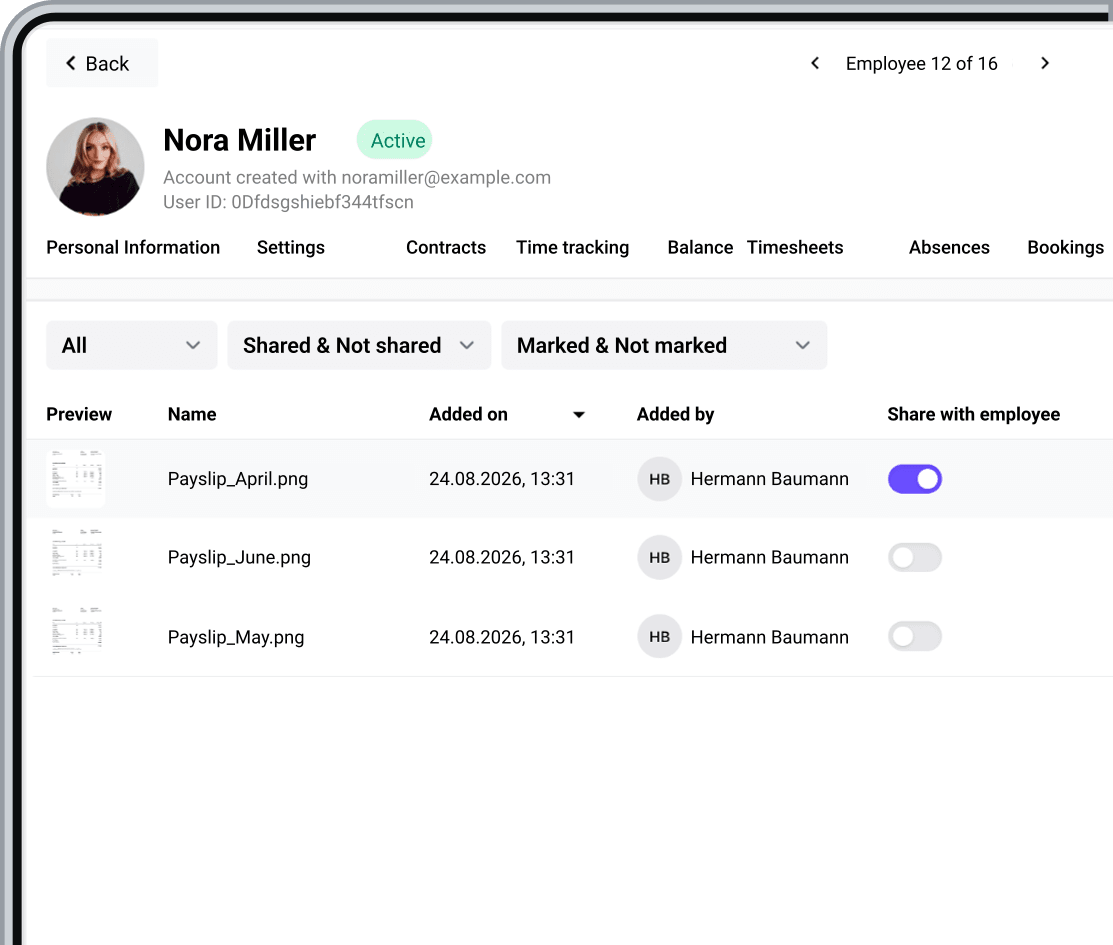
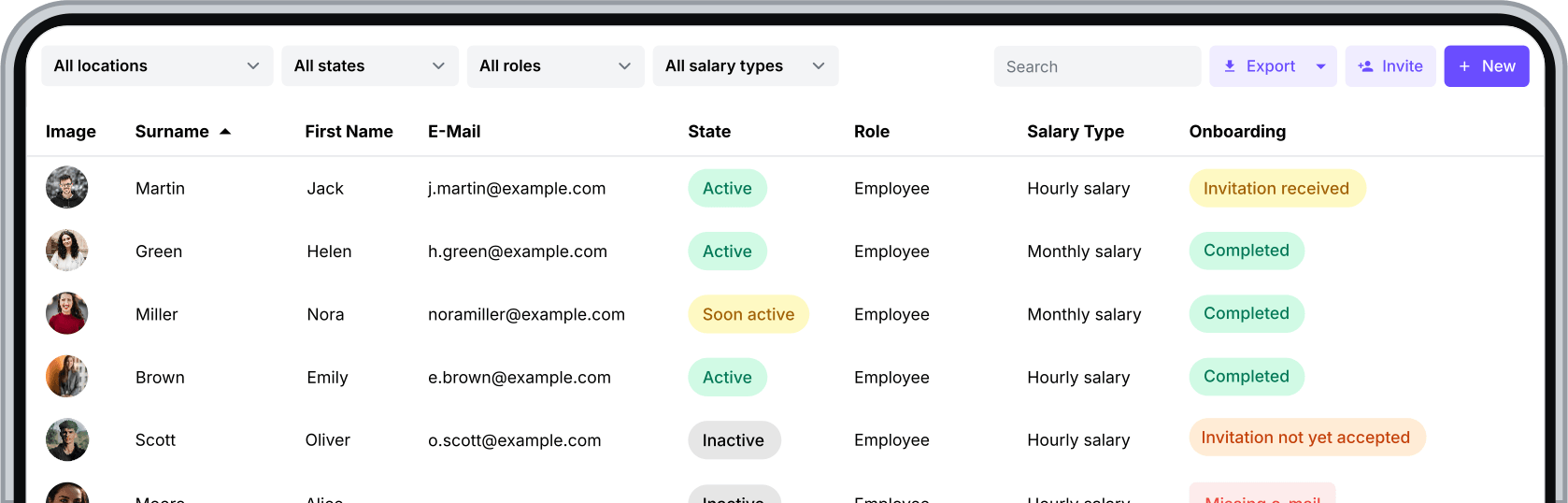
See your team across locations, roles and employment statuses. Keep employee information and access permissions together as your team grows.
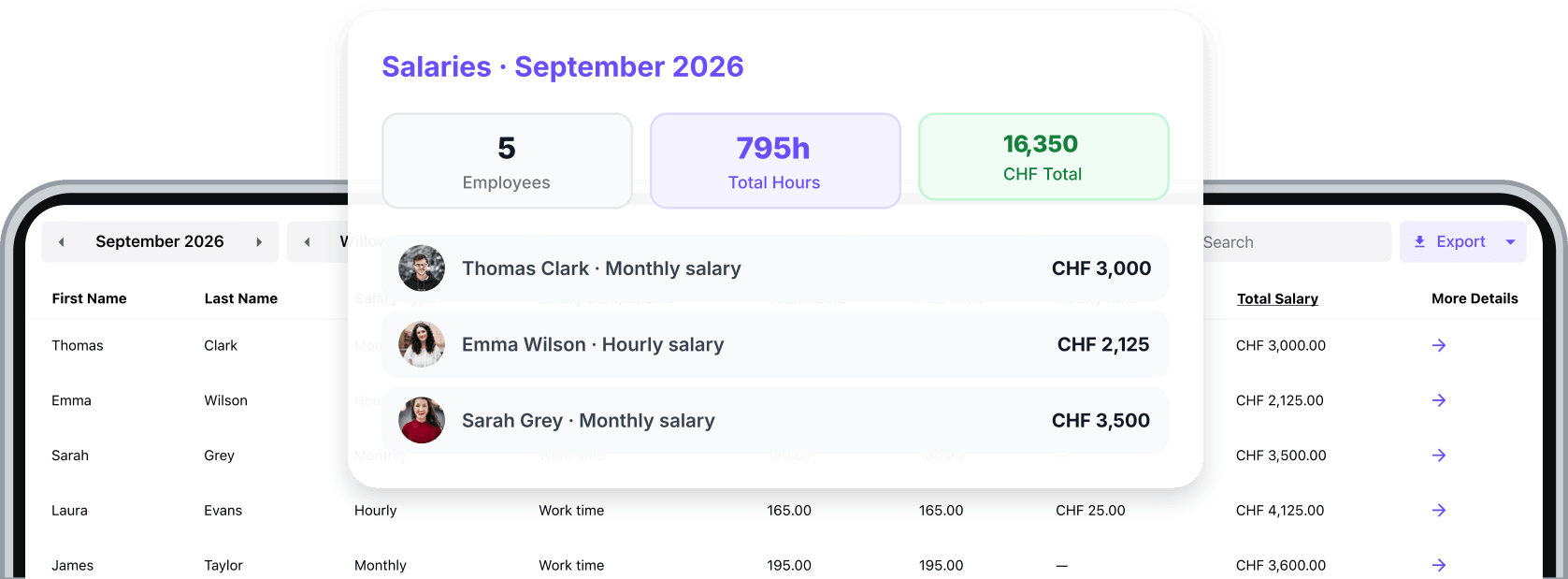
Bring approved hours together, apply configured supplements and prepare your payroll data.
Follow gross wages through the month using recorded working time. See how completed assignments contribute to your team’s wage costs.
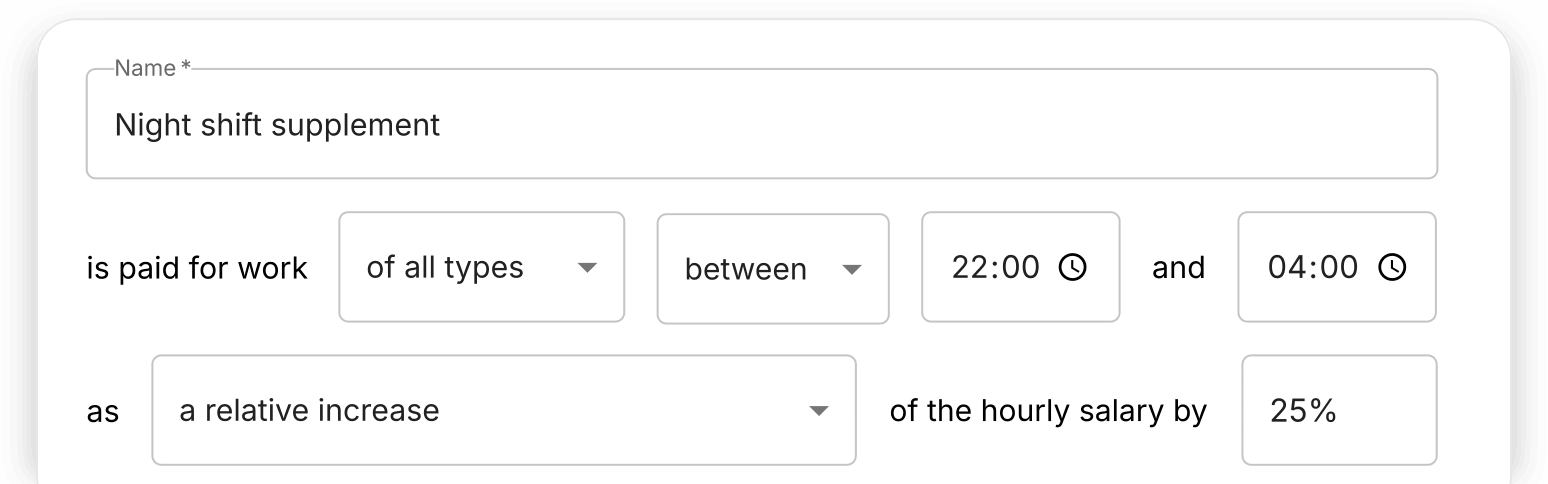
Configure supplements for the hours and days that apply to your team. Squadra includes them in salary calculations according to your rules.
Bring approved hours and calculated salaries into your payroll process. Export the prepared data without entering the same figures again.

 Add-ons
Expand Squadra with powerful add-ons.
Experience the benefits of smarter shift management. Start your free 30-day trial now or book a demo.